Case Study
HR Intranet & Floor Time Clock System
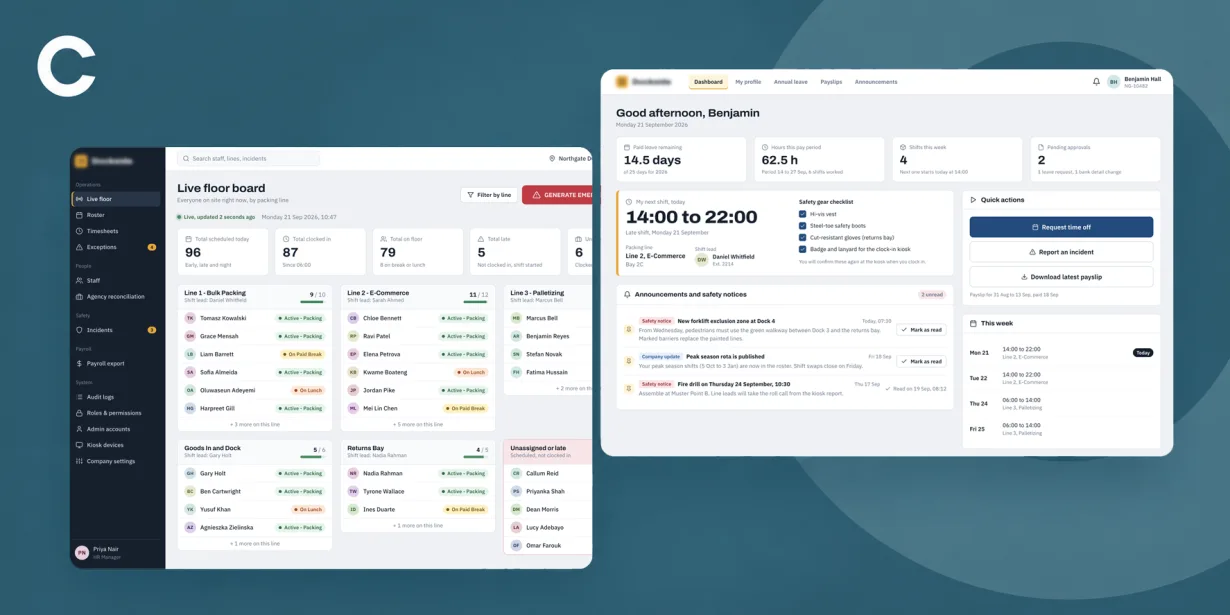
Eliminated manual timesheets and optimized floor operations using a centralized Laravel HR hub and API engine connected to Android time clock terminals.
Project Brief
Develop a centralized Laravel HR intranet and backend platform tailored for a high-throughput packaging facility.
The system bridges core web-based HR administrative management with hardware-integrated Android floor kiosks to eliminate manual timesheets, stream real-time floor activity, manage shift schedules, and enforce statutory compliance.
The Challenge
Eliminating manual timesheets and shift-change queues across high-density worker transitions while strictly maintaining an under-2-second touchpoint processing speed.
Enforcing mandatory health & safety checklists, statutory rest break compliance rules (e.g., 11-hour rest intervals), and certification checks prior to allowing floor clock-ins.
Designing a resilient event processing engine capable of seamlessly accepting queued offline events and bulk-syncing logs from Android kiosks after network blips without missing or duplicated timestamps.
Functionality
Phase 1: Core HR, Compliance & Worker Welfare
Employee self-service profiles, contract storage, granular role-based access control (RBAC), multi-level PTO approval workflow, automated working time regulation rest checks, incident reporting, and safety certification tracking.
Phase 2: Floor Kiosk Integration & Live Management
REST APIs for multi-mode Android terminal authentication (PIN, QR, RFID/Barcode), supervisor fast-track override validation APIs, pre-clock H&S verification logging, line allocation feeds, live WebSocket floor board, and emergency single-click roll call manifests.
Phase 3: Attendance Engine, Payroll & Compliance
Automated backend timesheet batch processor, grace period rounding rules, auto-clock-out logic for open shifts (>14 hrs), agency/temp staff billing reconciliation, PDF pay stub generation, and expense claims processing.
Phase 4: Advanced Analytics & AI-Driven Optimization
A fourth phase is currently under development, focusing on advanced analytics, predictive workforce management, and AI-driven optimization of floor operations.
A closer look
Employee Dashboard
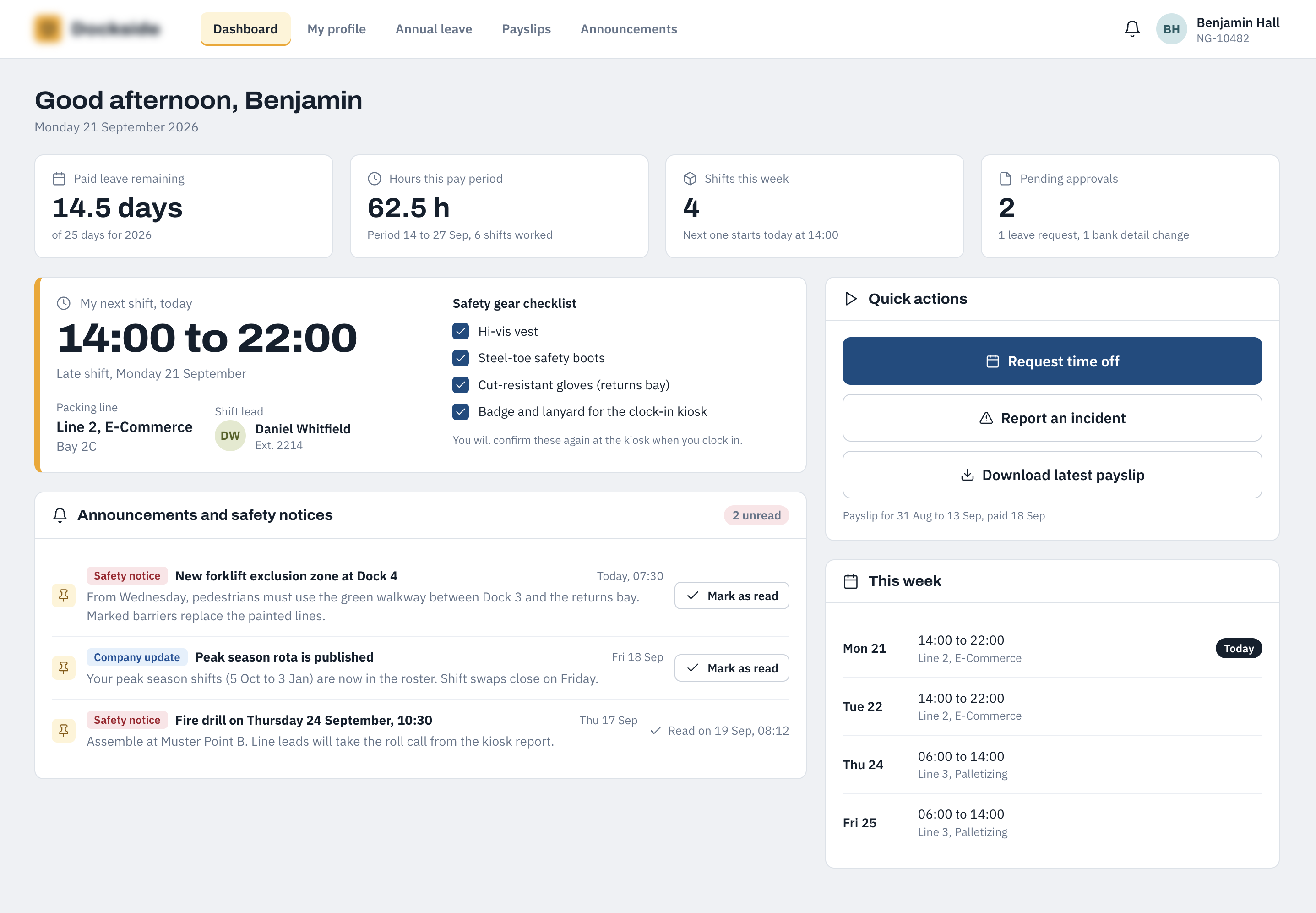
The employee dashboard provides a quick overview of the information an employee needs at the start of their working day. It brings together holiday balances, current working hours, upcoming shifts, pending approvals, required safety equipment and important company announcements, with quick actions for common tasks.
Report an Incident
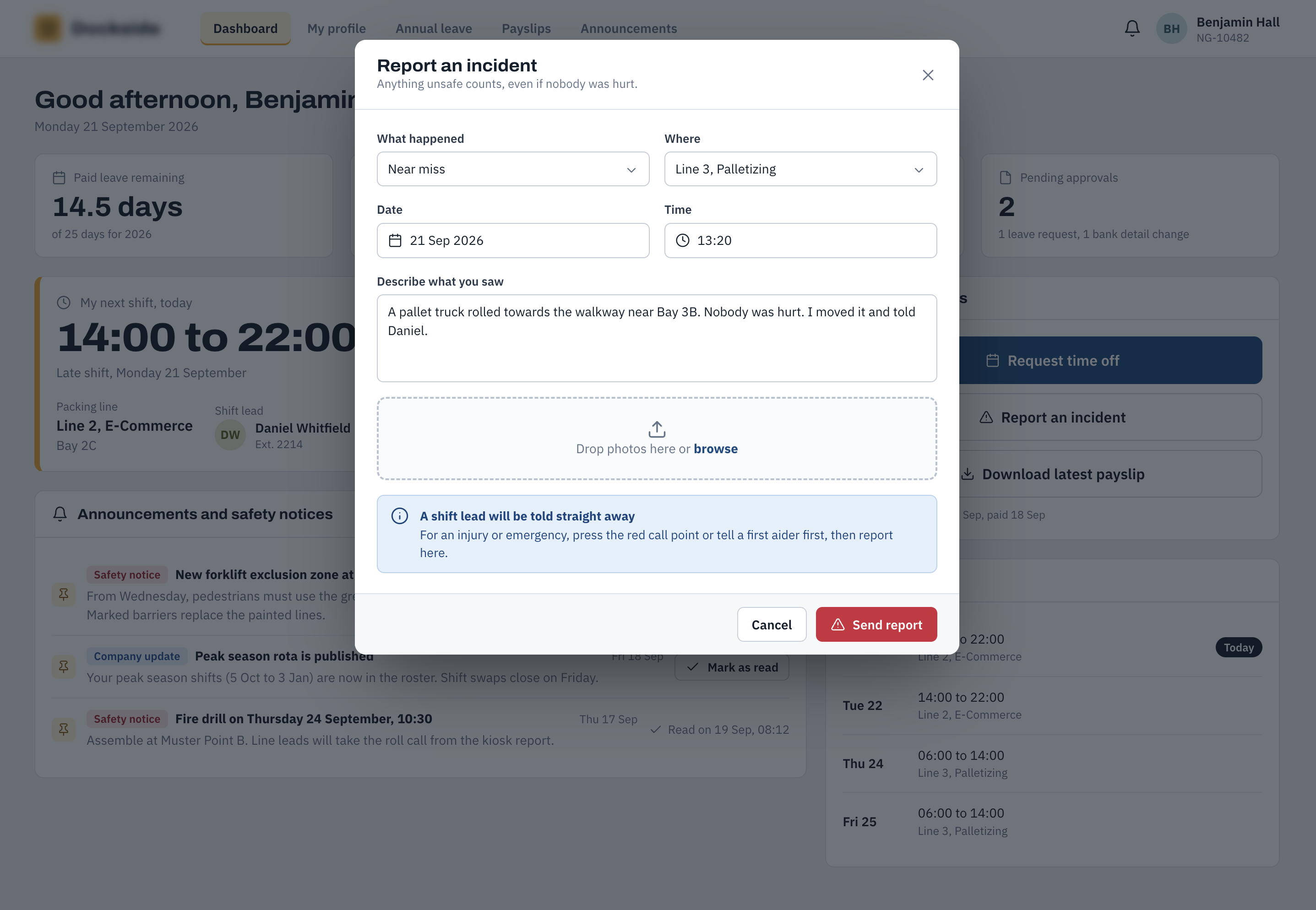
Employees can report a workplace incident directly from their dashboard without needing to navigate through the wider HR system. The form provides a straightforward way to capture the essential details of an incident and ensures that safety reporting is accessible to everyone on site.
Personal & Emergency Contacts
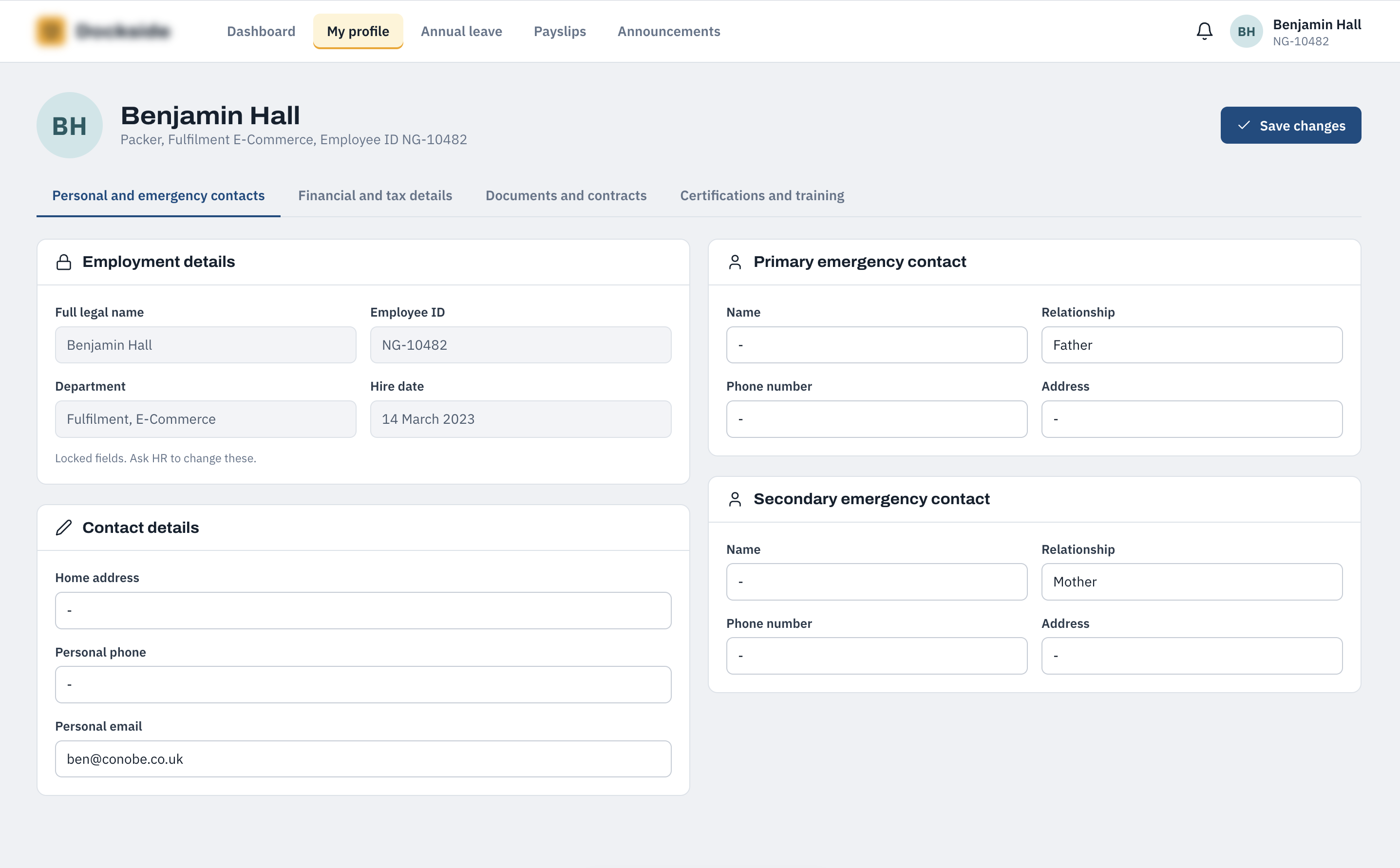
This screen allows employees to review and maintain their personal contact information and emergency contacts. Core employment information such as their legal name, employee ID, department and hire date remains read-only, while contact details can be updated by the employee.
Financial & Tax Details
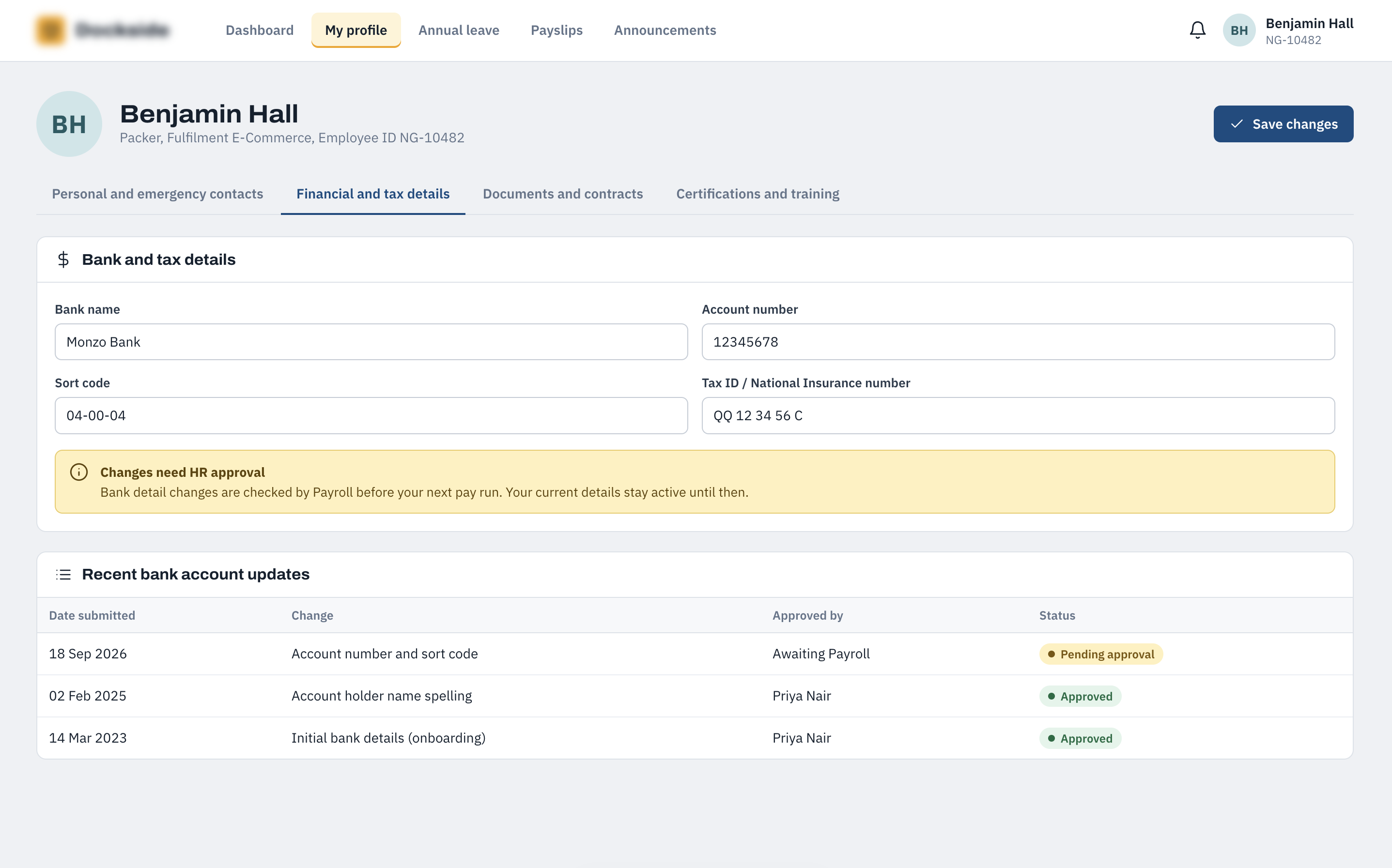
Employees can view their current bank and tax information and submit changes when required. Bank account amendments are routed to Payroll for approval, while the screen also provides a visible history of previous changes so employees can see what has been submitted and approved.
Documents & Contracts
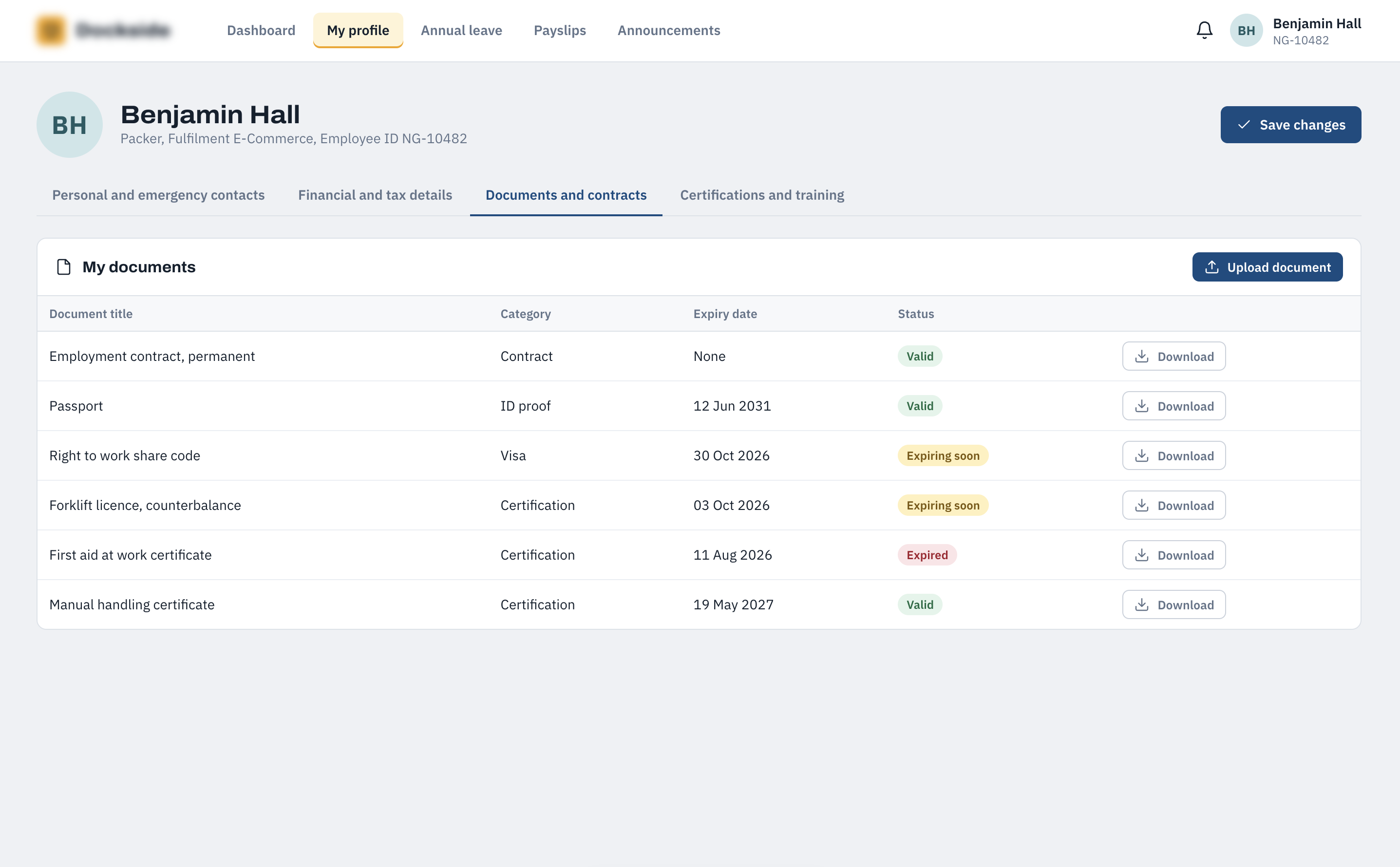
The documents area gives employees a central location for employment contracts, identity documents, right-to-work information, licences and certificates. Each document shows its category, expiry date and current status, making it easy to identify documents that are valid, approaching expiry or already expired.
Upload Document
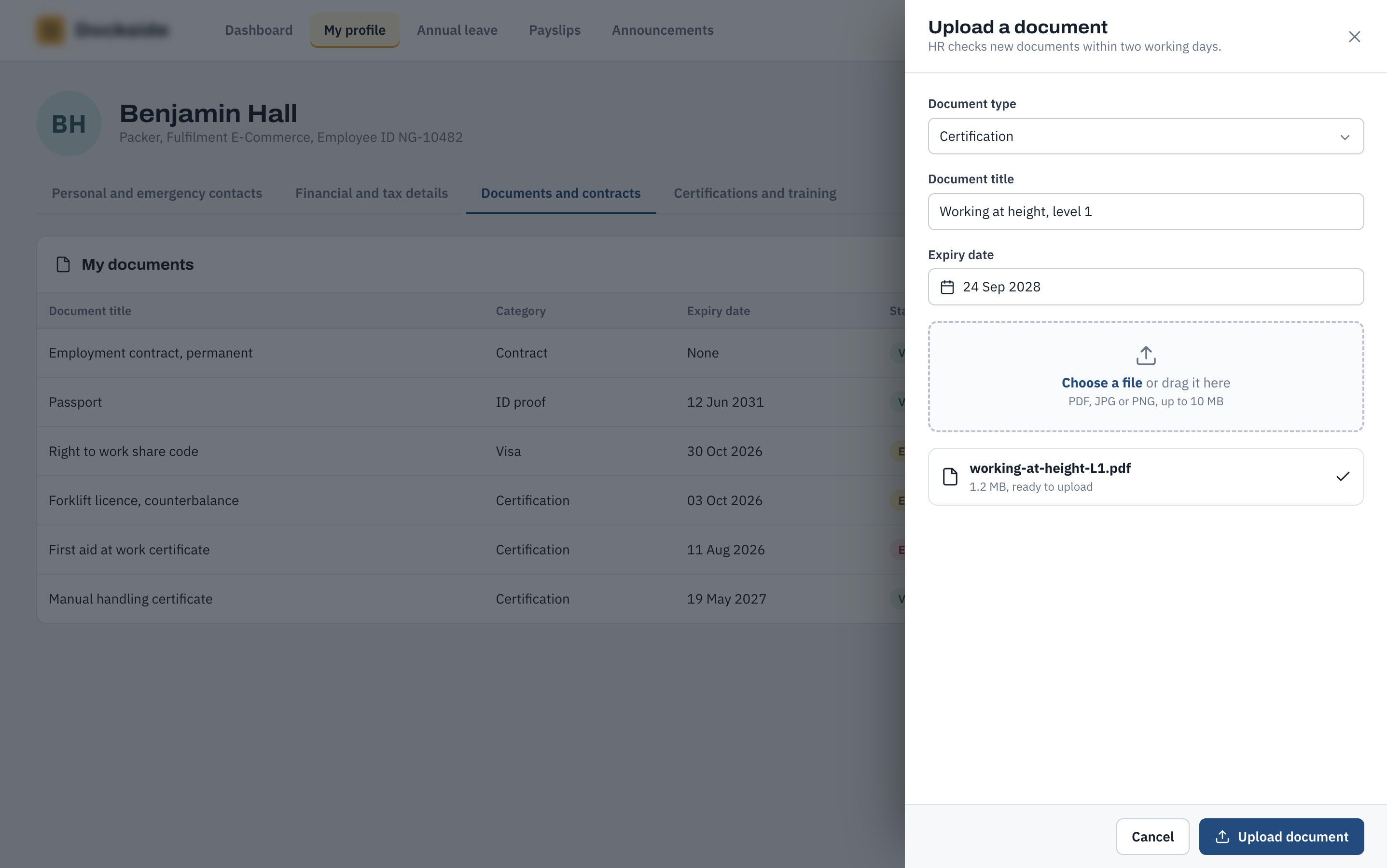
Employees can upload new documents directly into their profile using a dedicated upload drawer. The process captures the document type, title and expiry date, while also explaining that uploaded documents are checked by HR before becoming part of the employee record.
Certifications & Training
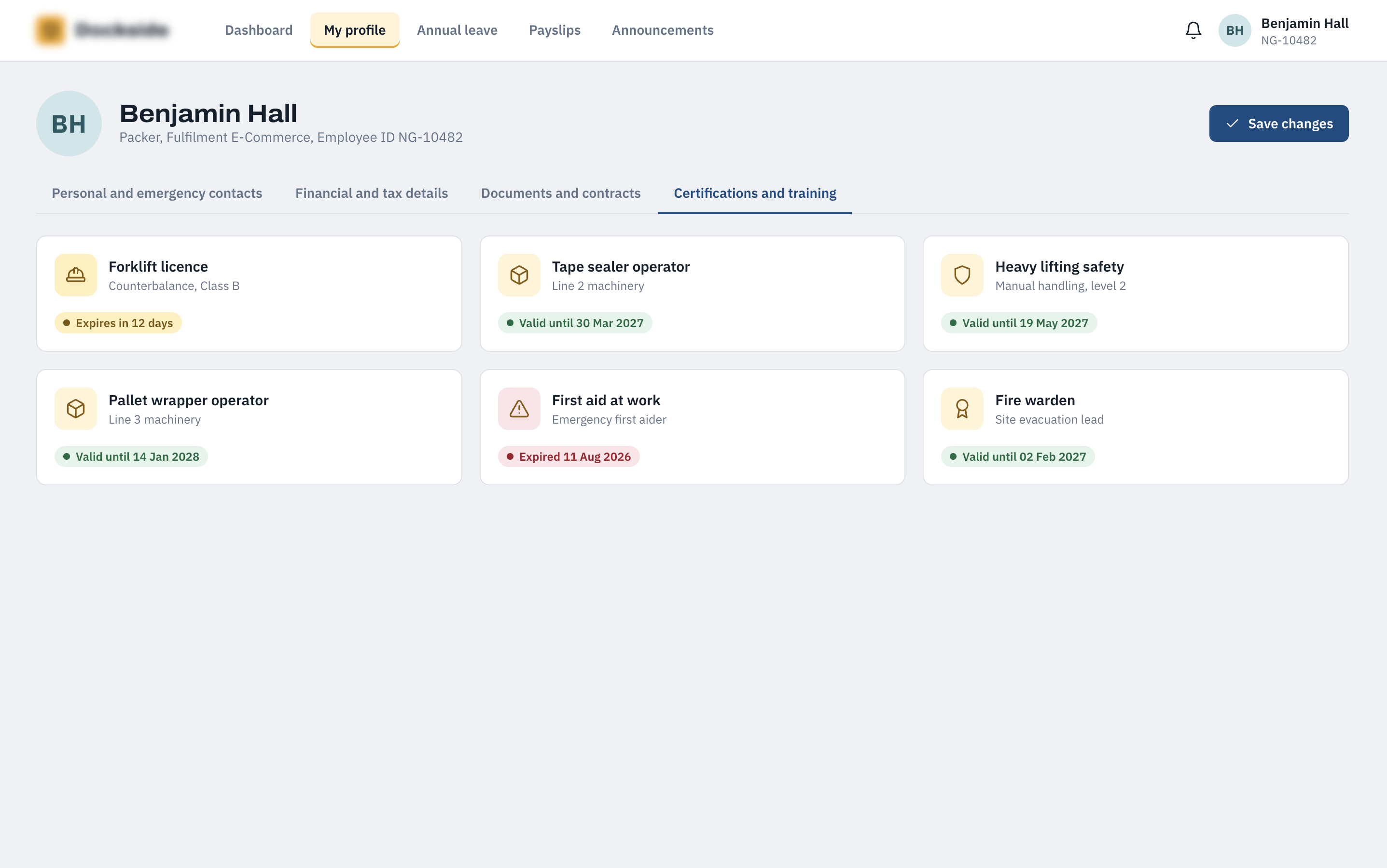
This screen provides an at-a-glance view of the employee's qualifications, operational certifications and training. Expiry information is surfaced prominently, with warning states used to highlight certifications approaching expiry and those that have already expired.
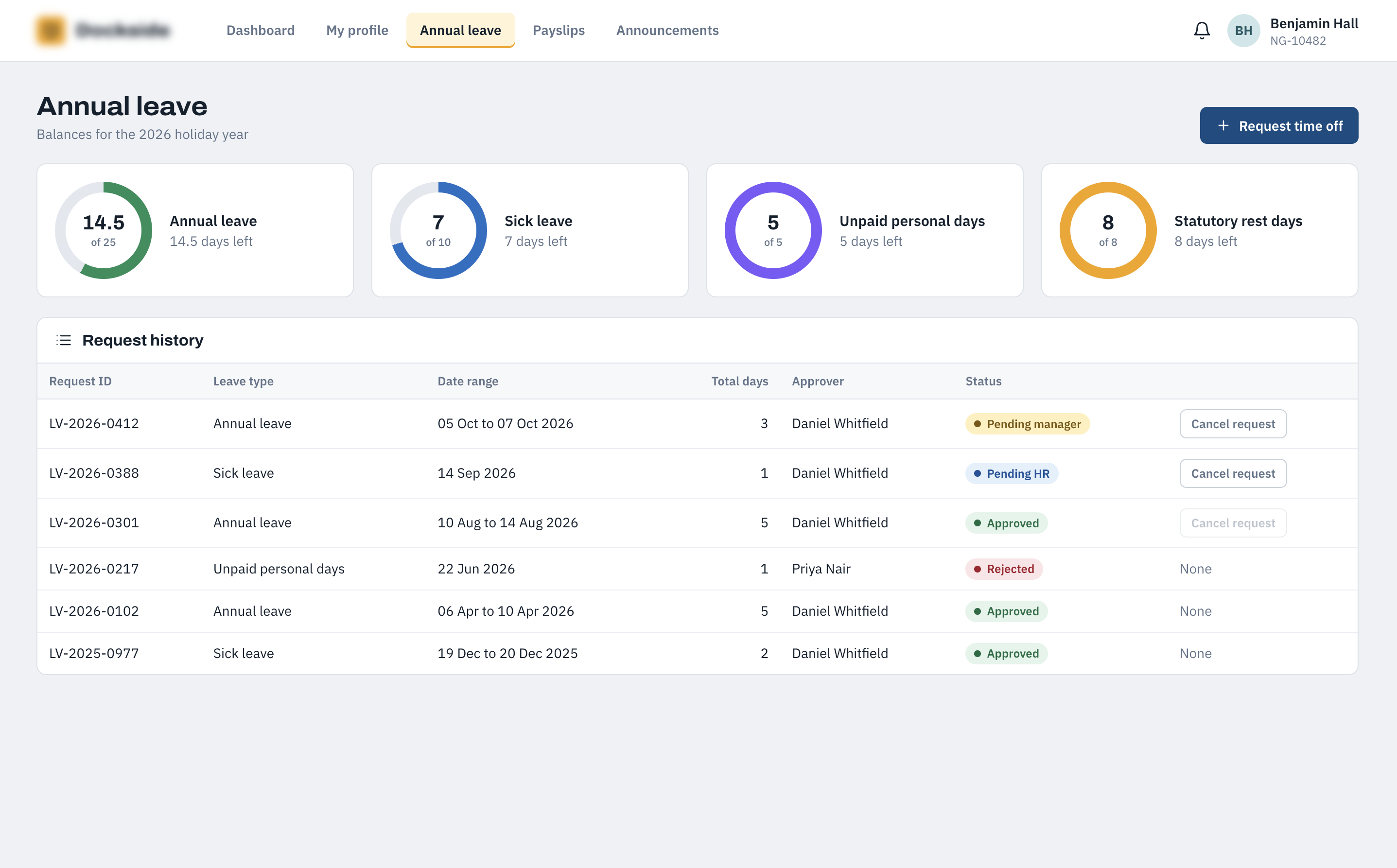
Annual Leave Requests
Employees can view their available leave balances, submit new requests and review the history of previous requests from one place. Each request shows its dates, duration, approver and current status, giving employees a clear view of outstanding and completed leave applications.
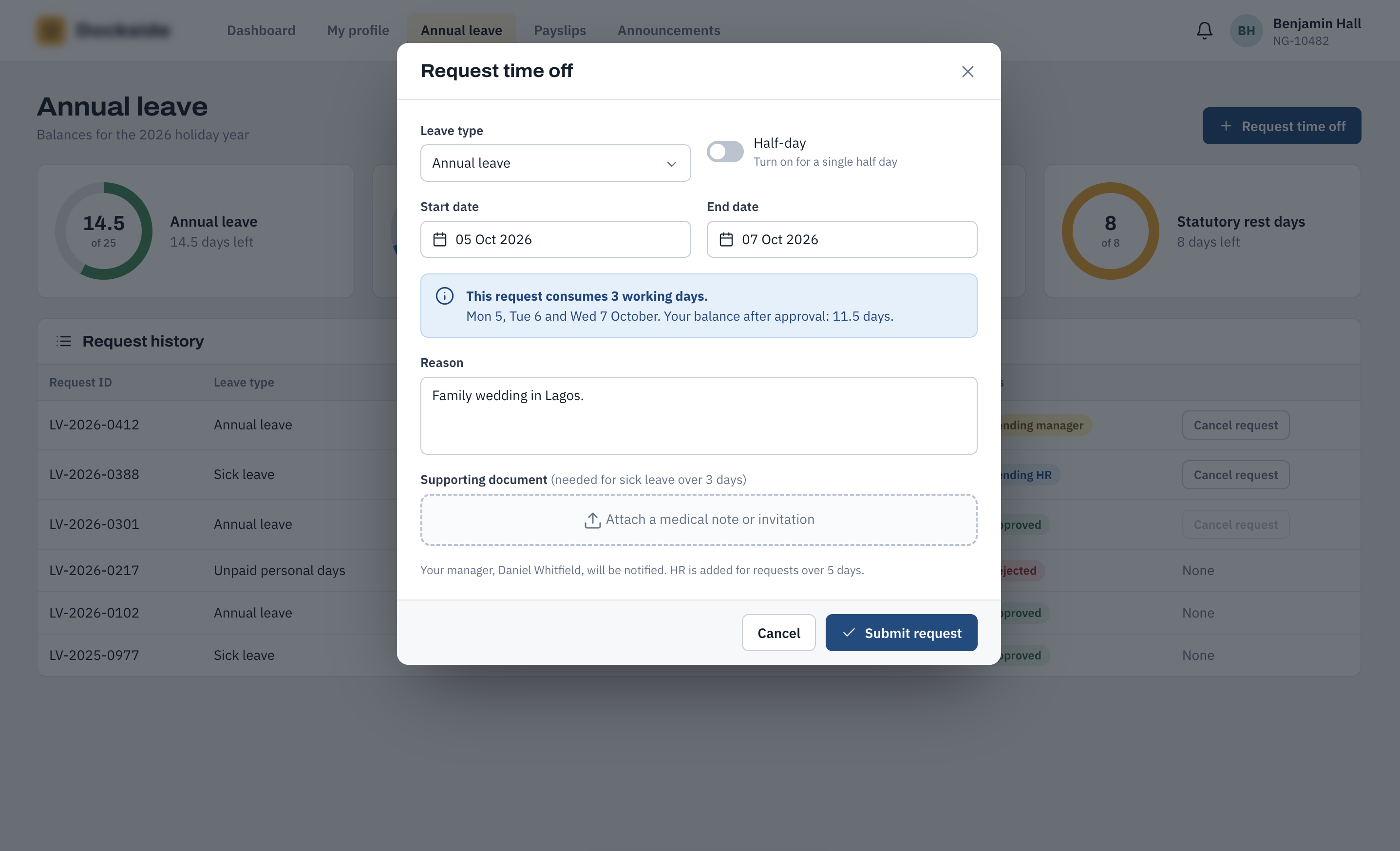
Request Time Off
The leave request form allows an employee to select the type of leave, dates and any relevant reason. The system automatically calculates the number of working days being requested and shows the employee's remaining balance before the request is submitted.
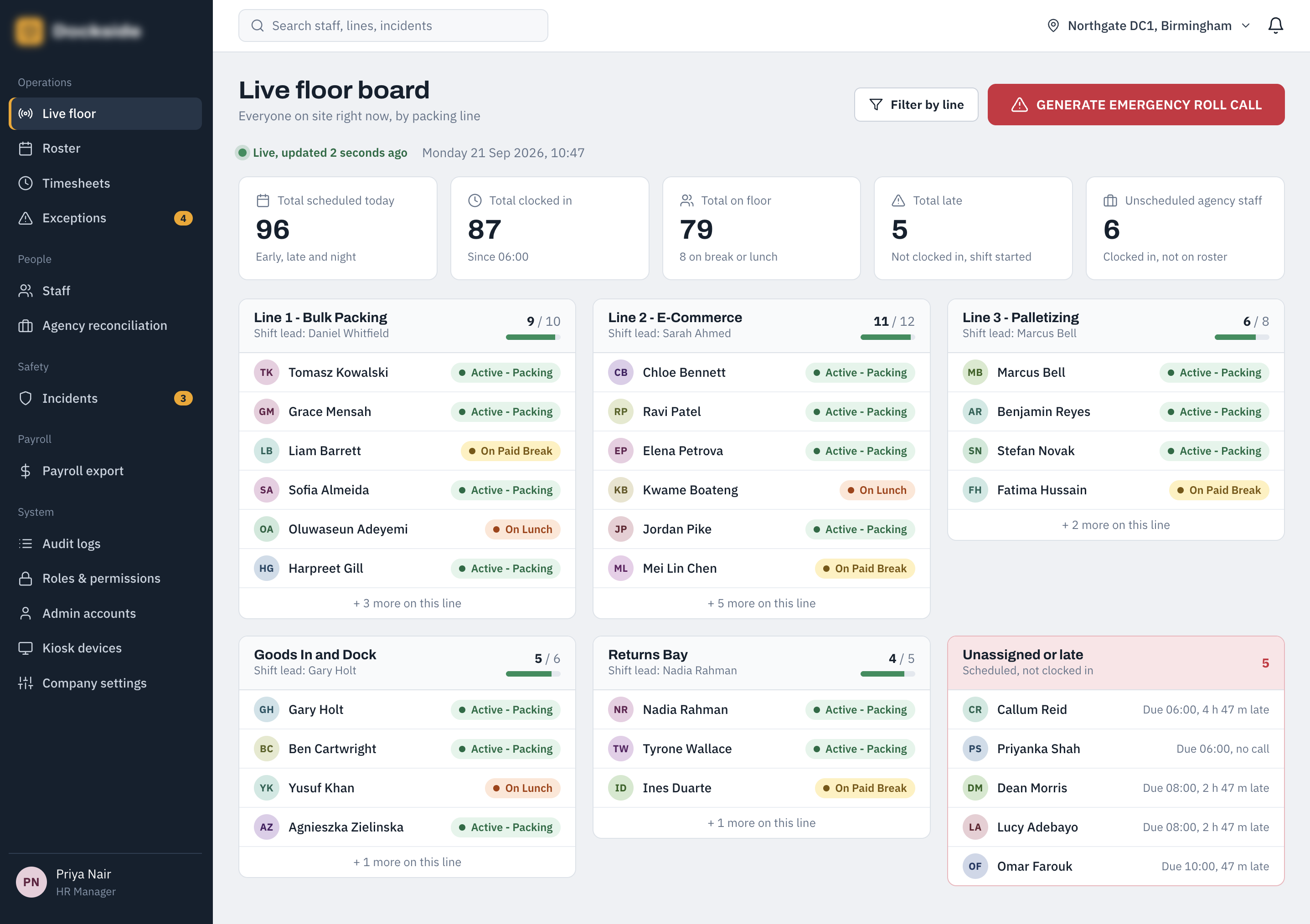
Live Floor Board
The live floor board gives supervisors an up-to-date view of employees currently working across the operation. Employees are grouped by their current status and packing line, with colour-coded indicators helping managers quickly identify active workers, breaks, lunch periods, late arrivals and unassigned employees.
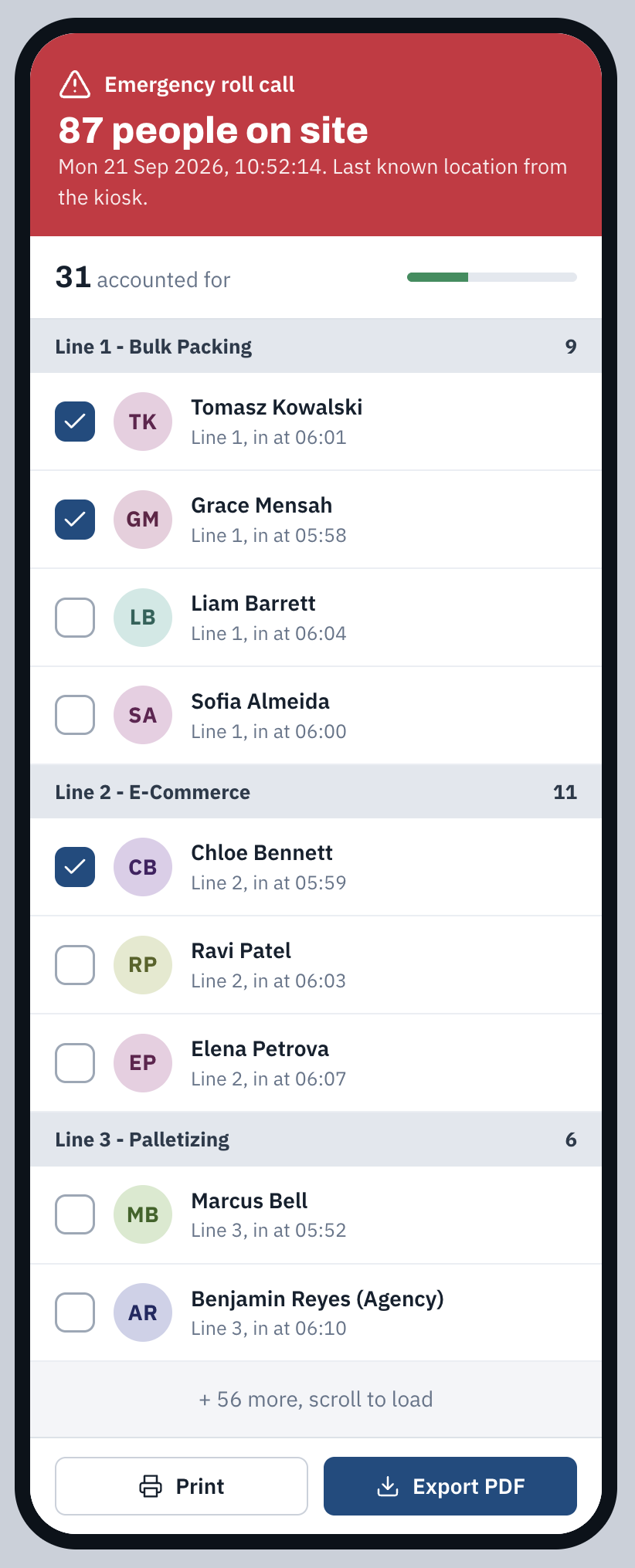
Emergency Roll Call
The emergency roll call provides a focused view of everyone currently clocked in during an incident or evacuation. It identifies each worker's last known packing line and is designed to support rapid checking of personnel, with options to print or export the information.
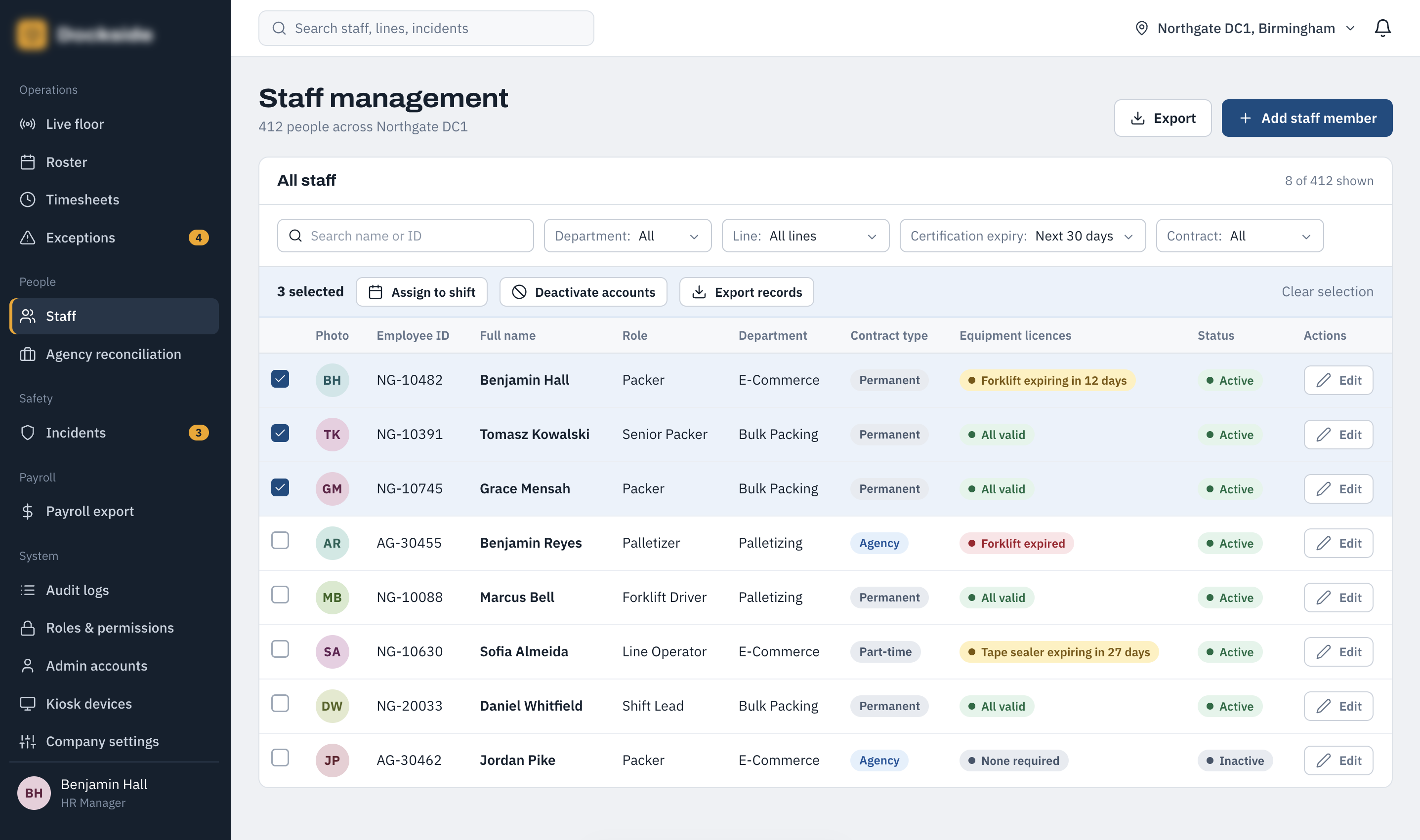
Staff Management
Staff management provides HR and authorised managers with a searchable, filterable view of the workforce. Employees can be filtered by department, packing line, certification expiry and contract type, with bulk actions available when multiple records need to be handled together.
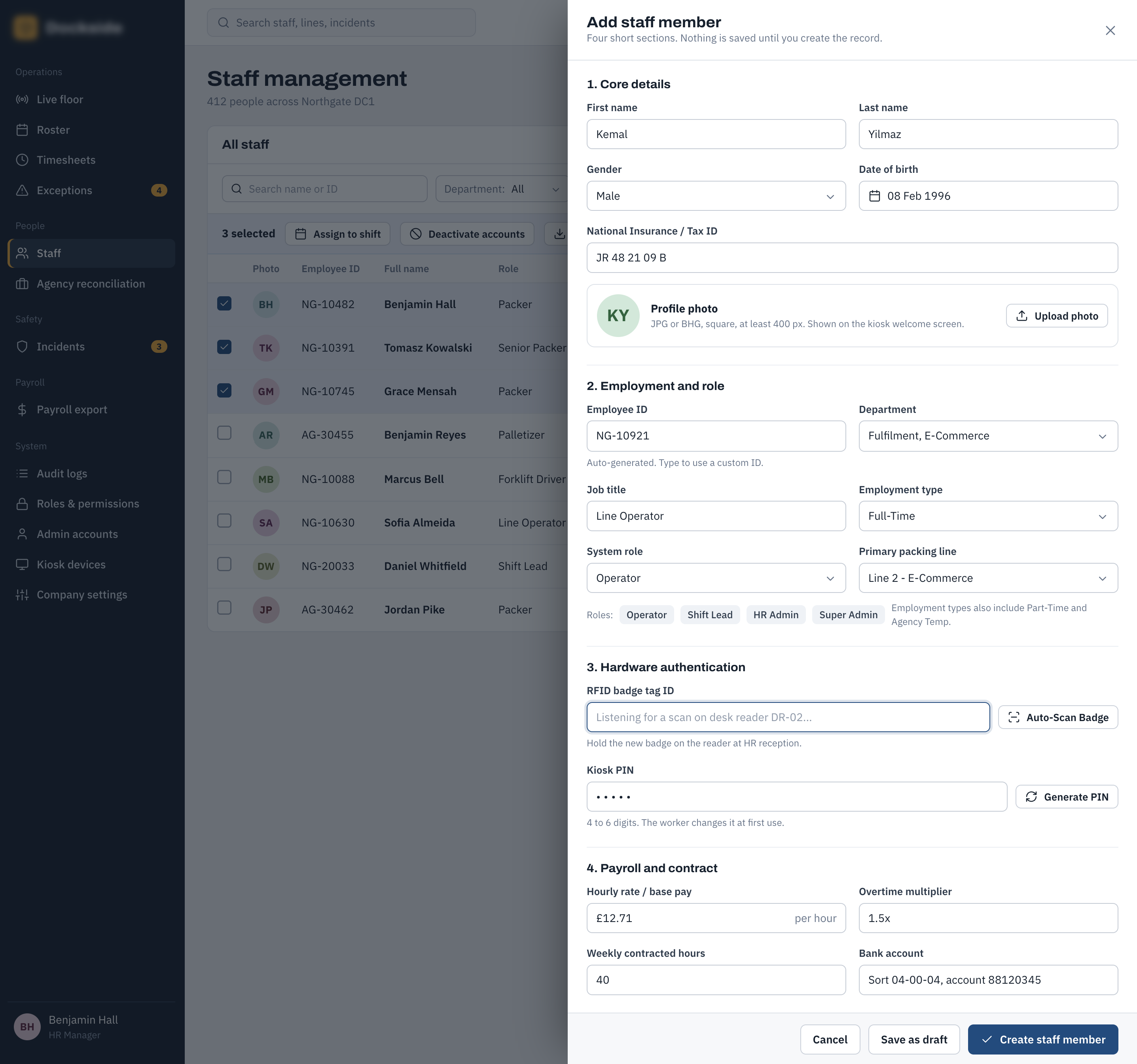
Create Staff Member
The staff creation drawer provides a structured process for adding a new employee to the system. It brings together the core information required to establish an employee record while keeping the creation process within the main staff-management workflow.
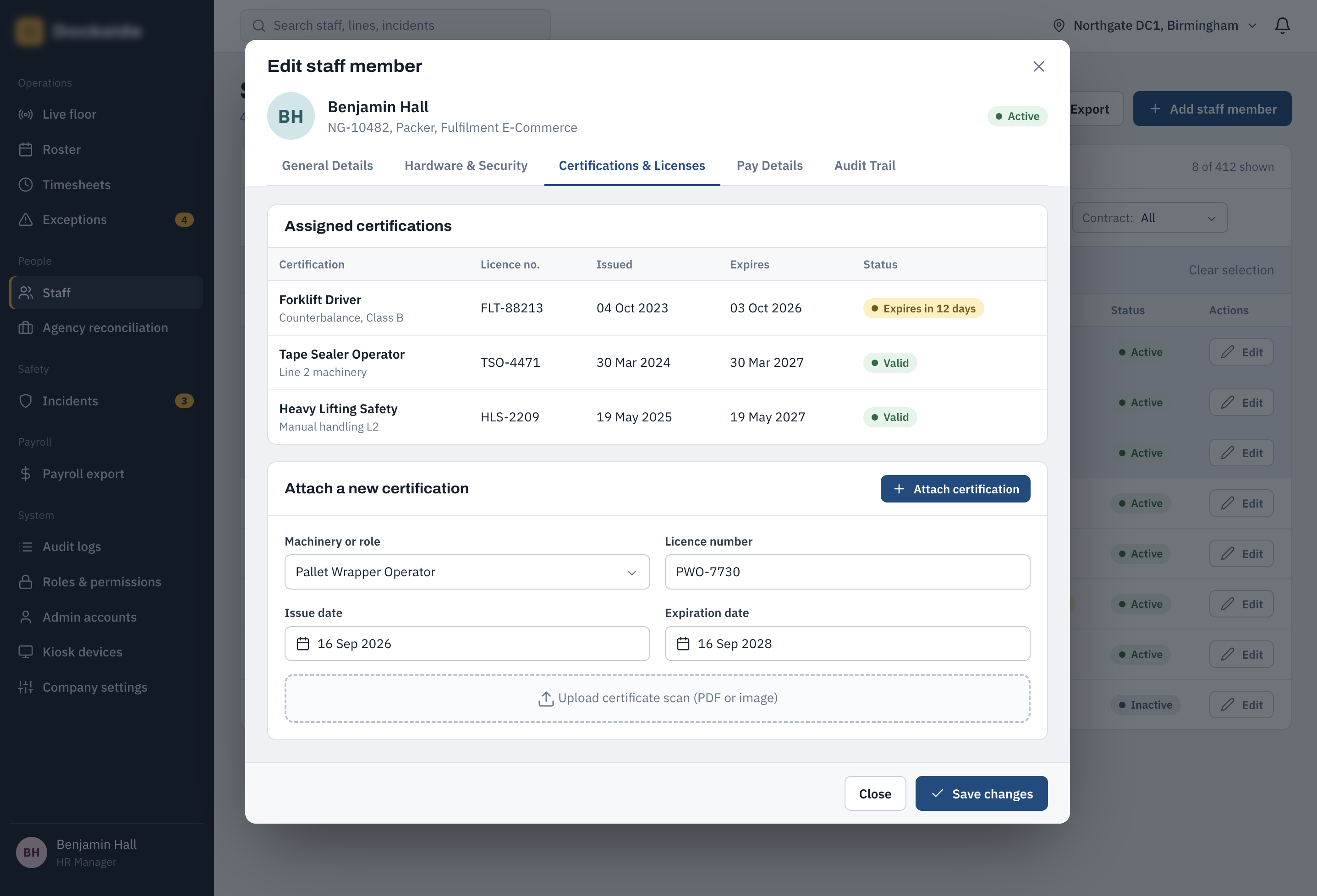
Edit Staff Member — Certifications
The certifications tab allows HR and authorised managers to maintain the qualifications and operational certifications associated with an employee. This provides a central record of the certifications required for particular roles and helps identify upcoming or expired requirements.
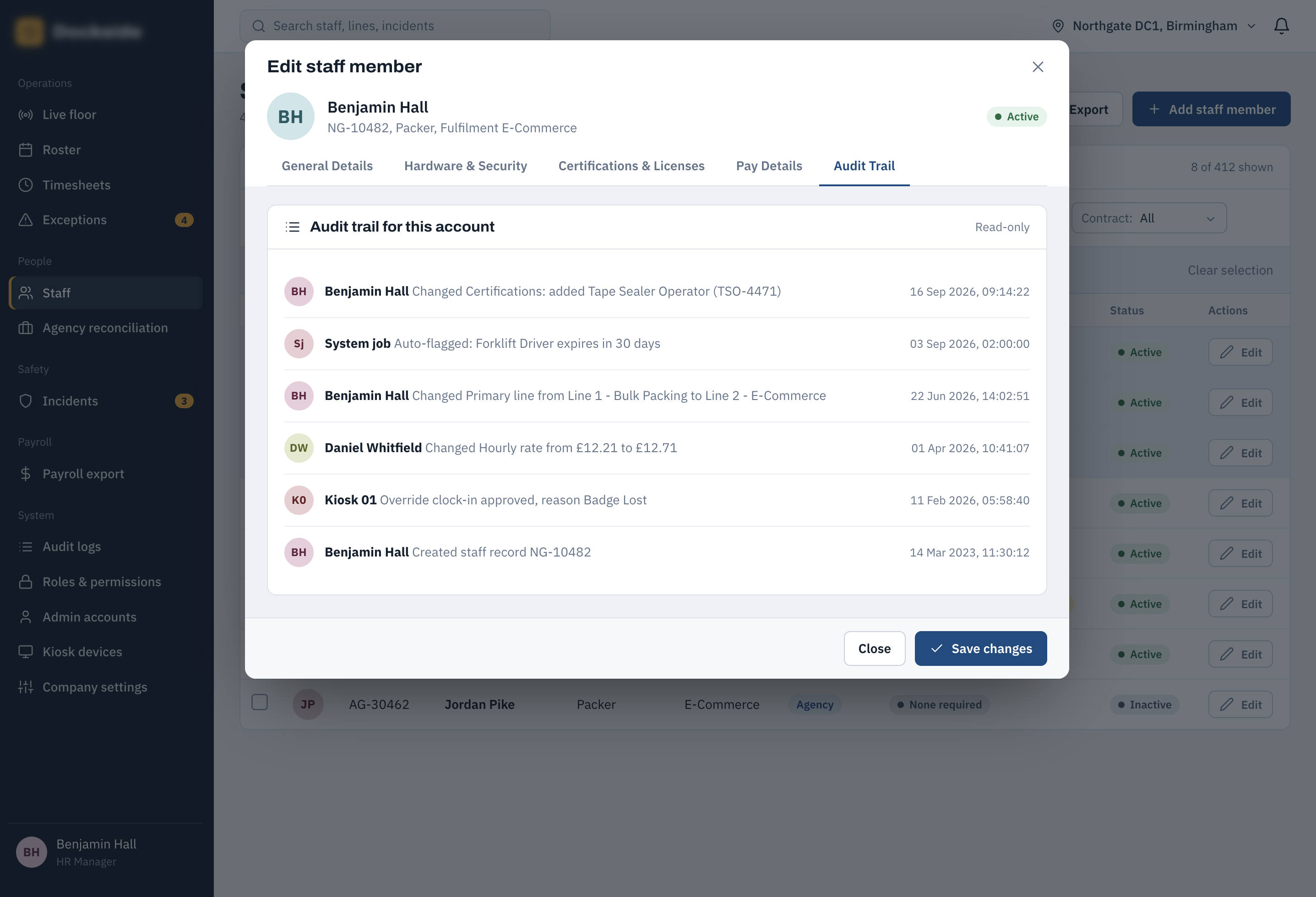
Edit Staff Member — Audit Trail
The audit trail provides a history of significant changes made to an employee record. It gives HR and management visibility of what was changed, when it was changed and the associated user, supporting accountability and traceability.
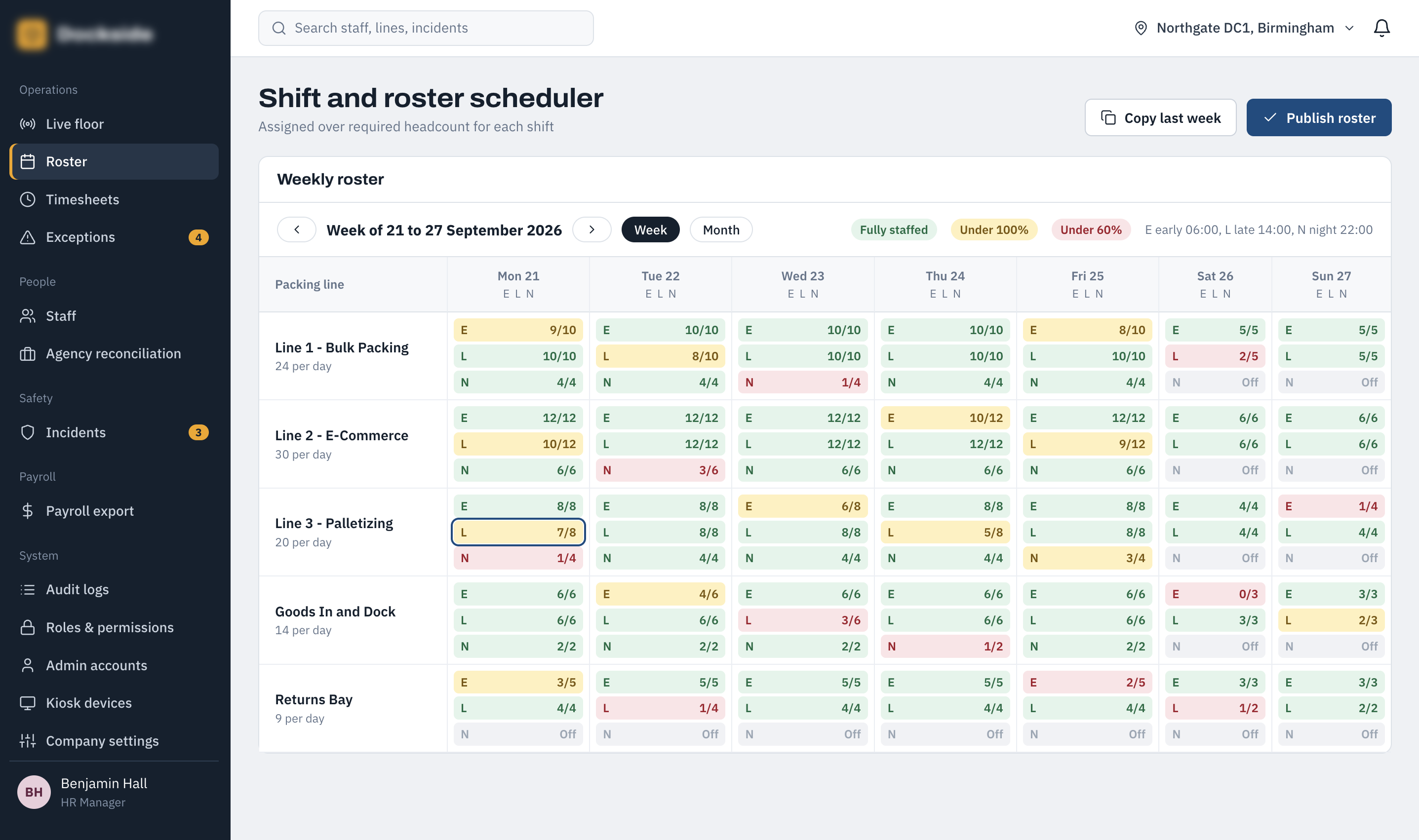
Shift & Roster Scheduler
The roster scheduler provides a weekly planning view of staffing across the packing operation. Packing lines form the rows while each day is divided into early, late and night shifts, allowing managers to see staffing coverage and plan employee assignments across the week.
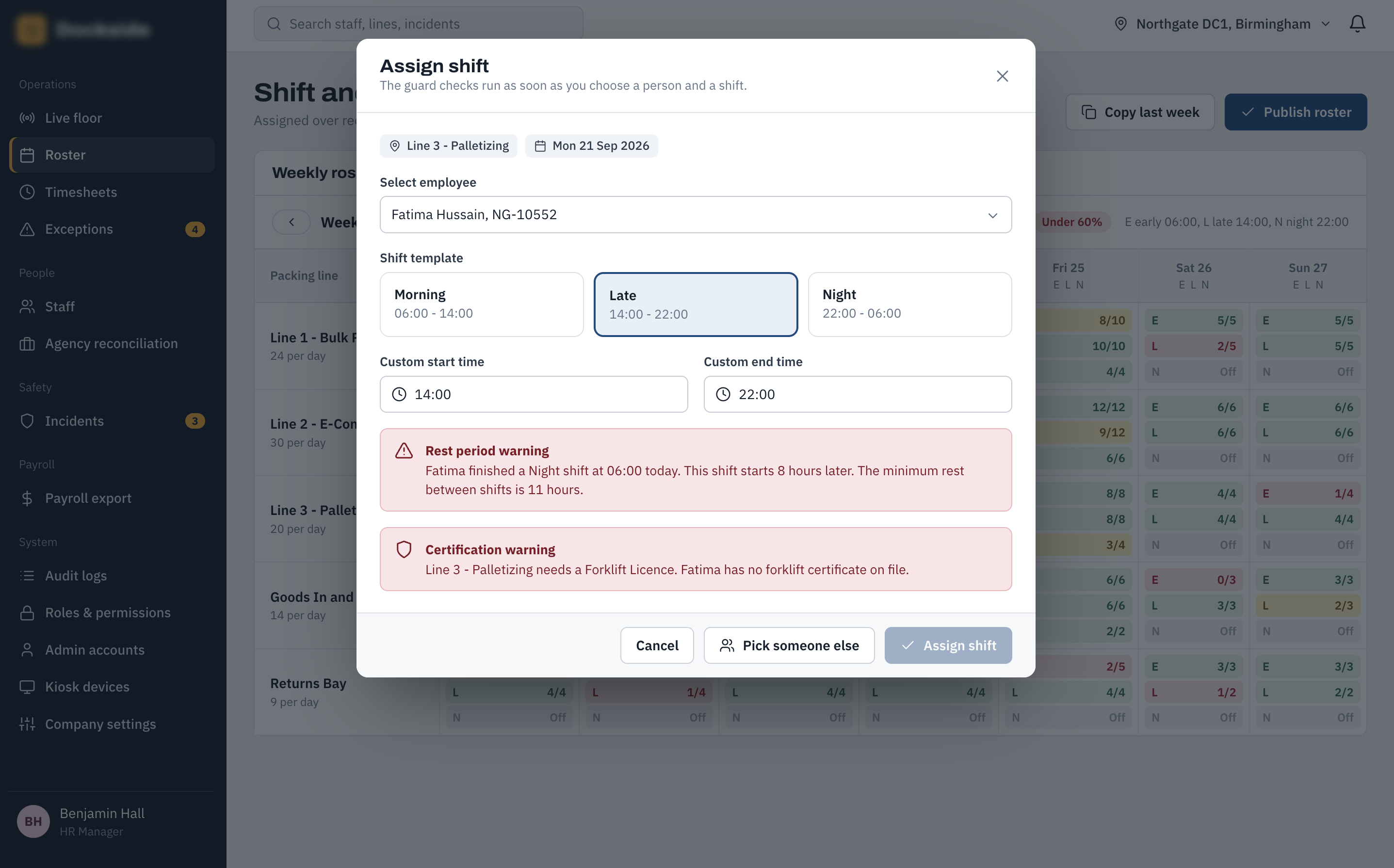
Assign Shift — Guard Checks
When assigning a shift, the system checks the proposed schedule against operational and compliance rules. Potential problems such as insufficient rest between shifts or missing required certifications are surfaced immediately so they can be addressed before the assignment is saved.
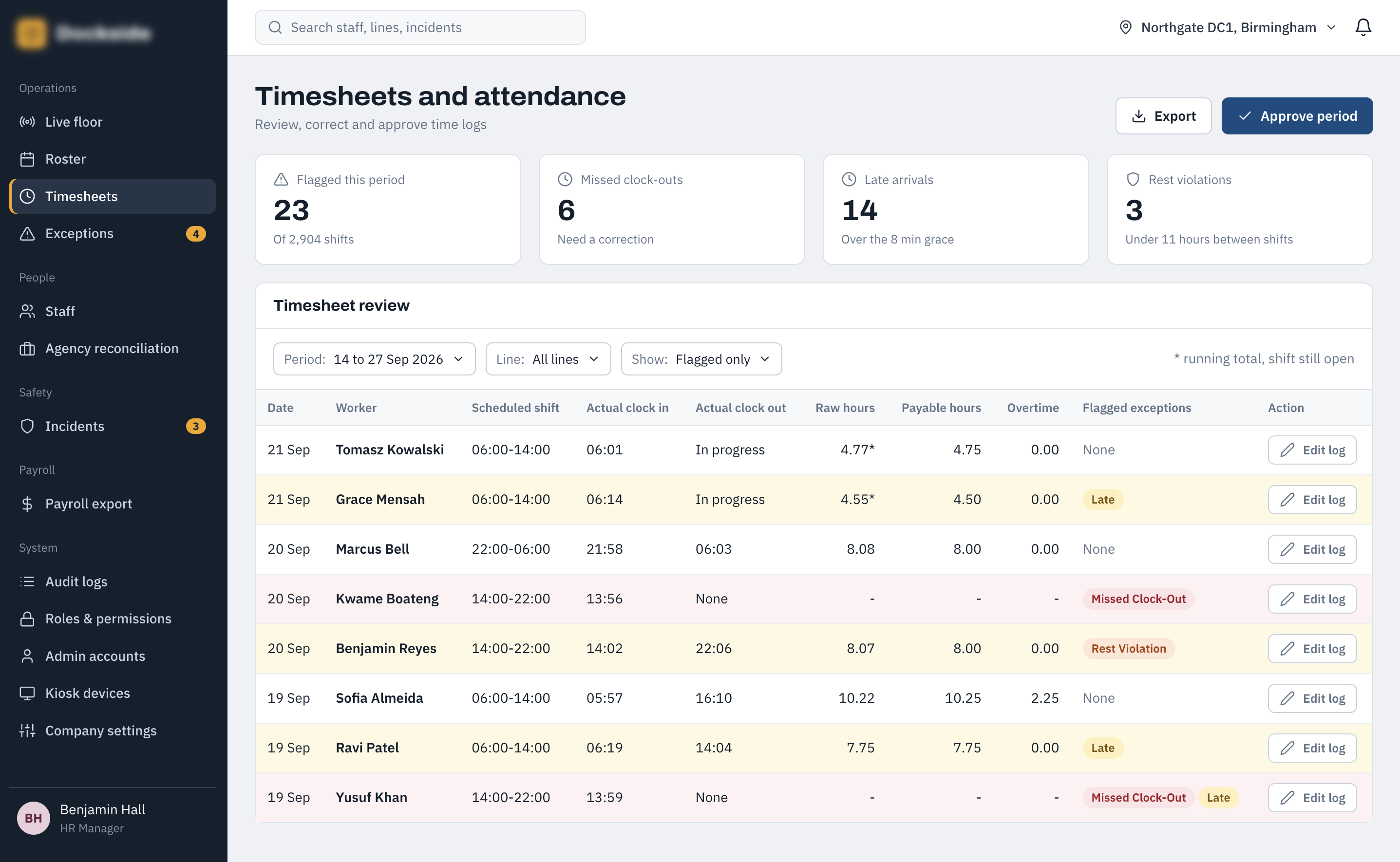
Timesheet & Attendance Correction
The timesheet and attendance view gives managers a way to review recorded working time and identify records that require correction. It brings employee attendance information together with the ability to investigate discrepancies before payroll processing.
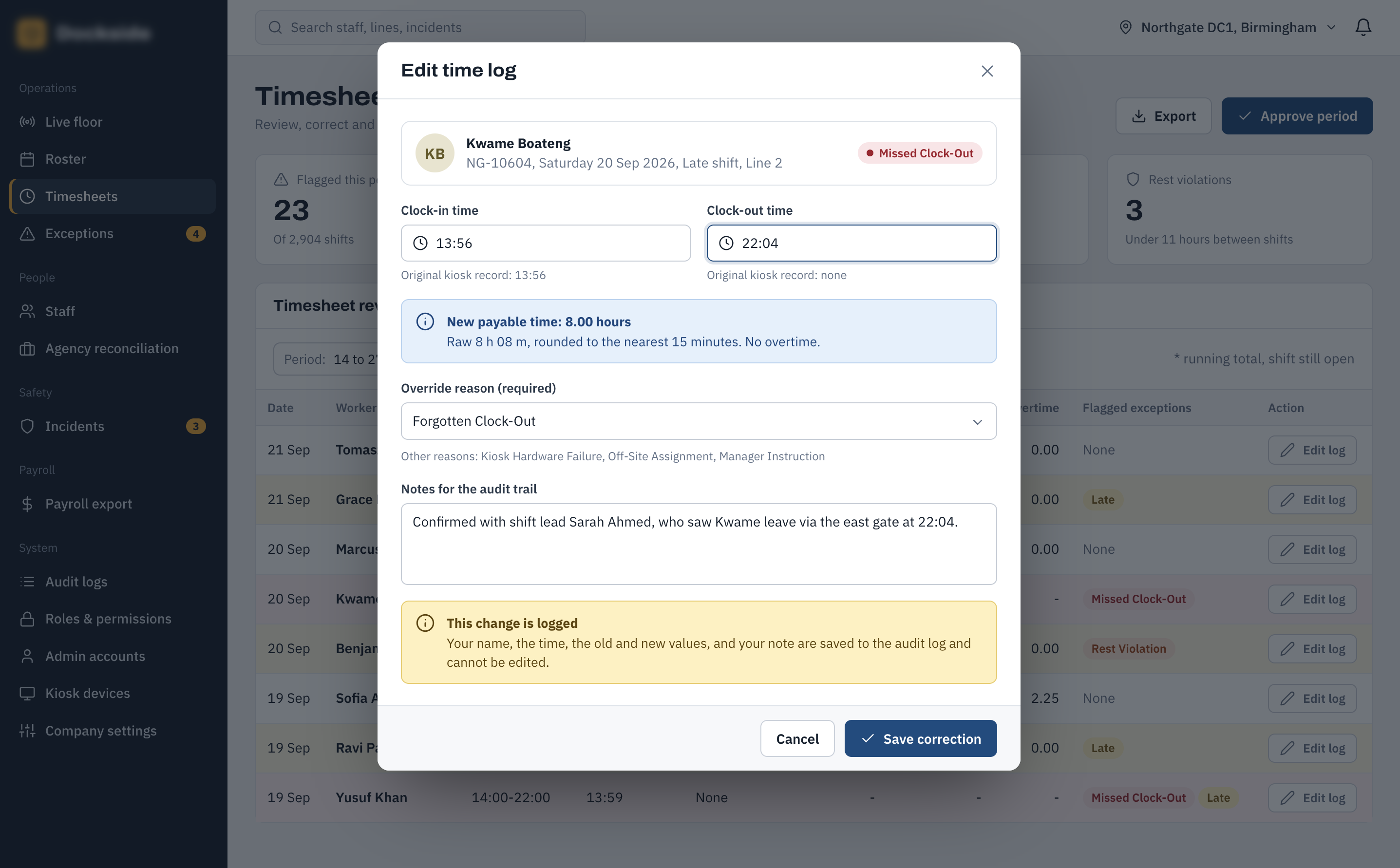
Edit Time Log
The time-log editor provides an authorised way to correct individual clocking records when an error has been identified. Changes can be made against the underlying time event rather than altering the wider employee record.
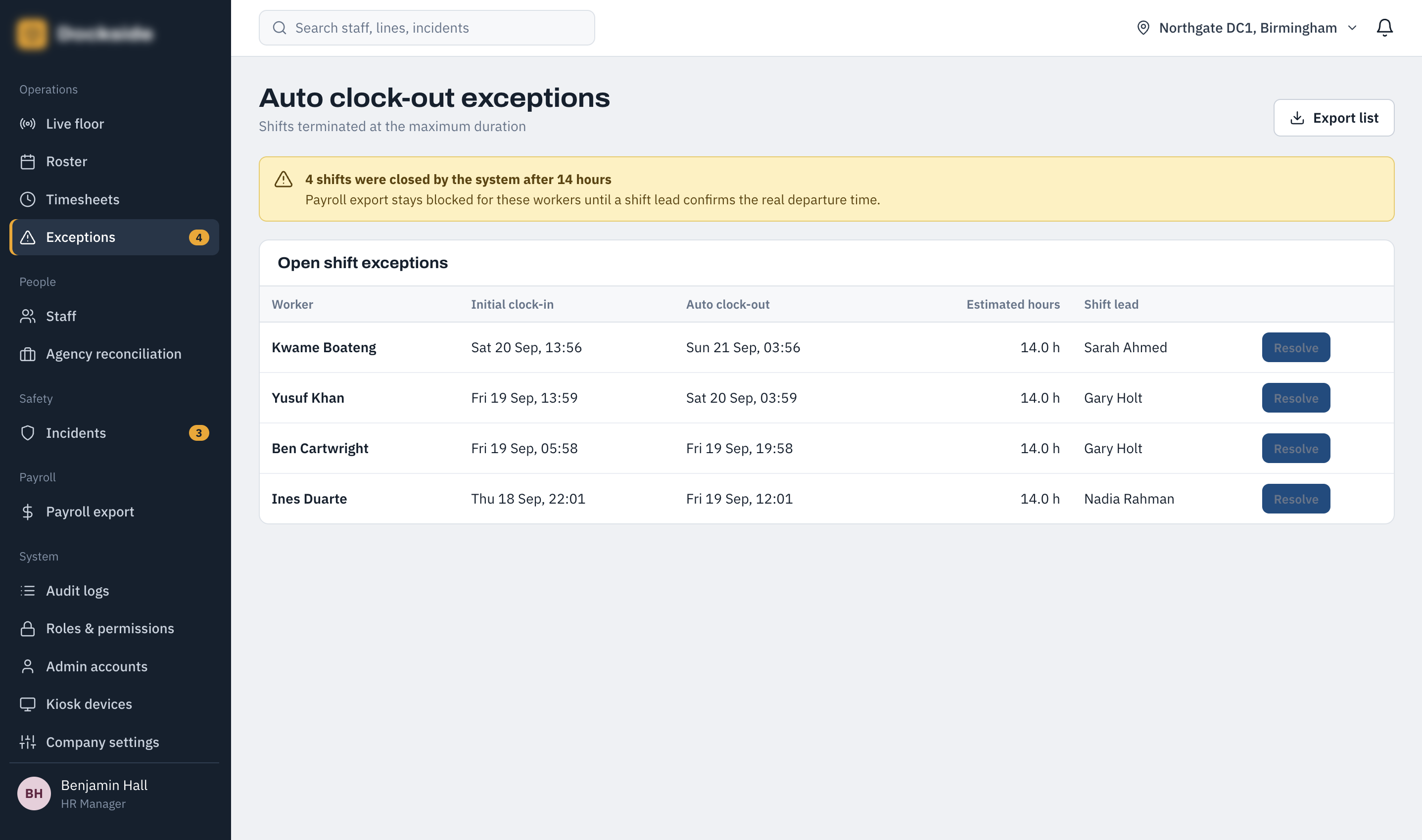
Auto Clock-Out Exception Queue
The exception queue highlights shifts where the system has automatically intervened because an employee remained clocked in beyond the configured limit. This gives managers a dedicated place to review exceptions before they are treated as final attendance records.
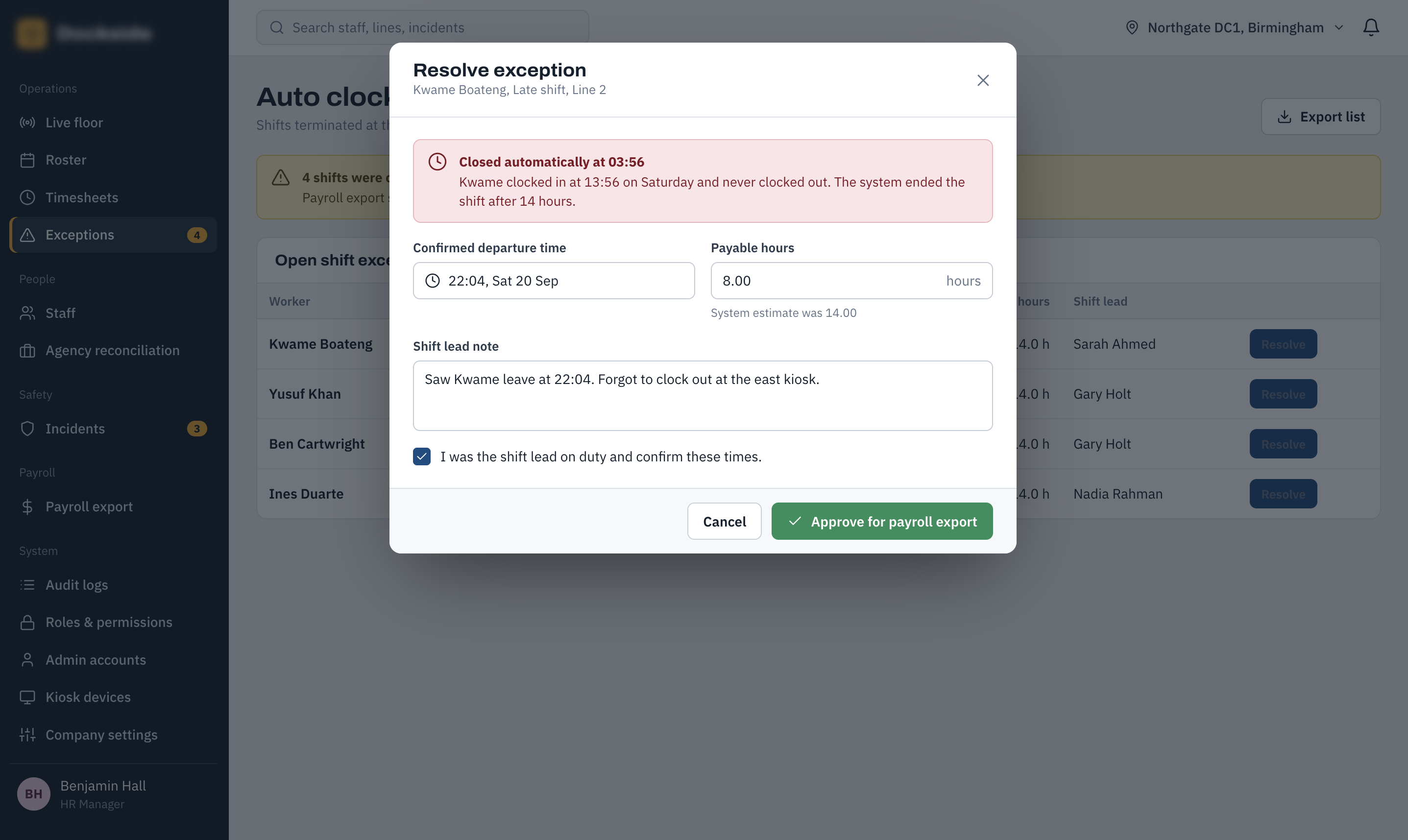
Resolve Auto Clock-Out Exception
Managers can review an individual auto clock-out exception and determine how it should be resolved. The screen provides the context required to make the correction and close the exception while maintaining a record of the decision.
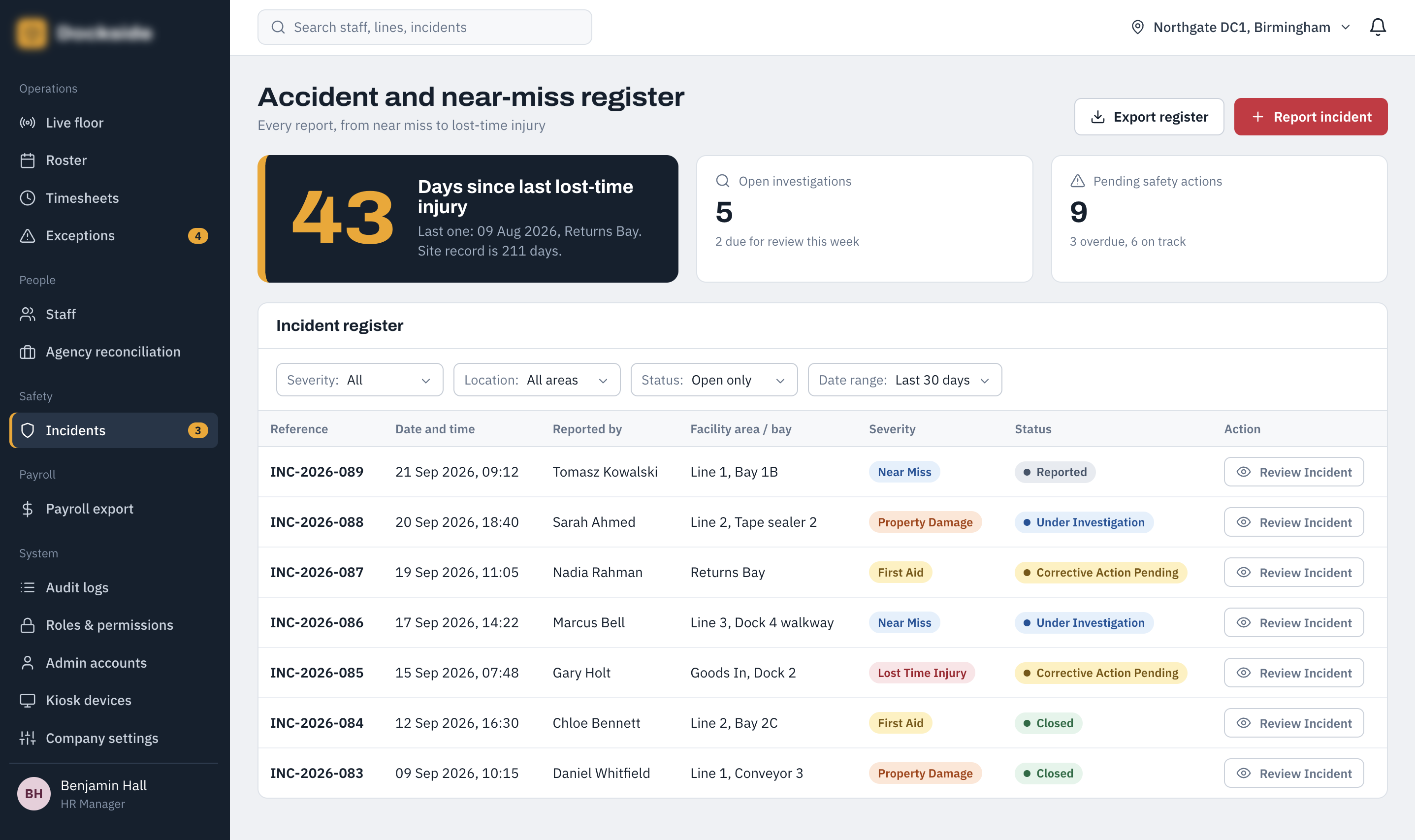
Incident Register
The incident register provides HR and safety teams with a central view of reported workplace incidents. It allows incidents to be reviewed, filtered and tracked through their lifecycle, giving the organisation a consistent record of safety-related events.
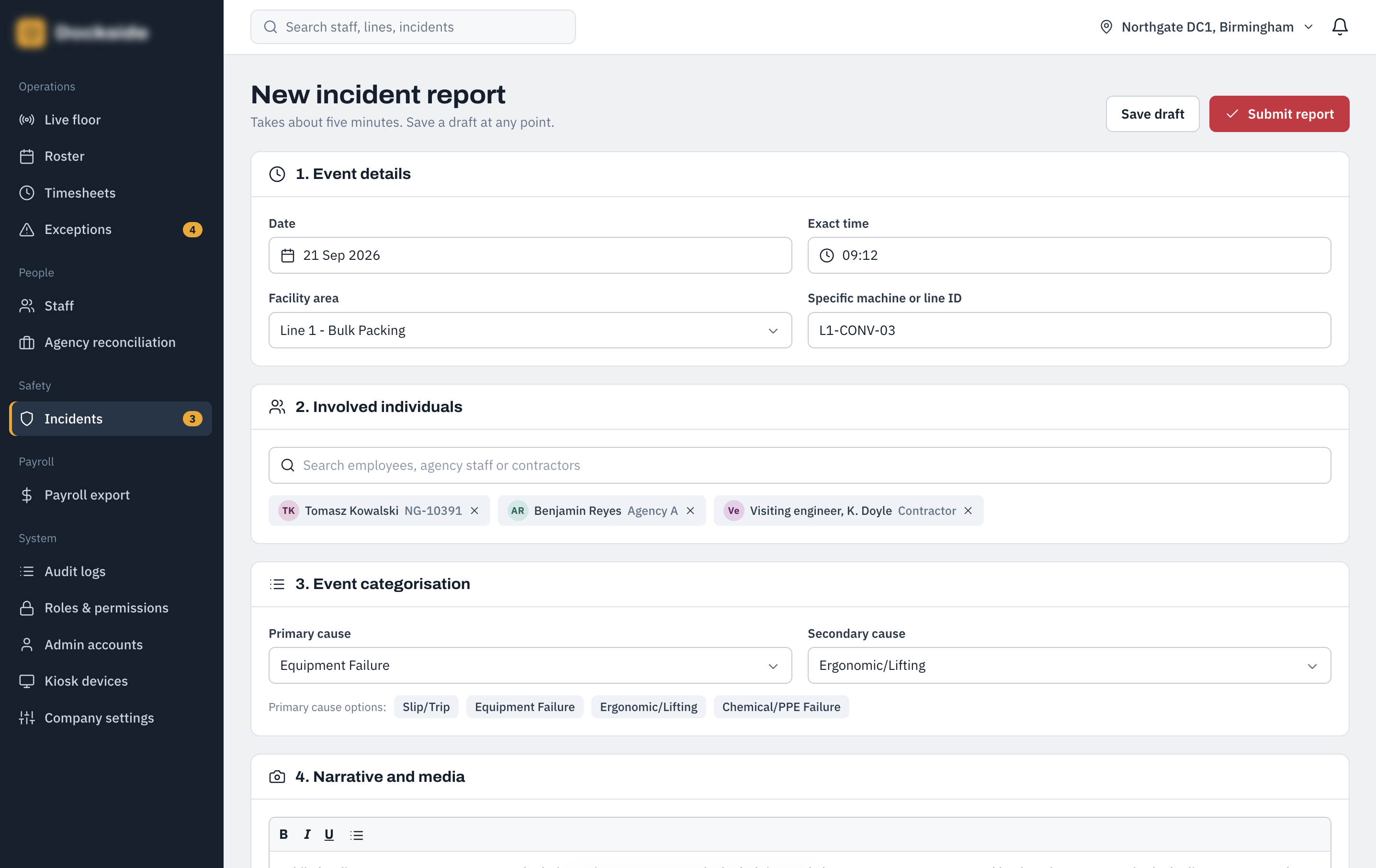
New Incident Report
The new incident form provides a structured way to record a workplace event and capture the information required for subsequent investigation. It supports the same incident-reporting process whether an event is initially raised by an employee or recorded by an authorised member of staff.
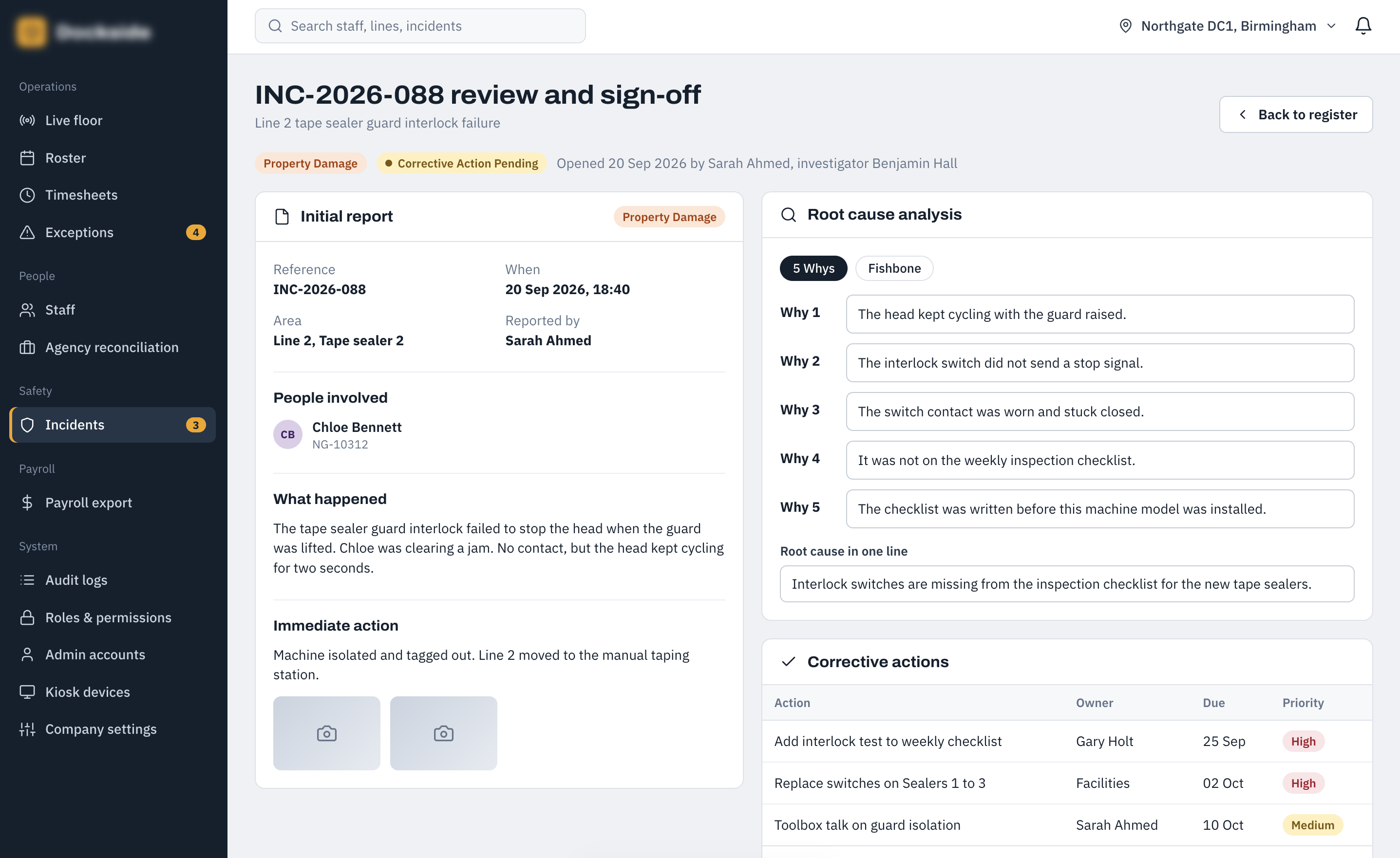
Incident Review & Sign-off
Once an incident has been reported, authorised users can review the details, record the outcome of their investigation and complete the required sign-off. This provides a defined workflow from initial report through to formal review and closure.
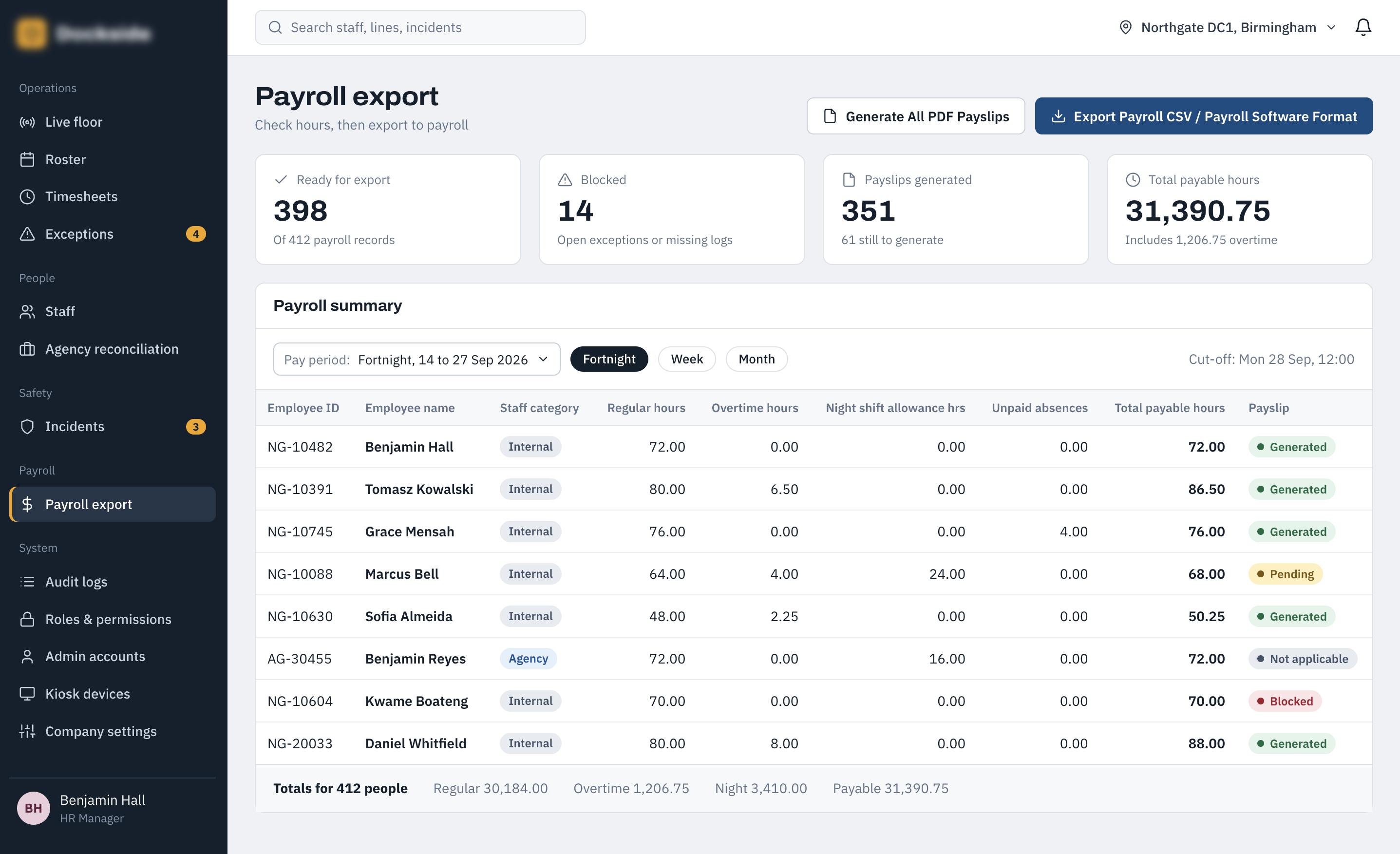
Payroll Export Dashboard
The payroll export dashboard brings together the attendance and time information required for payroll processing. It provides a controlled point for reviewing payroll data and preparing the appropriate records for export, helping ensure issues can be identified before information is passed into the payroll process.
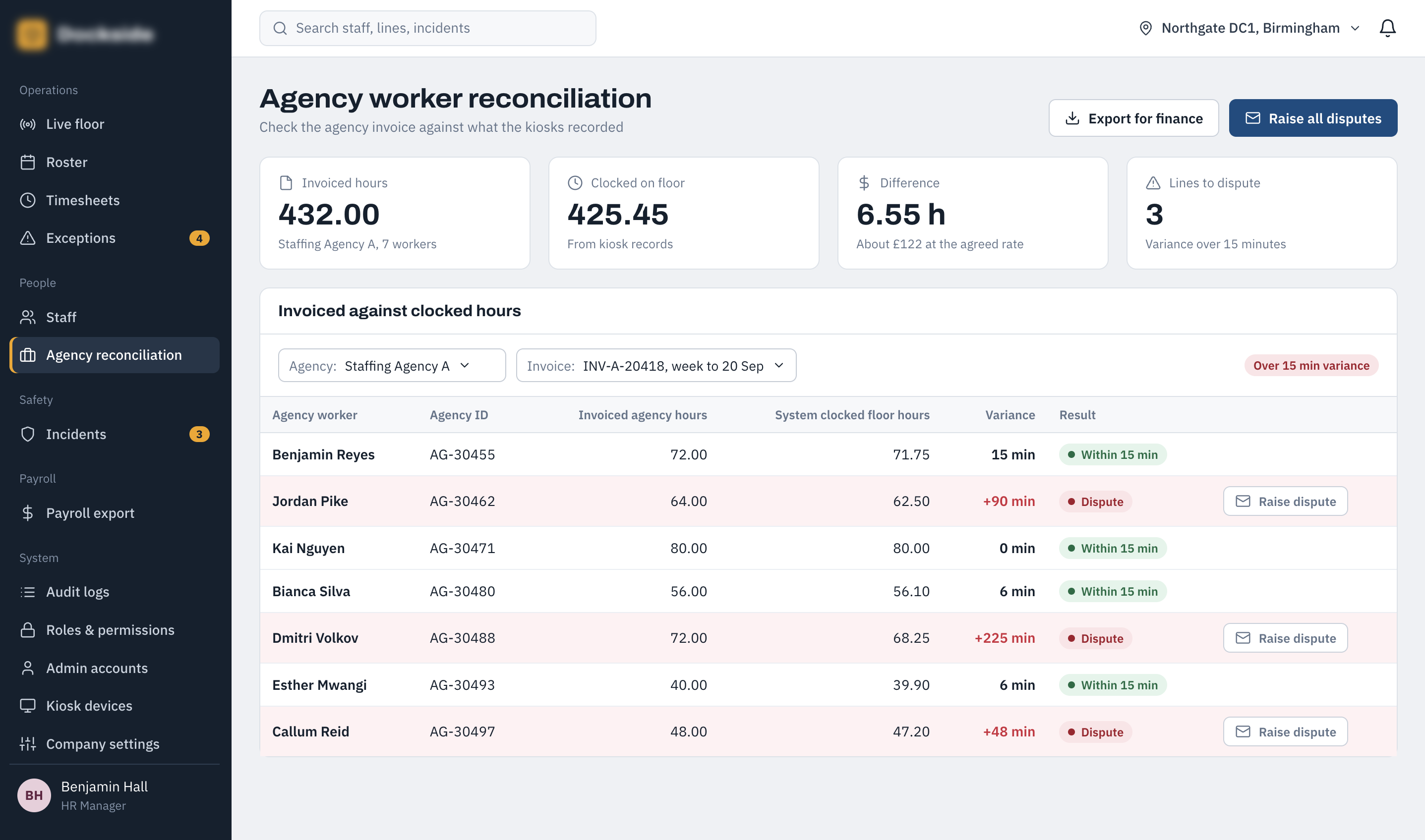
Agency Worker Reconciliation
The agency reconciliation screen compares recorded working time for agency staff against the information expected for invoicing. Significant discrepancies are highlighted so managers can investigate potential invoice differences before approving agency charges.
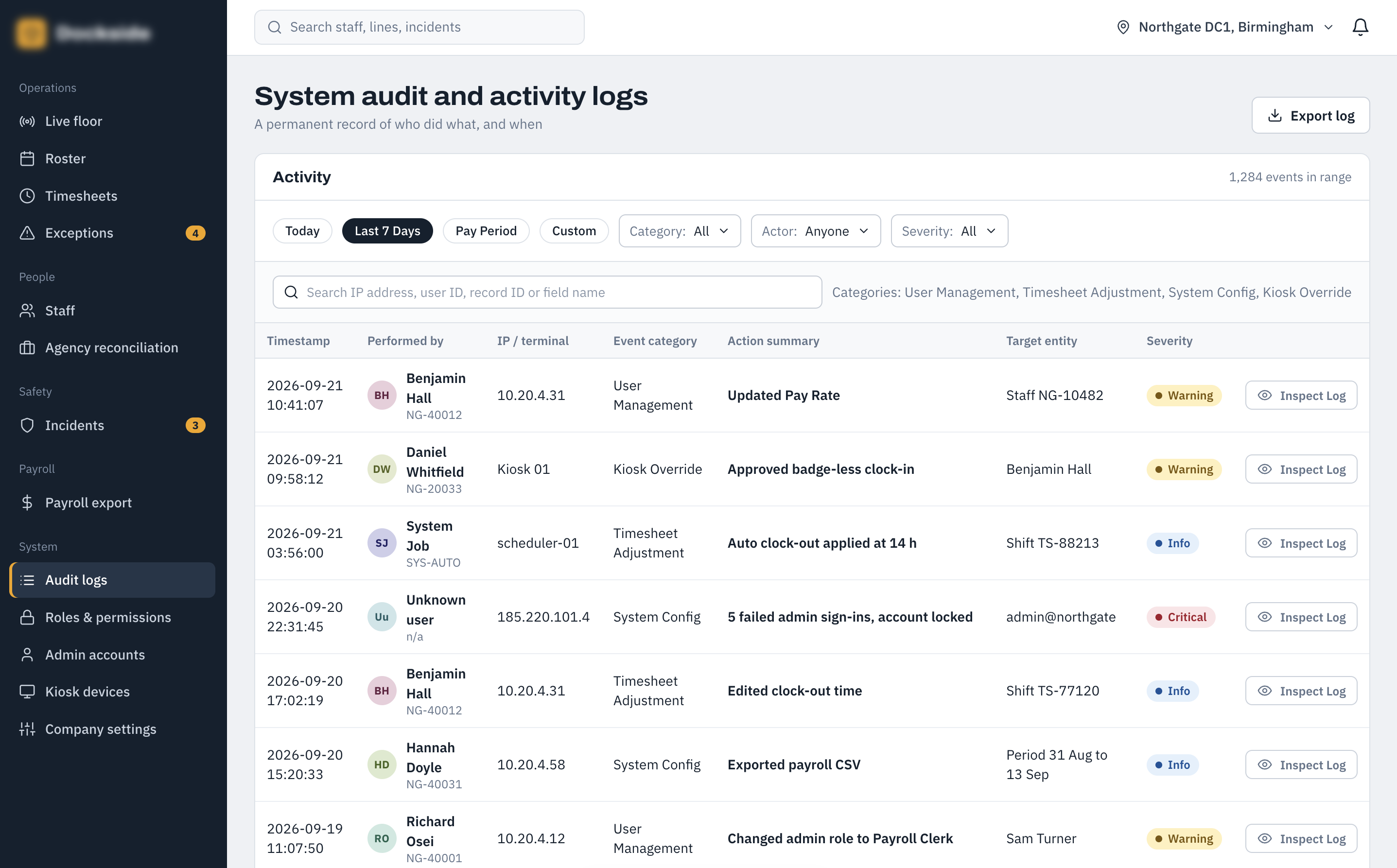
System Audit & Activity Logs
The audit and activity log provides administrators with a central record of actions performed across the system. It can be used to investigate changes, understand who performed an action and provide an accountable history of important administrative activity.
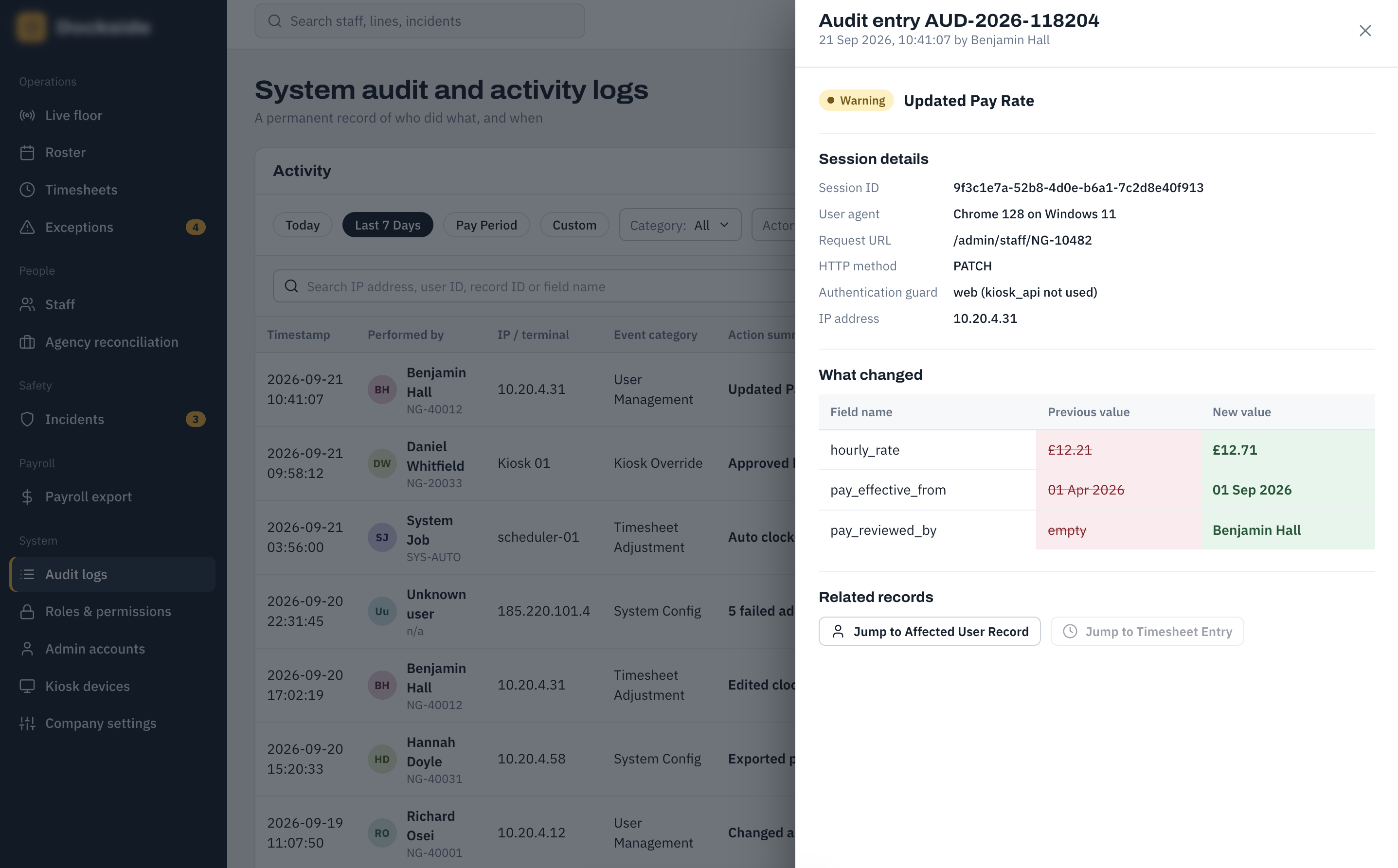
Audit Entry Detail
The audit detail drawer provides the full context for an individual system activity. Administrators can inspect the specific event, its associated user and the recorded change without leaving the wider audit log.
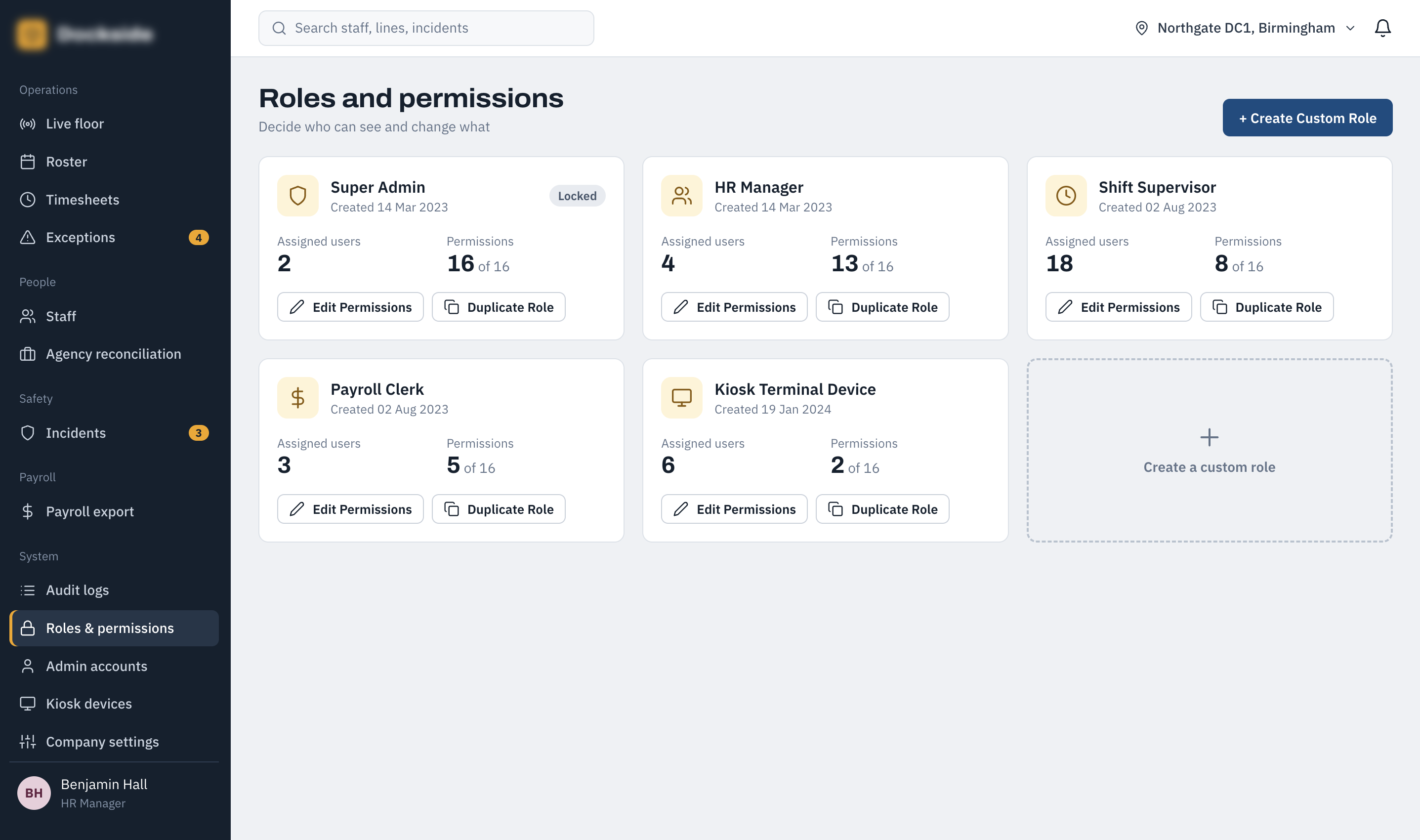
Roles & Permissions — Role Summary
The roles and permissions screen provides an overview of the different administrative roles available within the platform. Each role shows its assigned users and permission count, making it easier for administrators to understand how access is structured across the system.
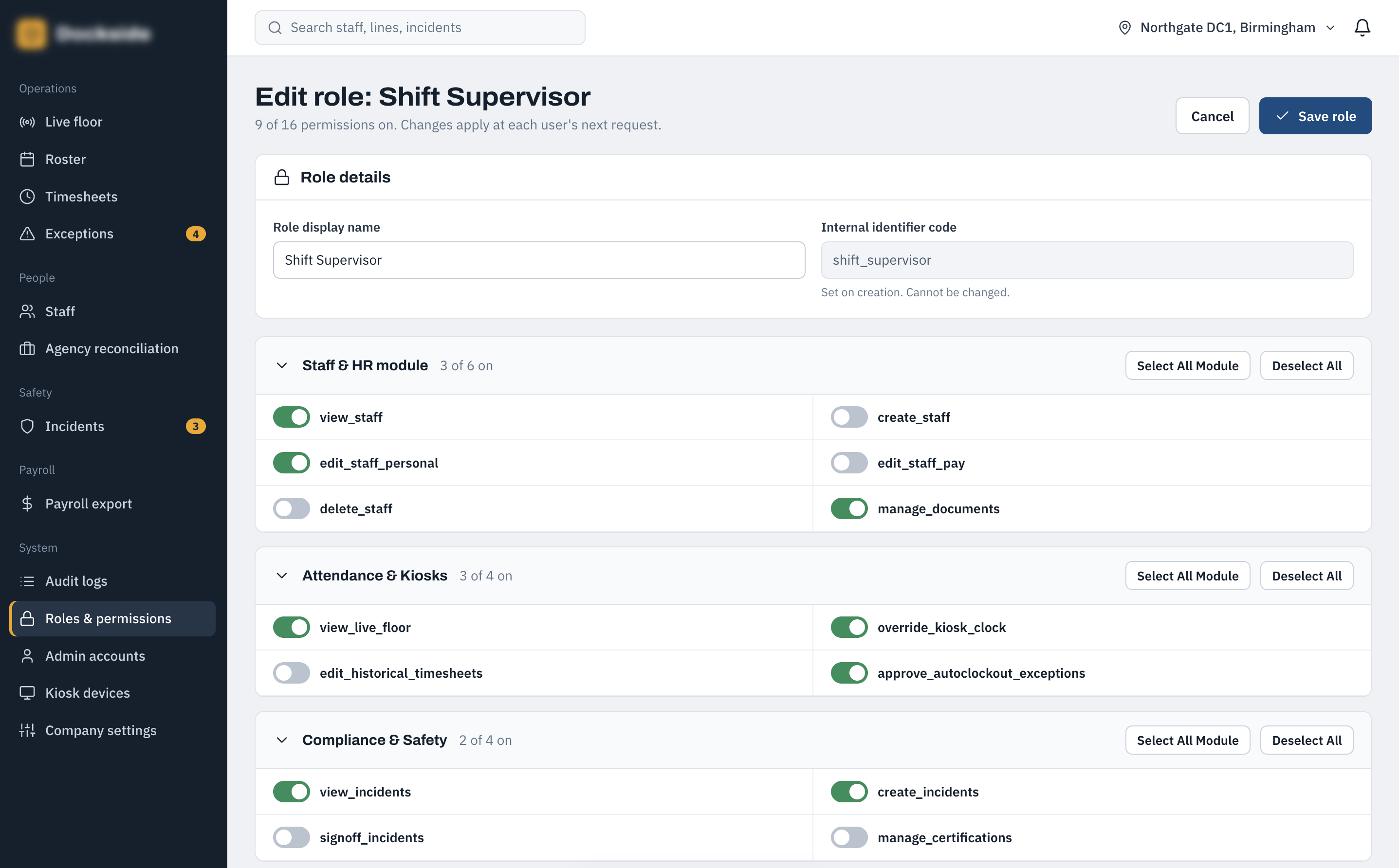
Create or Edit Role
Administrators can create new roles or modify existing roles by selecting the permissions available to them. Permissions are organised by functional area, allowing access to staff, attendance, compliance and system-management features to be controlled independently.
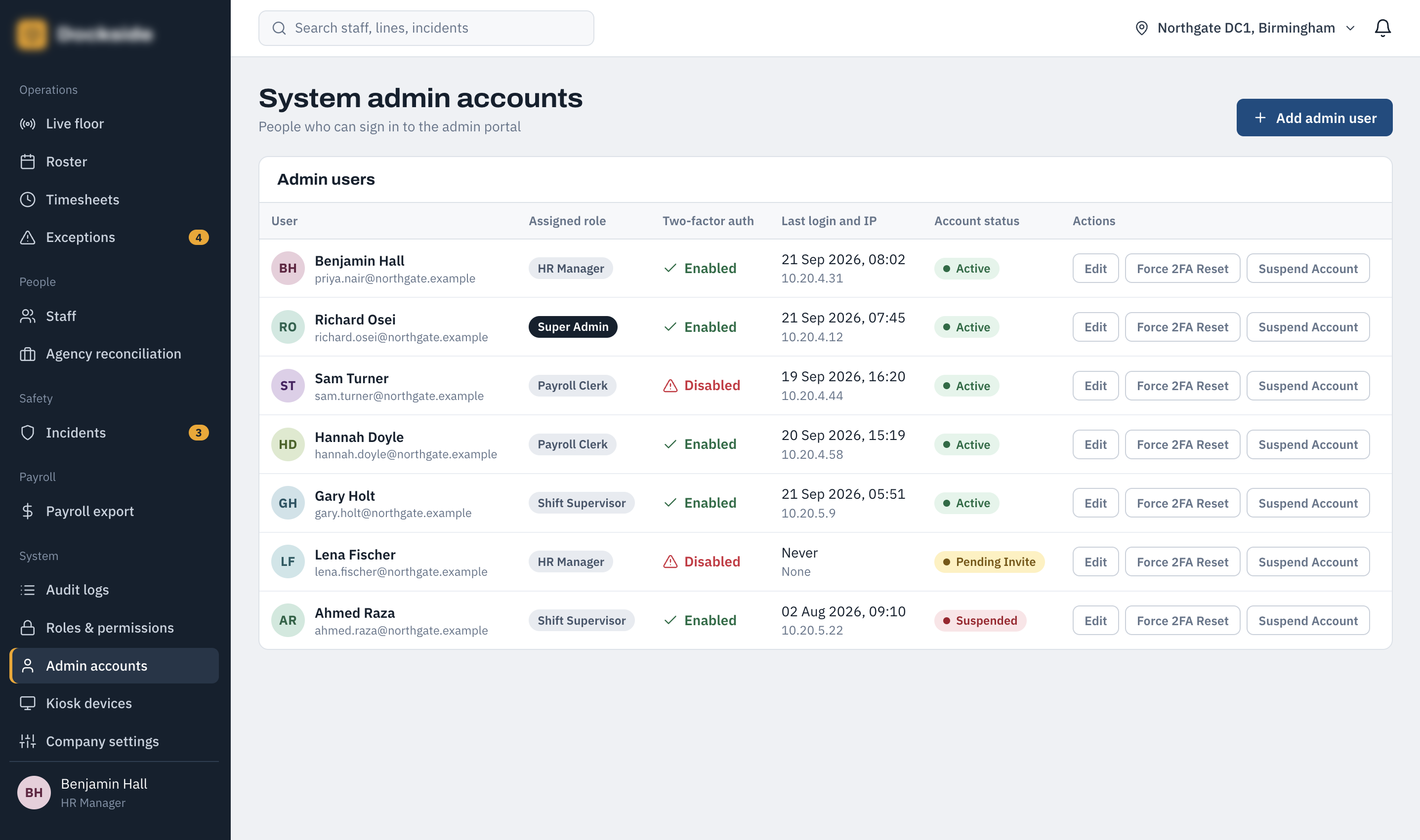
System Admin Accounts
The administrator account screen provides a central view of everyone who can access the administration portal. It shows assigned roles, two-factor authentication status, recent login information and account status, with controls for managing individual accounts.
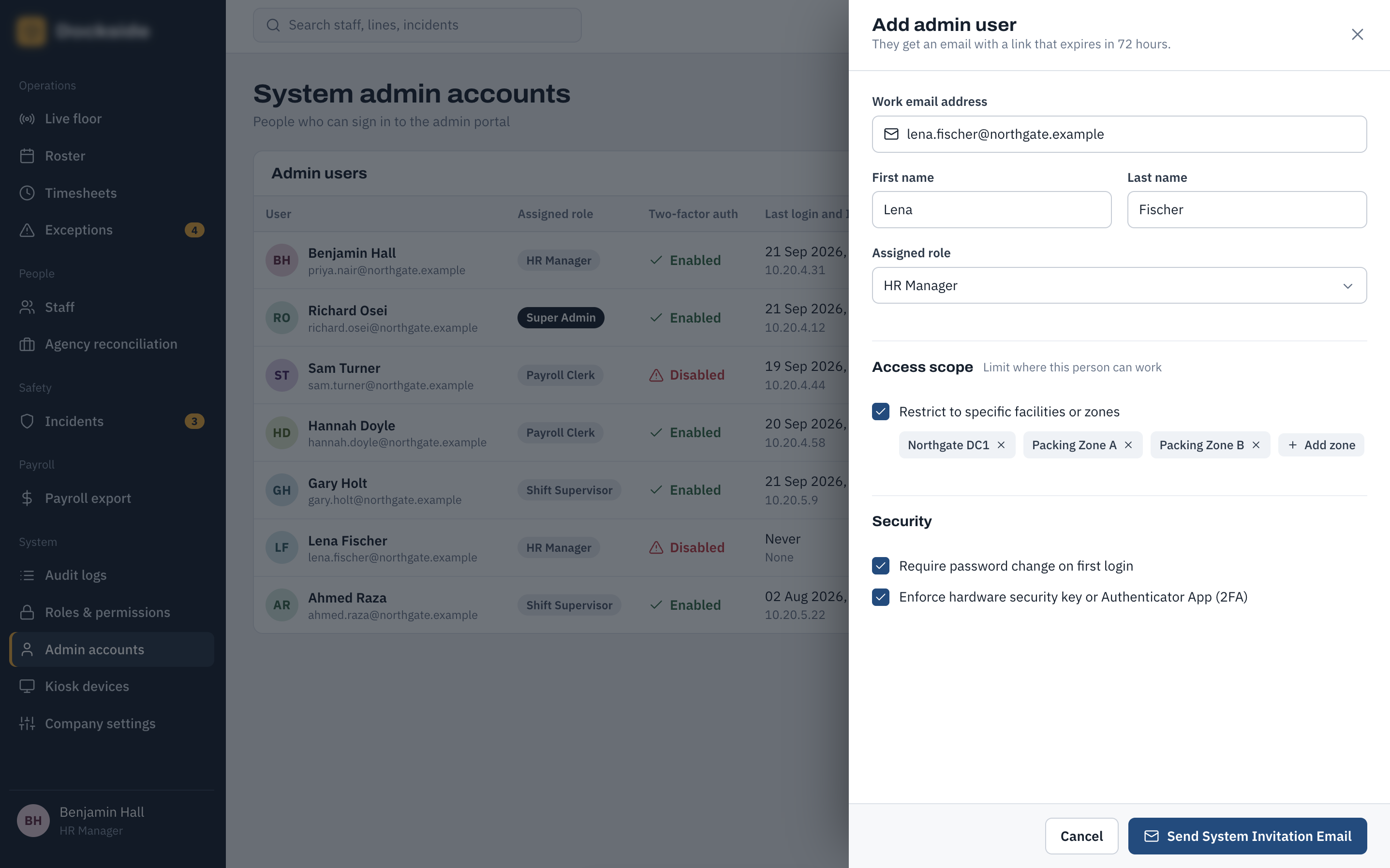
Create Admin User
The create-admin workflow allows an authorised administrator to add a new user to the administration portal. The process establishes the user's identity and access role so that administrative permissions can be granted in a controlled way.
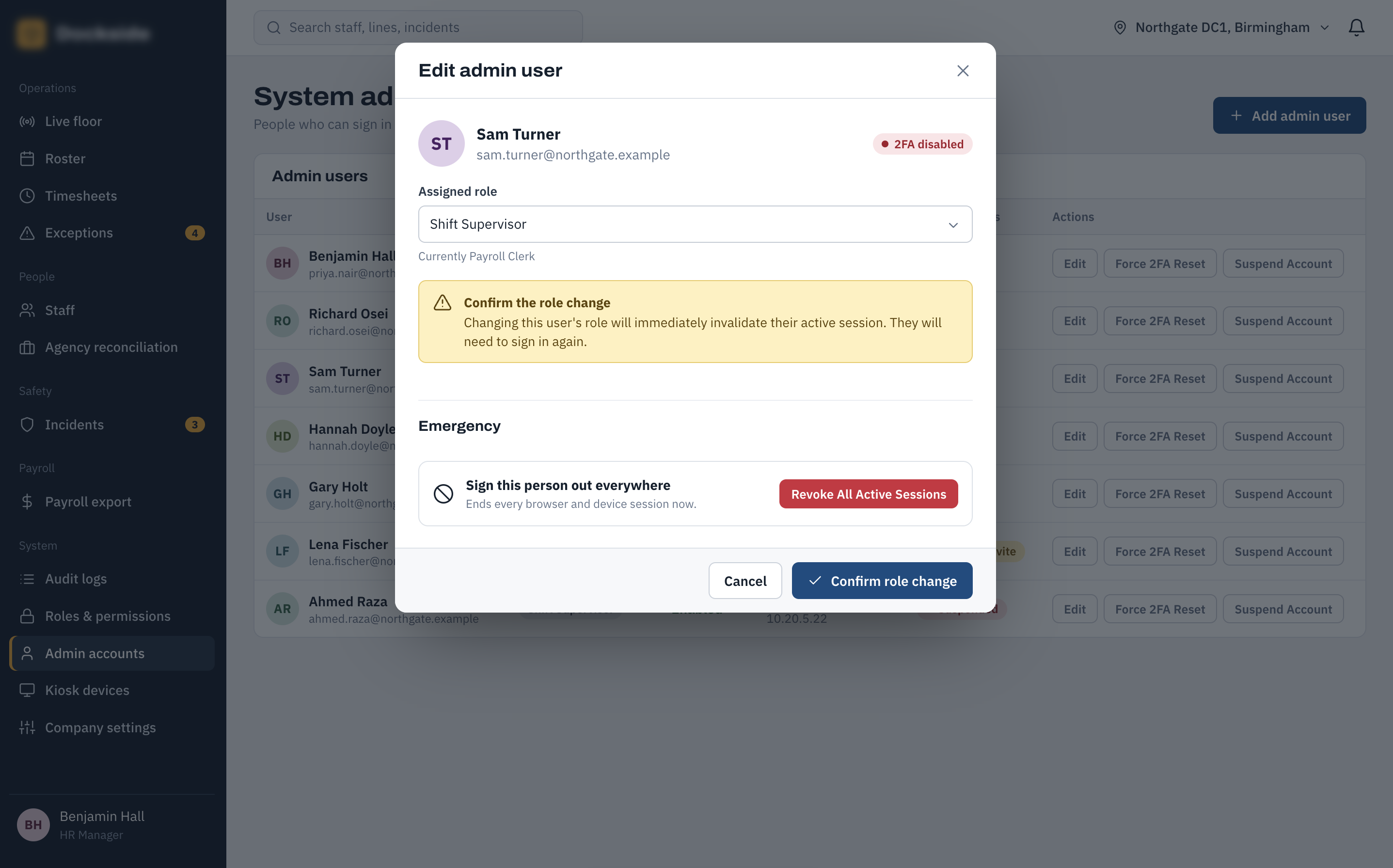
Edit Admin User
Administrators can review and update an existing administrative account, including its assigned role and account controls. The screen also provides access to security actions such as managing two-factor authentication and suspending an account where required.
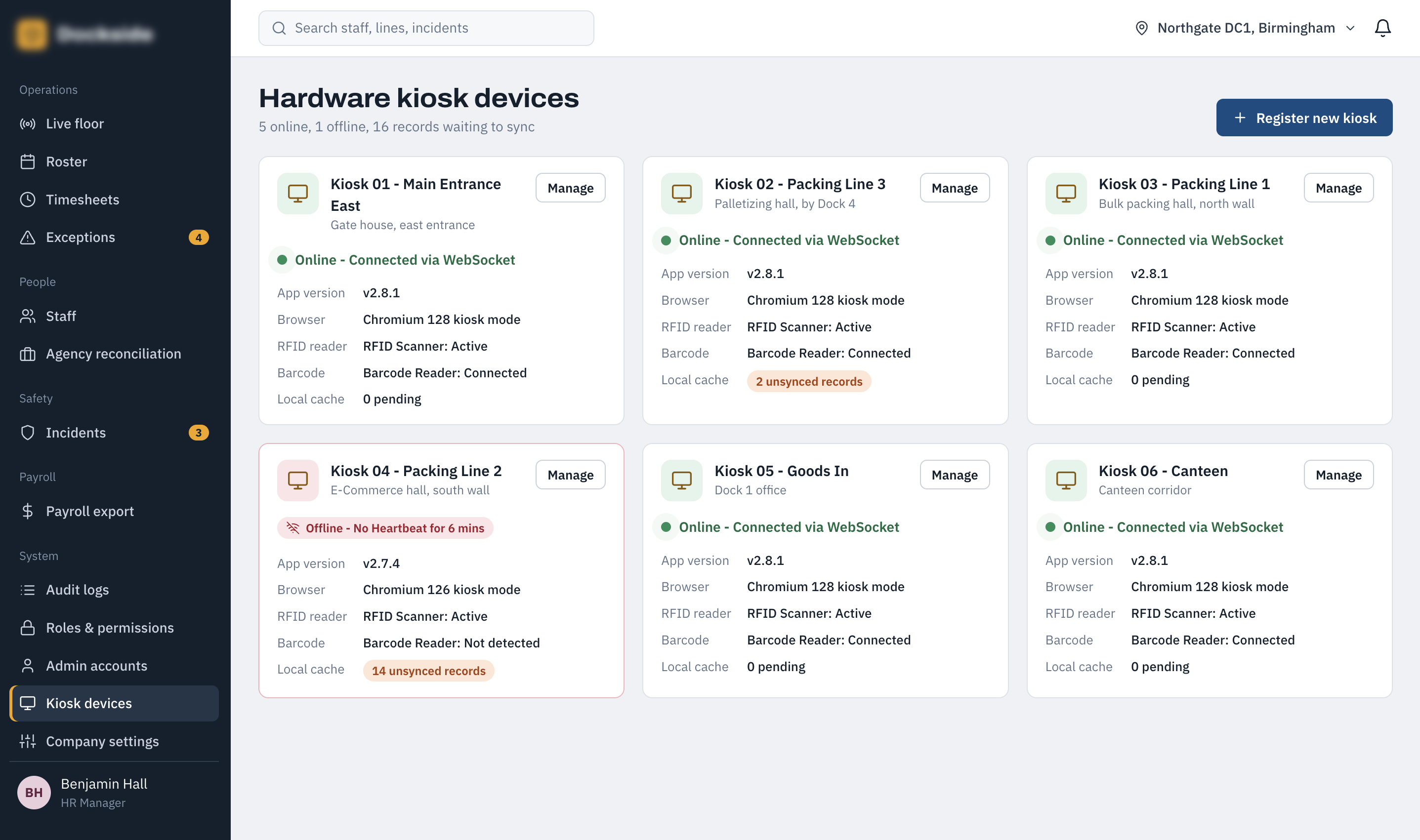
Hardware Kiosk Device Manager
The kiosk device manager provides an operational overview of all registered time-tracking terminals. Administrators can see which devices are online or offline, their connection status, software version, connected hardware and any locally cached records awaiting synchronisation.
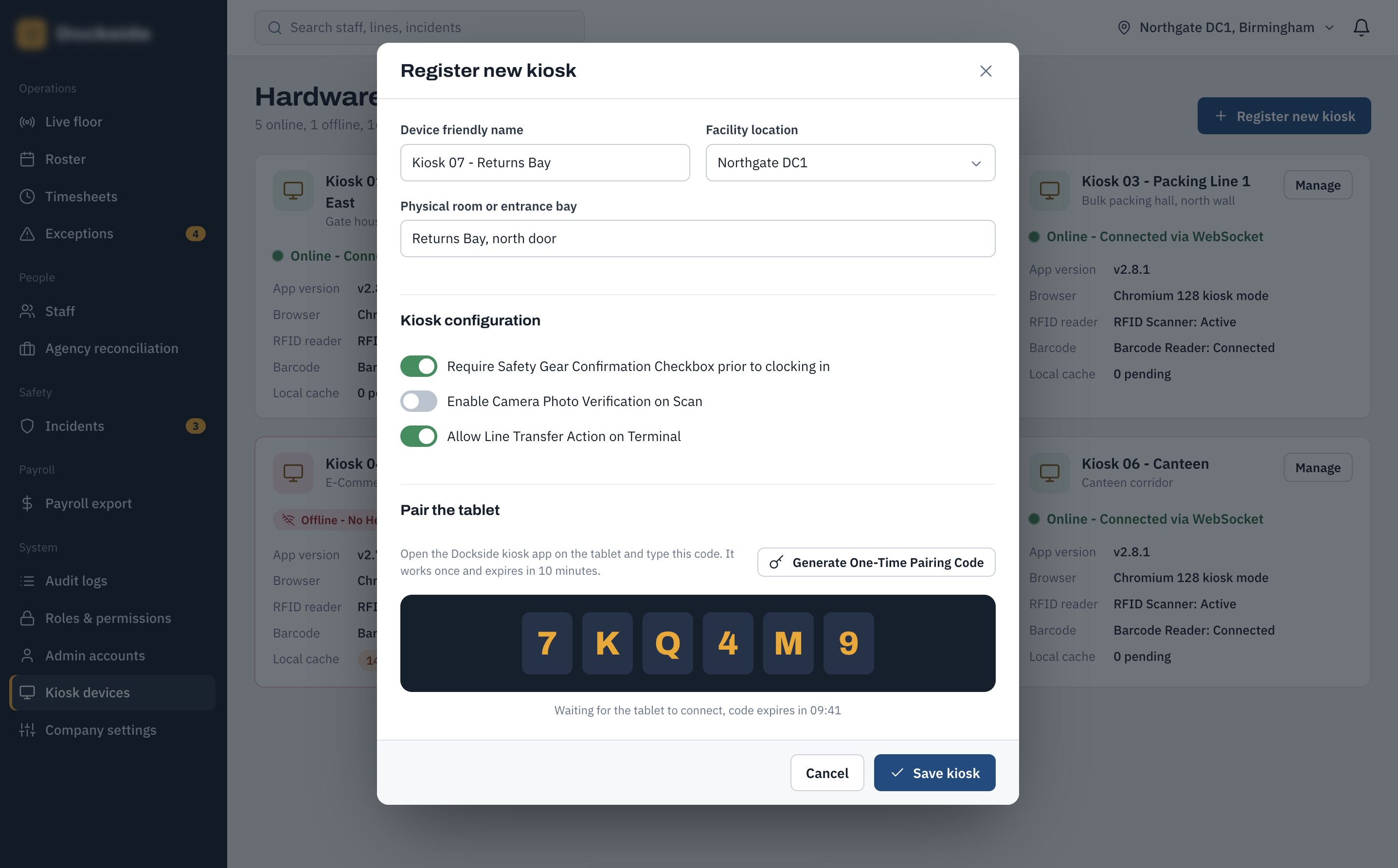
Register New Kiosk
The registration workflow allows a new physical kiosk terminal to be added to the system. Administrators can associate the device with its operational location and configure the information required for it to participate in the site's time-tracking infrastructure.
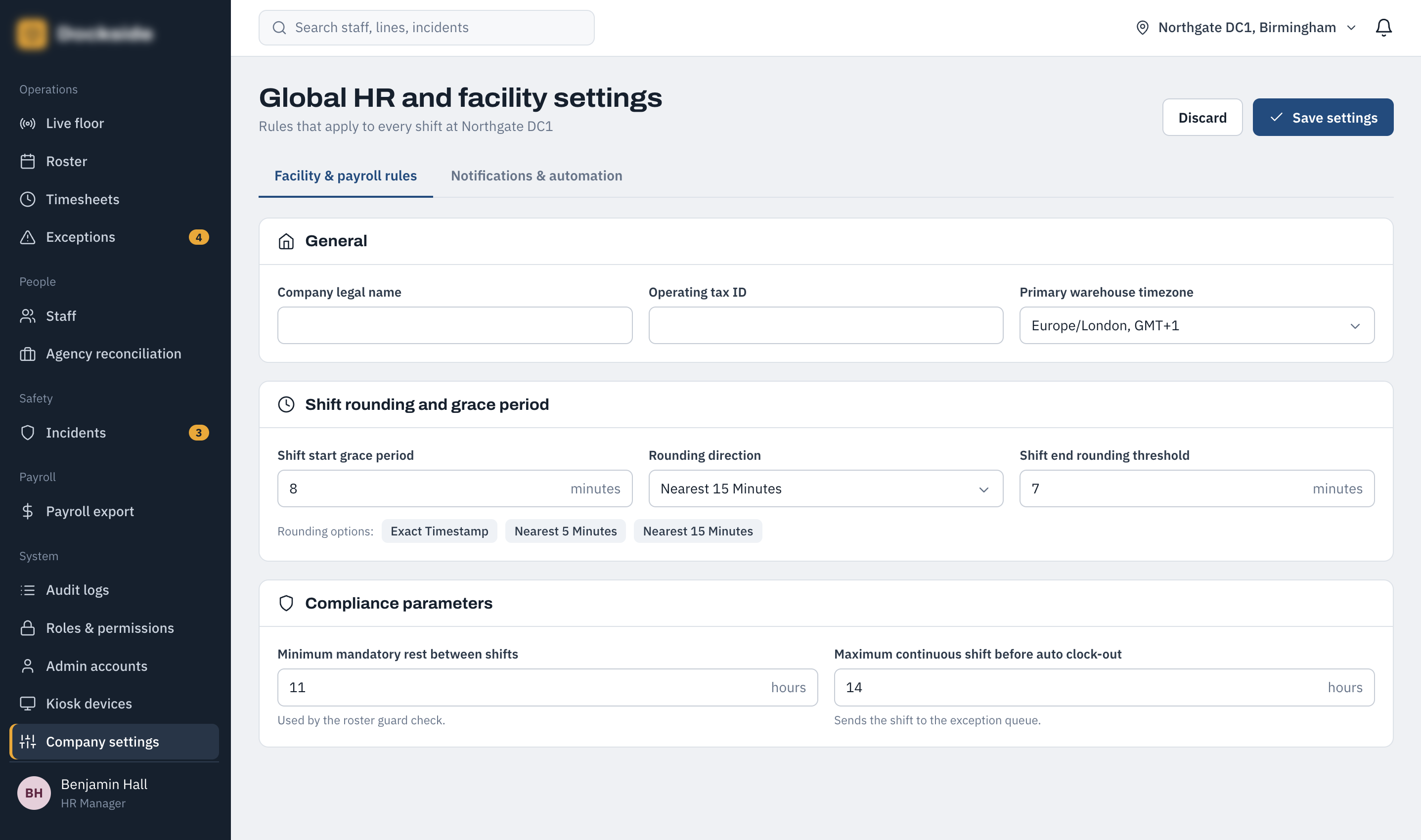
Global Settings — Facility & Payroll Rules
This screen contains the organisation-wide rules that affect working time and payroll calculations. Administrators can configure facility information, timezone, shift rounding, grace periods, minimum rest requirements and maximum continuous shift limits used throughout the system.
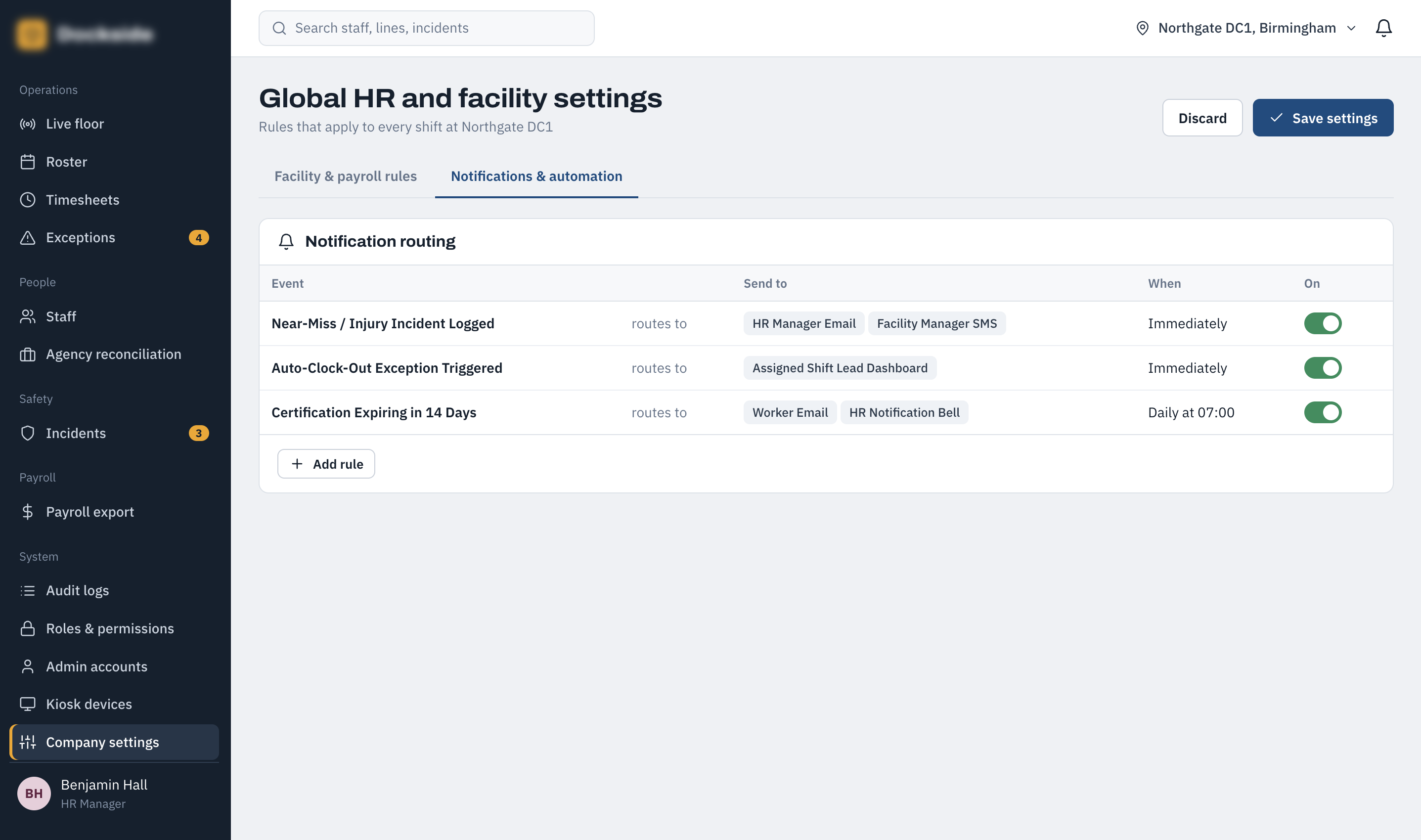
Global Settings — Notifications & Automation
The notifications and automation settings control how important system events are communicated to employees, managers and HR. Administrators can configure routing and timing for events such as incidents, auto-clock-out exceptions and certification expiry notifications.
Architecture
Built as the central administrative hub and API layer of a dual-platform solution, powered by Laravel. It features multi-guard authentication infrastructure to handle both administrative web users and secure API requests from floor-deployed Android terminals.
Utilizes a bidirectional WebSocket architecture connecting Android floor kiosks directly to live management dashboards for real-time status updates without database polling. The backend includes bulk event reconciliation endpoints to ingest and deduplicate queued logs sent by kiosks after offline periods.
Skills Used
The system has completely transformed floor operations and payroll processing. The rapid API response time cleared up shift-change bottlenecks immediately, while the automated Laravel rest break and certification rules have made safety compliance hands-off and bulletproof.
Have a similar project in mind?
Get in touch for a free, no-obligation quote.
