1. Lead qualification and pipeline stages
Define what each stage means, what information is needed to progress and when an opportunity should be marked as won, lost or inactive.
I build bespoke CRM software around the way your business manages leads, customers, quotations and sales opportunities. Keep customer information connected, make follow-up easier and build a clearer view of your pipeline.
Your business does not necessarily need another off-the-shelf CRM. It may need software built around the way you actually manage customers, from the first enquiry through to quotation, delivery and ongoing account management.
I develop custom CRM software that can bring leads, contacts, companies, opportunities, quotations, tasks and reporting into one connected workspace. The data model and workflow are shaped around your requirements, rather than forcing your team to adapt to a generic pipeline.
A bespoke CRM can also connect to the systems you already rely on, helping reduce repeated data entry and giving the right people access to relevant customer information. Depending on the project, this might include website enquiries, accounting software, email services, booking systems or internal operational applications.
I recommend starting with the core customer journey and adding automation, dashboards, integrations or customer-facing features where they deliver a clear benefit. A focused first release is often easier to test with your team and improve from real usage than a large system built around assumptions.
Lead and customer information can become scattered across inboxes, spreadsheets, shared documents and separate applications. When the information is disconnected, it becomes harder to see who owns an enquiry, what has already been discussed and what needs to happen next.
Custom CRM development brings those records into a workflow your team can follow. I can build around your actual sales stages, from the first enquiry and qualification through to quotations, won opportunities, delivery hand-offs and ongoing customer relationships.
The aim is not to add complexity or recreate every feature found in a commercial CRM. It is to make the customer information and processes that matter to your business easier to manage.
I design CRM workflows around how information enters your business, how opportunities progress and how your team needs to use customer records.
I would start with the customer records and sales stages your team uses every day, then add automation, reporting and integrations where they solve a clearly defined problem.
The quality of a CRM depends on more than its screens. Clear data structures, ownership rules and workflow definitions help keep the system useful as your business grows.
Define what each stage means, what information is needed to progress and when an opportunity should be marked as won, lost or inactive.
Decide how contacts, companies and related records are identified, linked, updated and checked for duplication.
Determine who can view, edit, assign or export records, and how access changes when responsibilities move between team members.
Identify which reminders, assignments, notifications and status changes can be automated without removing necessary human decisions.
Agree how pipeline value, conversion rates, expected revenue and sales activity should be calculated.
Identify which systems provide or receive customer information, how records are matched and which application is authoritative for each data type.
A useful CRM specification explains how the system should behave in everyday situations, not just which fields and dashboards it needs.
| Question to ask | A surface answer | A useful project answer |
|---|---|---|
| How will leads enter and get assigned? | They appear in a shared list. | Define sources, qualification rules, duplicate checks, ownership and assignment exceptions. |
| How will the CRM show customer history? | Store notes against a contact. | Connect relevant communications, tasks, quotations, opportunities and account activity. |
| How will quotations connect to customers? | Attach a quote to a contact. | Track revisions, values, decisions and the hand-off from a successful sale into delivery. |
| How will the team manage follow-up? | Users can add reminders. | Define task ownership, due dates, overdue actions and appropriate automated reminders. |
| How will reporting be calculated? | Display totals on a dashboard. | Agree the definitions behind conversion rates, pipeline values, forecasts and performance measures. |
| How will the CRM connect to existing tools? | Use available plugins or APIs. | Assess data mapping, permissions, synchronisation failures, duplicate updates and ongoing support. |
| How will customer data be protected? | Require users to log in. | Define role-based access, appropriate data retention, audit history, backups and recovery procedures. |
| How will the CRM change over time? | Add features when requested. | Plan for maintainable code, documented workflows, testing and controlled changes as requirements evolve. |
An off-the-shelf CRM is often the sensible choice when its existing pipeline, integrations and reporting meet your needs. I would not recommend building a replacement simply because a bespoke system is possible.
Custom CRM development becomes worth exploring when important processes do not fit the available options, staff rely on repeated manual entry, or customer information needs to connect directly with other business systems.
I can help define the requirements and compare the practical options before you commit to a development project.
A custom customer management system should make sales activity easier to understand without making routine updates harder. The most useful starting point is usually a small set of well-defined records and workflows that solve a real problem.
I can help map your current process, identify the essential features and establish how the CRM should work with your existing tools. From there, I can plan a first release and identify what can sensibly wait until later.
The result should be software your team can use consistently, with a clear route for maintaining it and extending it as your requirements change.
You do not need a complete technical brief. I can map out how your team manages leads, customers and sales opportunities today, identify where the current process falls short, and define a practical scope before development begins.
I start by understanding the work the system needs to support. I keep decisions clear as the project moves from initial planning into development and launch.
I map the users, information, hand-offs and problems the software needs to solve.
I define the core features, data, integrations and a realistic first release with you.
I develop and test the application, then review it against real tasks and your feedback.
I help get the system live and plan sensible improvements as your requirements evolve.
Examples of connected business applications and operational software.
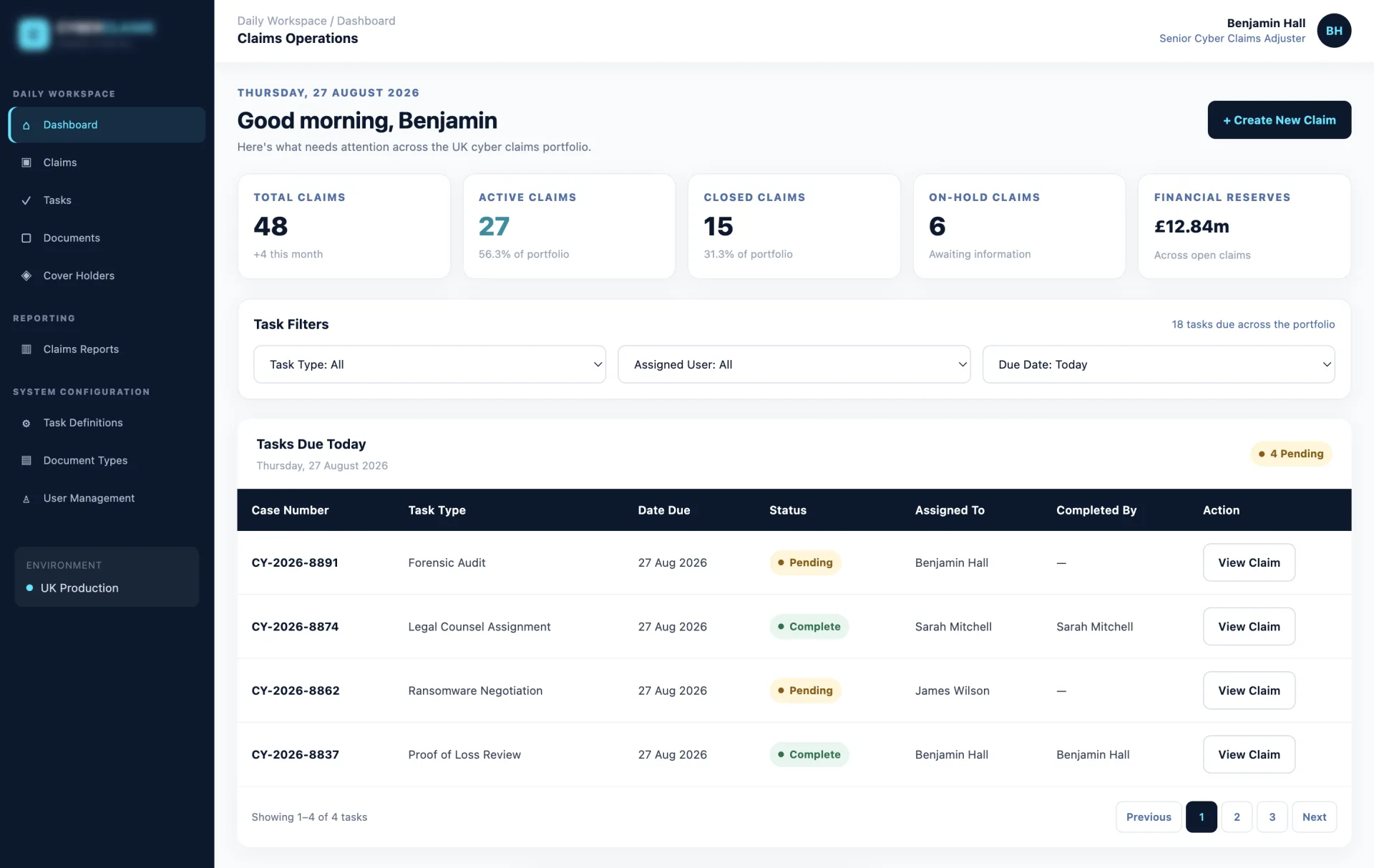
A custom-built Laravel and Livewire management system designed for specialist claims adjusters to monitor complex cyber incidents and track live financial reserves.
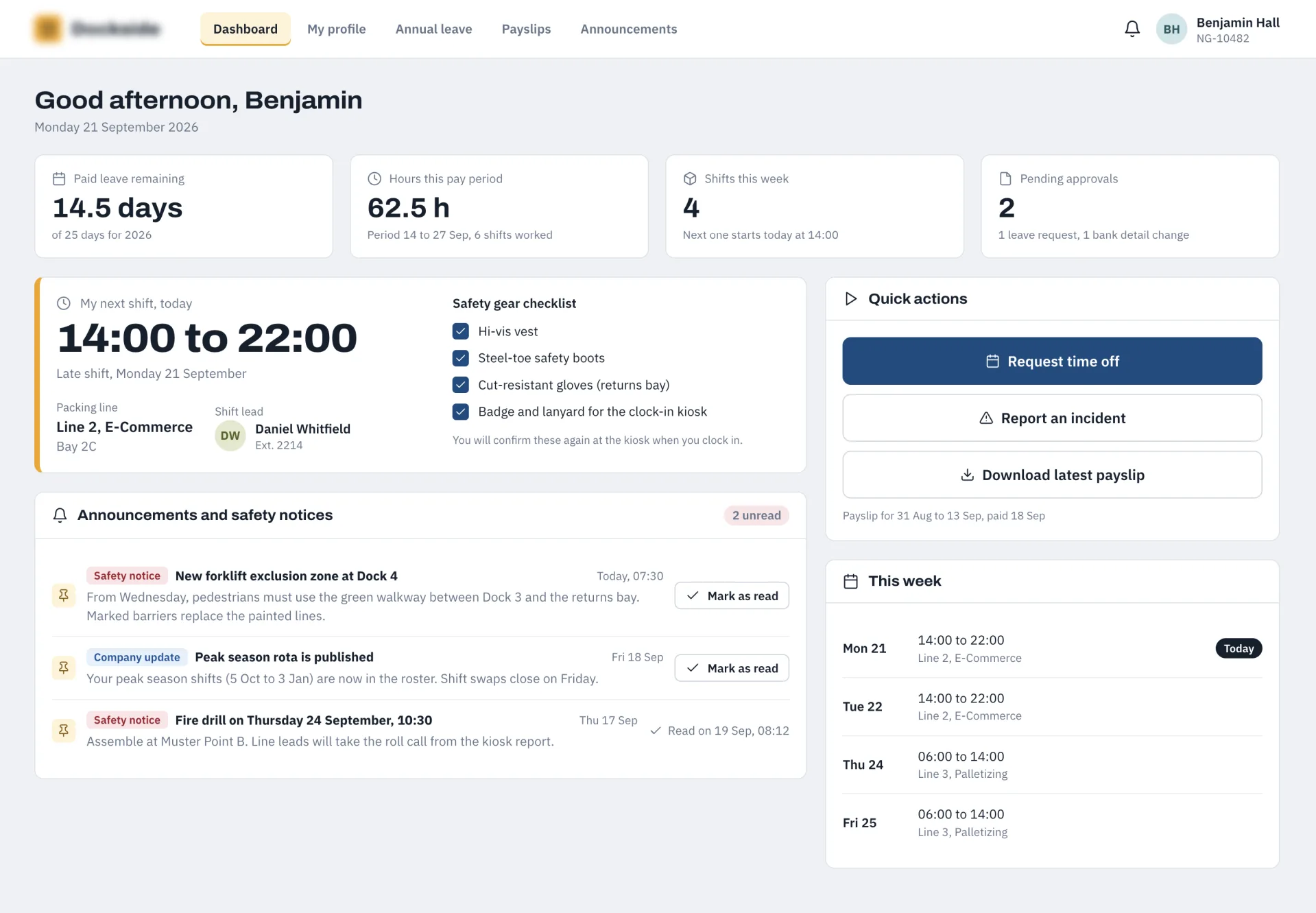
Eliminated manual timesheets and optimized floor operations using a centralized Laravel HR hub and API engine connected to Android time clock terminals.
Answers to common questions about bespoke CRM software, customer management systems and CRM development projects.

I'm a web developer specialising in Laravel, WordPress and mobile app development. I build fast, reliable websites and web apps, and I work directly with you from first email to launch, with no agencies or middlemen. Rated 5.0 everywhere my clients have left a review.
We only use non-identifying analytics cookies to understand how the site is used and help us improve it. Read our cookie policy.