Case Study
Food Ordering Kiosk Back Office
Streamlined restaurant operations and kiosk configuration through a centralized Laravel back office connected to floor-deployed Android ordering terminals.
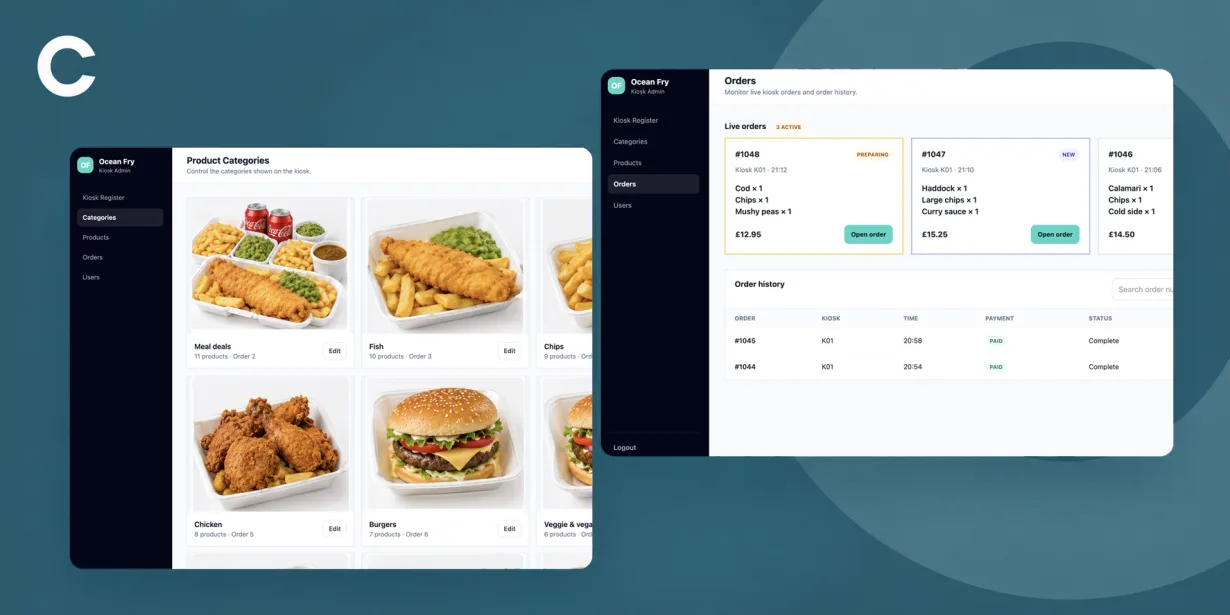
Project Brief
Develop a centralized Laravel administrative web portal and backend platform tailored for Ocean Fry food service operations.
The system bridges core web-based store management with hardware-integrated Android floor kiosks to automate menu scheduling, update dynamic product variations, manage dietary compliance, and stream live kitchen orders in real time.
The Challenge
Providing instant, low-latency menu updates and price adjustments across all connected kiosk terminals without requiring app restarts or manual reboots.
Managing multi-option menu items with flexible size variations, cross-sell/upsell relationships, and strict dietary and allergen compliance flags.
Designing a real-time order management system capable of processing peak-hour ticket volumes and updating kitchen preparation statuses via WebSockets without database polling lag.
Functionality
Menu Engine & Product Catalog Management
Hierarchical product category ordering, visual cover image uploads, dynamic multi-size variations with custom pricing, upselling association rules, and targeted related-product recommendations.
Dietary, Allergen & Compliance Controls
Granular allergen tagging across regulated food categories (fish, gluten, dairy, nuts, etc.), dietary suitability flags (vegan, vegetarian, gluten-free), and customer-facing filter controls.
Live Order Processing & Kitchen Workflow
Real-time WebSocket order feed, ticket state machine (New, Preparing, Ready, Complete), item-level prep check-offs, search filters, and historical order auditing.
Device Fleet & Kiosk Registration Hub
Terminal pairing endpoints, heartbeat monitoring, online/offline status tracking, API token management, and over-the-air kiosk configuration updates.
A closer look
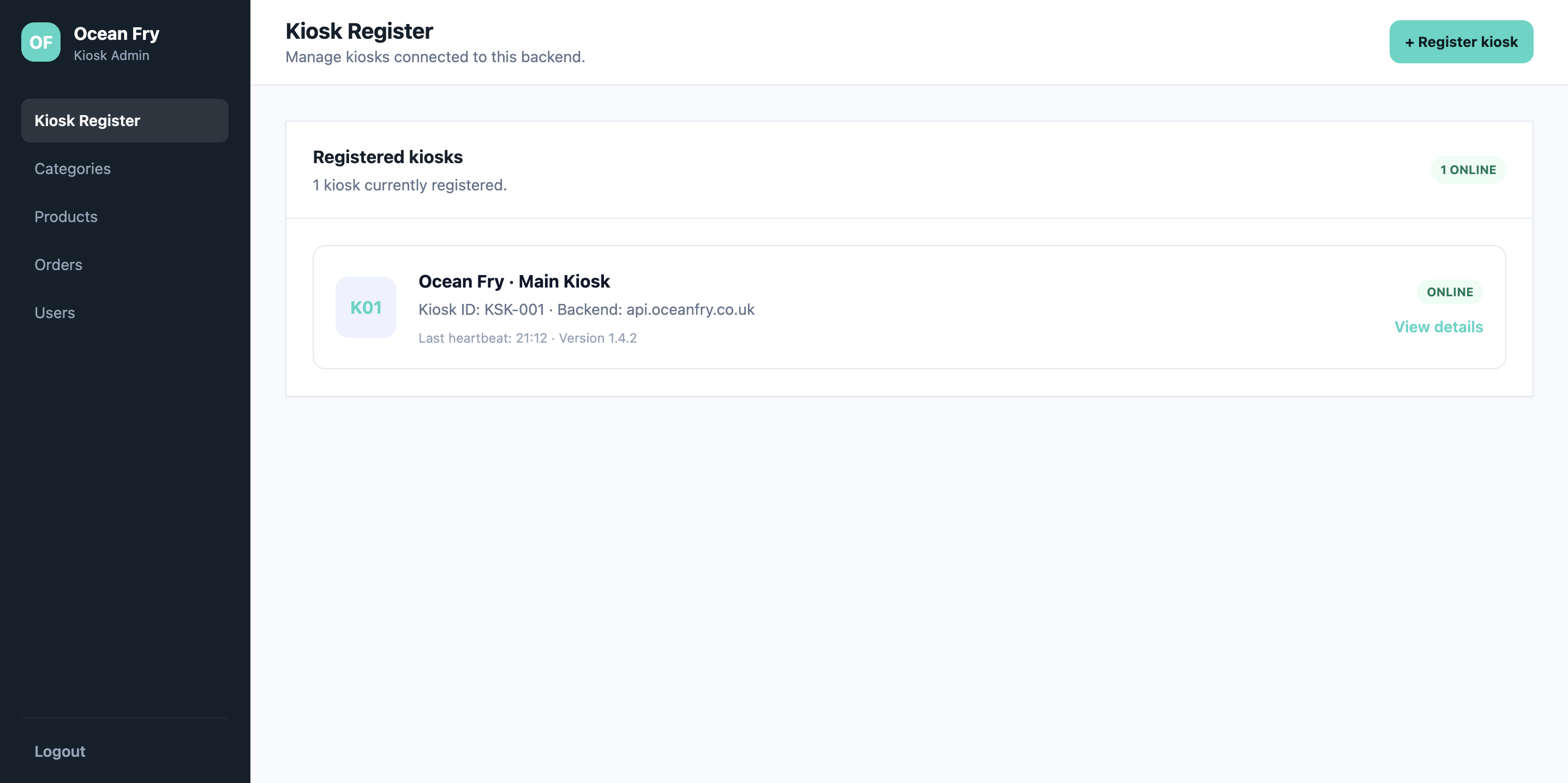
Kiosk Registration
The Kiosk Register screen acts as the central device management hub for monitoring connected Android terminals across store locations. Administrators can register new hardware endpoints, assign unique kiosk IDs, and manage API backend connection credentials.
Real-time heartbeat indicators display device health, current software build versions, and operational connectivity status. This ensures store managers have immediate visibility into terminal uptime and can diagnose network drops before they affect customer service.
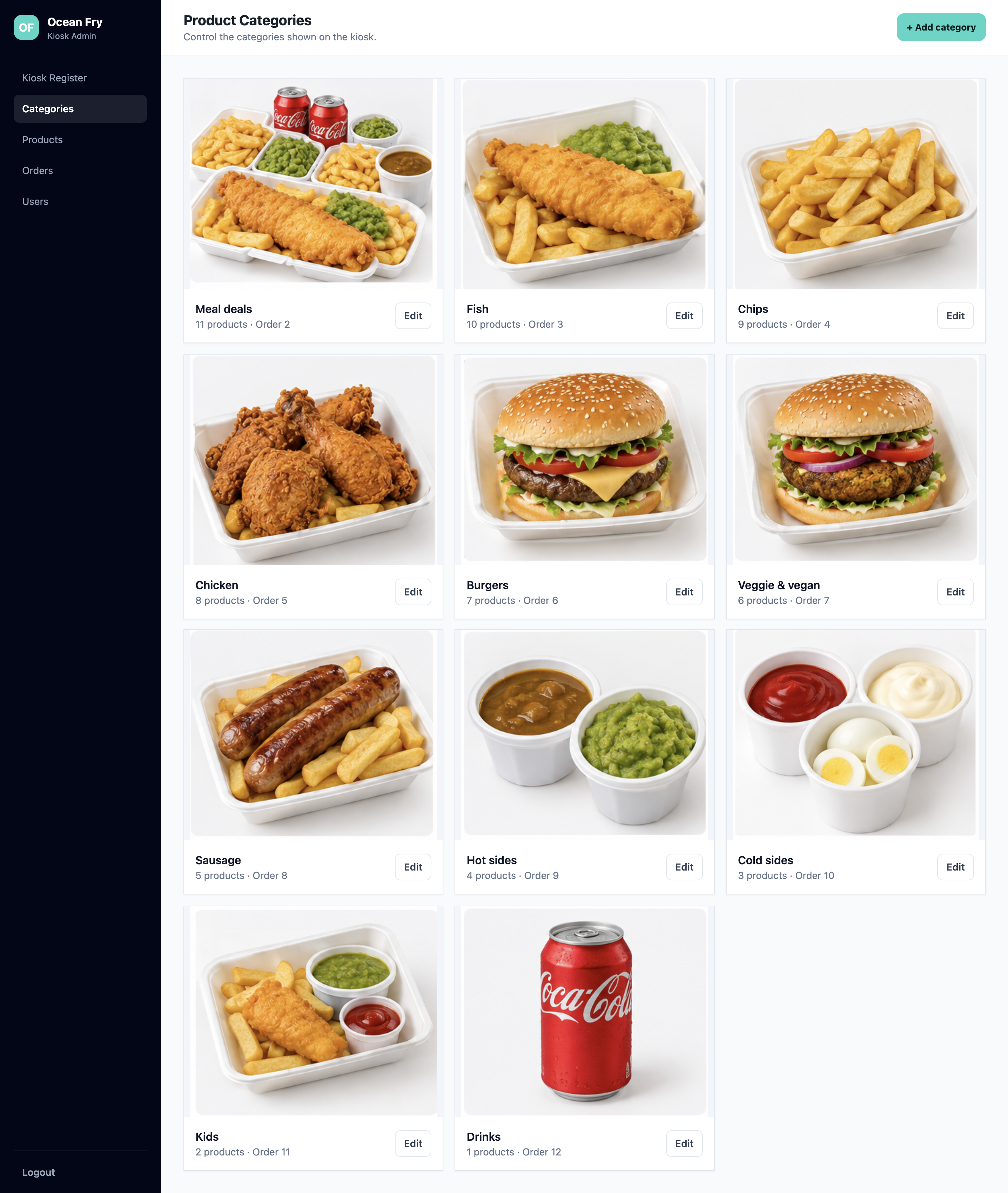
Product Categories
The Product Categories management page presents a visual grid overview of all active menu sections, including Meal Deals, Fish, Chips, Chicken, Burgers, Veggie & Vegan, Sausages, Hot Sides, Cold Sides, Kids Meals, and Drinks.
Each category card displays key operational metrics, such as total assigned products and screen display order positioning. Administrators can quickly reorder categories or create new menu sections to adapt to seasonal offerings and store promotions.
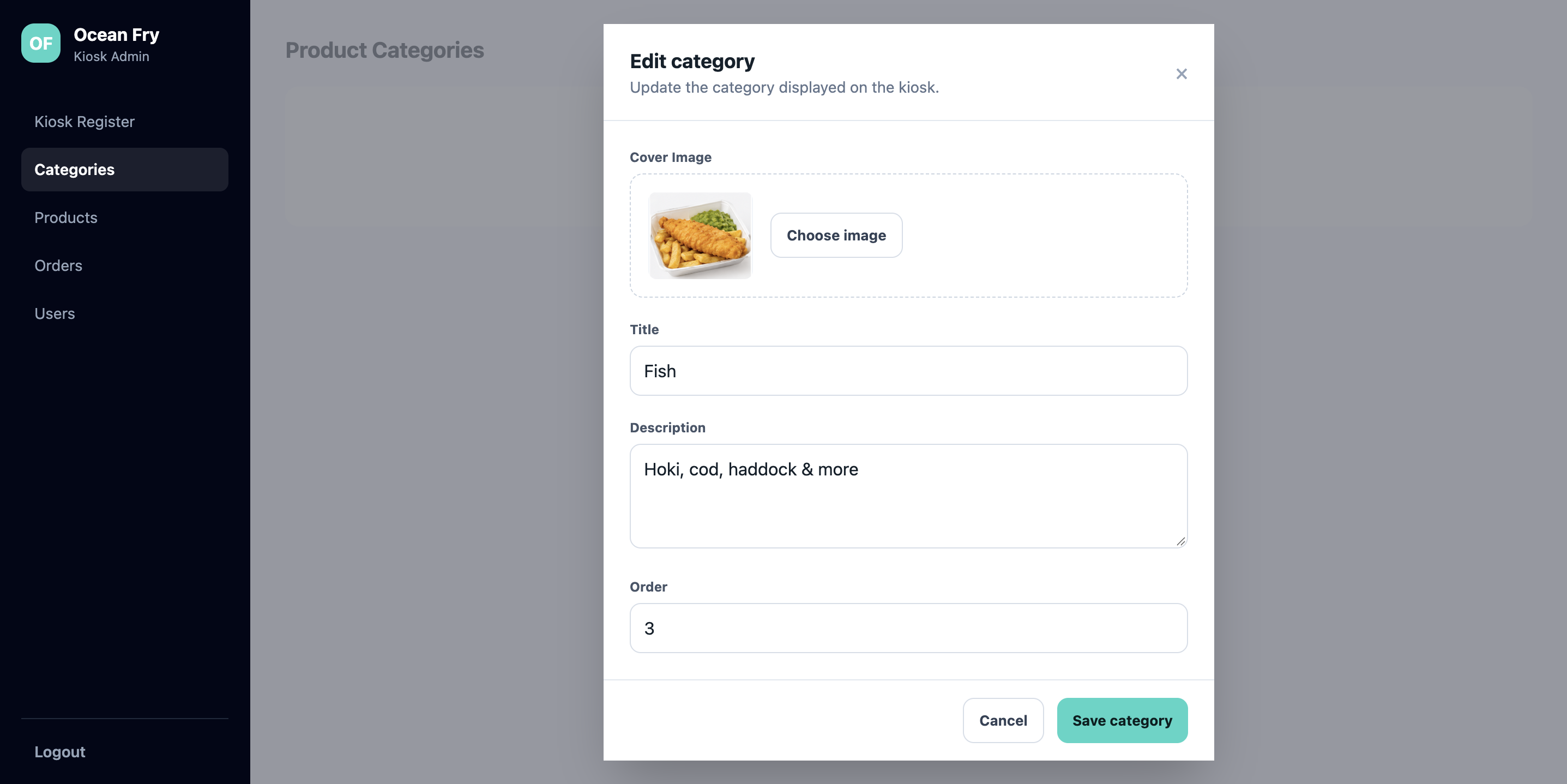
Edit Category
The Edit Category modal provides an overlay form for updating menu section attributes directly from the category overview. Store managers can upload high-resolution cover graphics, update titles, refine descriptive body copy, and set numeric display ordering.
All edits saved through this form instantly synchronize across connected Android kiosks via API, allowing menu updates to reflect on customer screens without requiring terminal restarts.
Product List
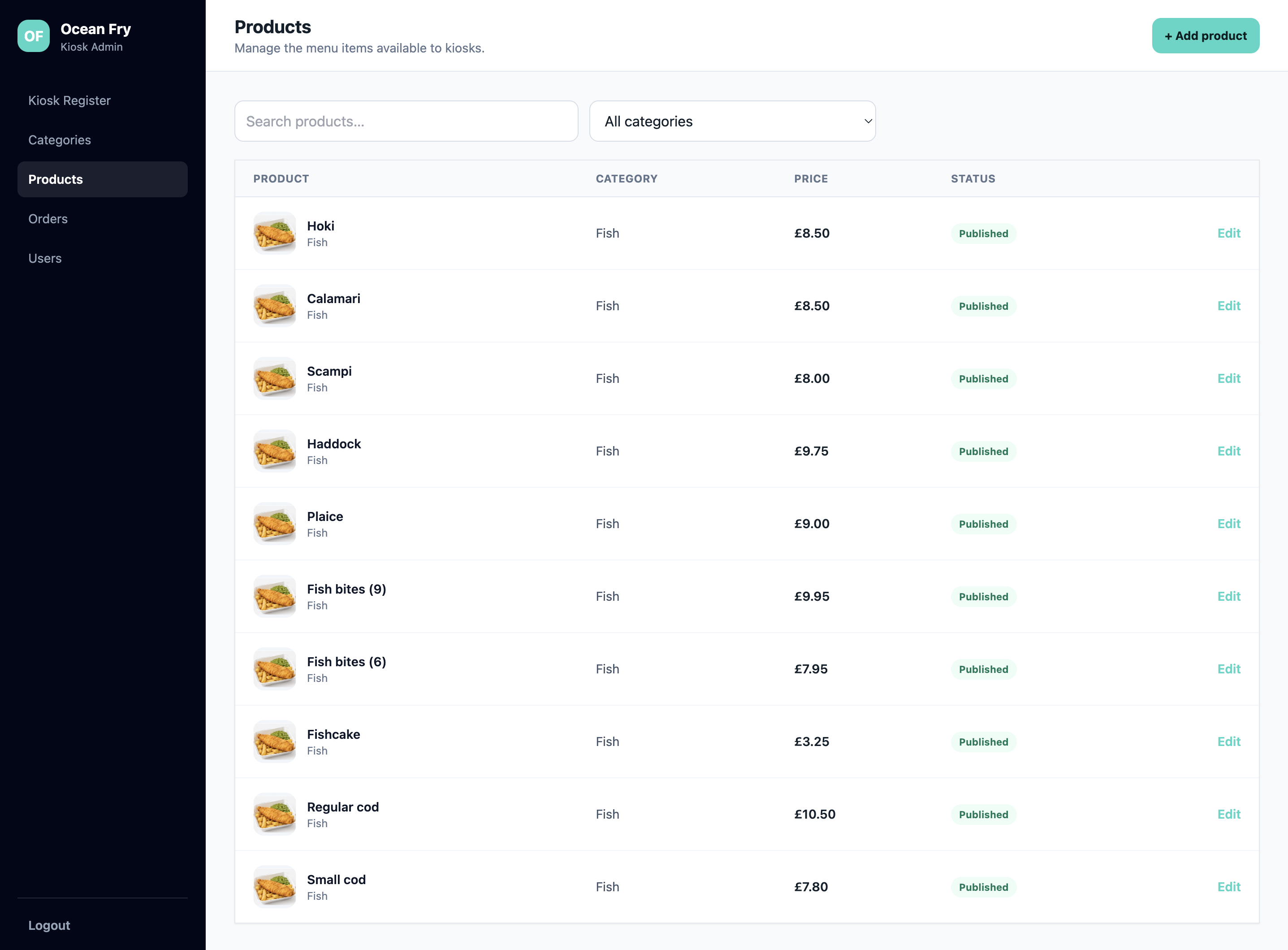
The Product List index provides a filterable data table of every menu item available across store kiosks. Administrators can search items by keyword, filter by specific categories, review base prices, and monitor publication status.
Thumbnail previews and quick-action edit controls allow kitchen managers to rapidly audit menu items, temporarily toggle out-of-stock products off customer screens, and maintain clean catalog organization.
Edit Product
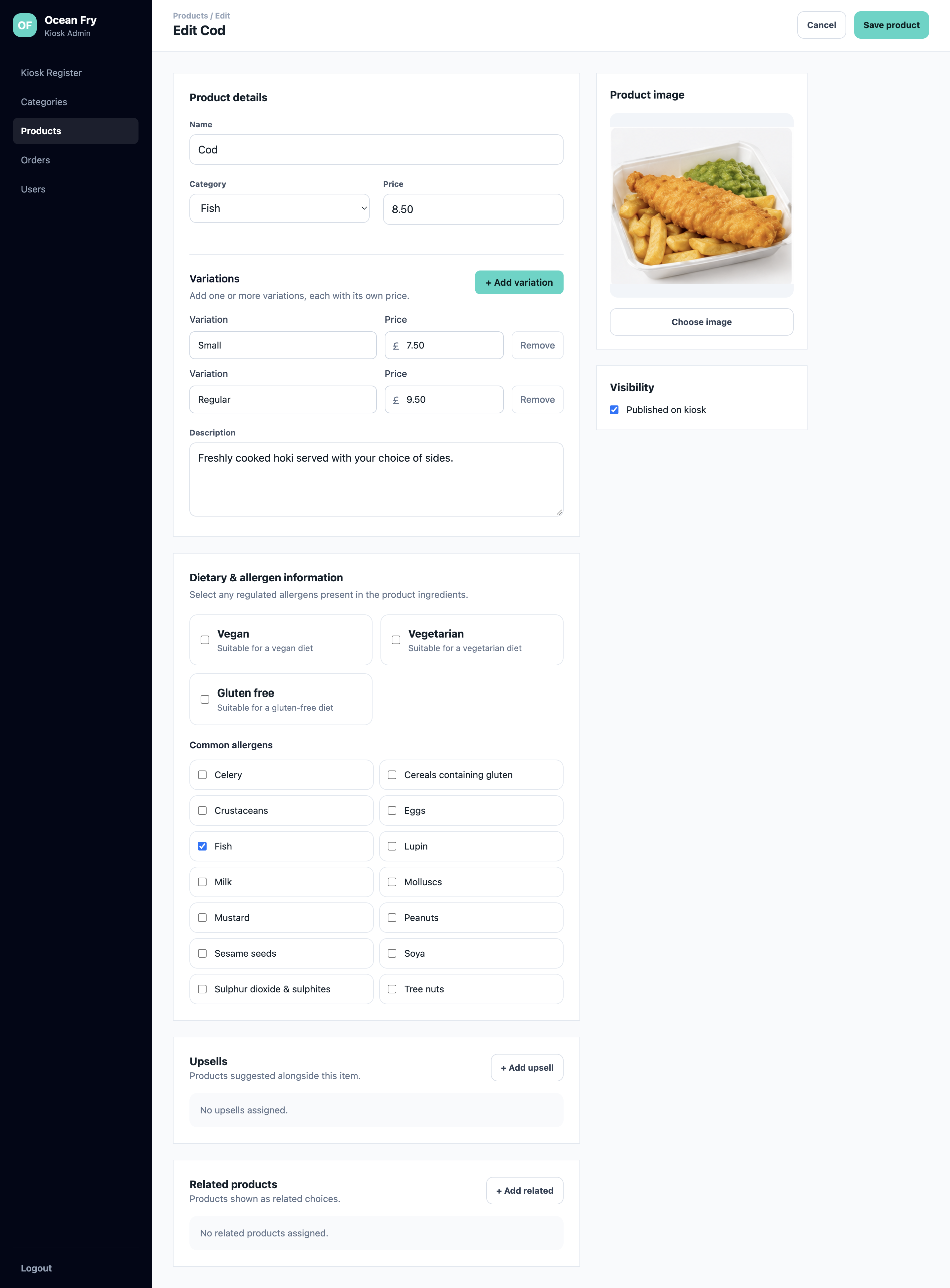
The Edit Product screen is a comprehensive management editor for individual menu items. Administrators can set core details like item title, base price, detailed descriptions, and multi-option pricing variations (e.g., Small vs. Regular portion sizes).
The editor includes dedicated compliance sections for toggling dietary attributes (Vegan, Vegetarian, Gluten-Free) and checking off common regulated allergens. Furthermore, administrators can link specific upsell items, configure related product recommendations, set hero imagery, and toggle kiosk publication visibility.
Orders List
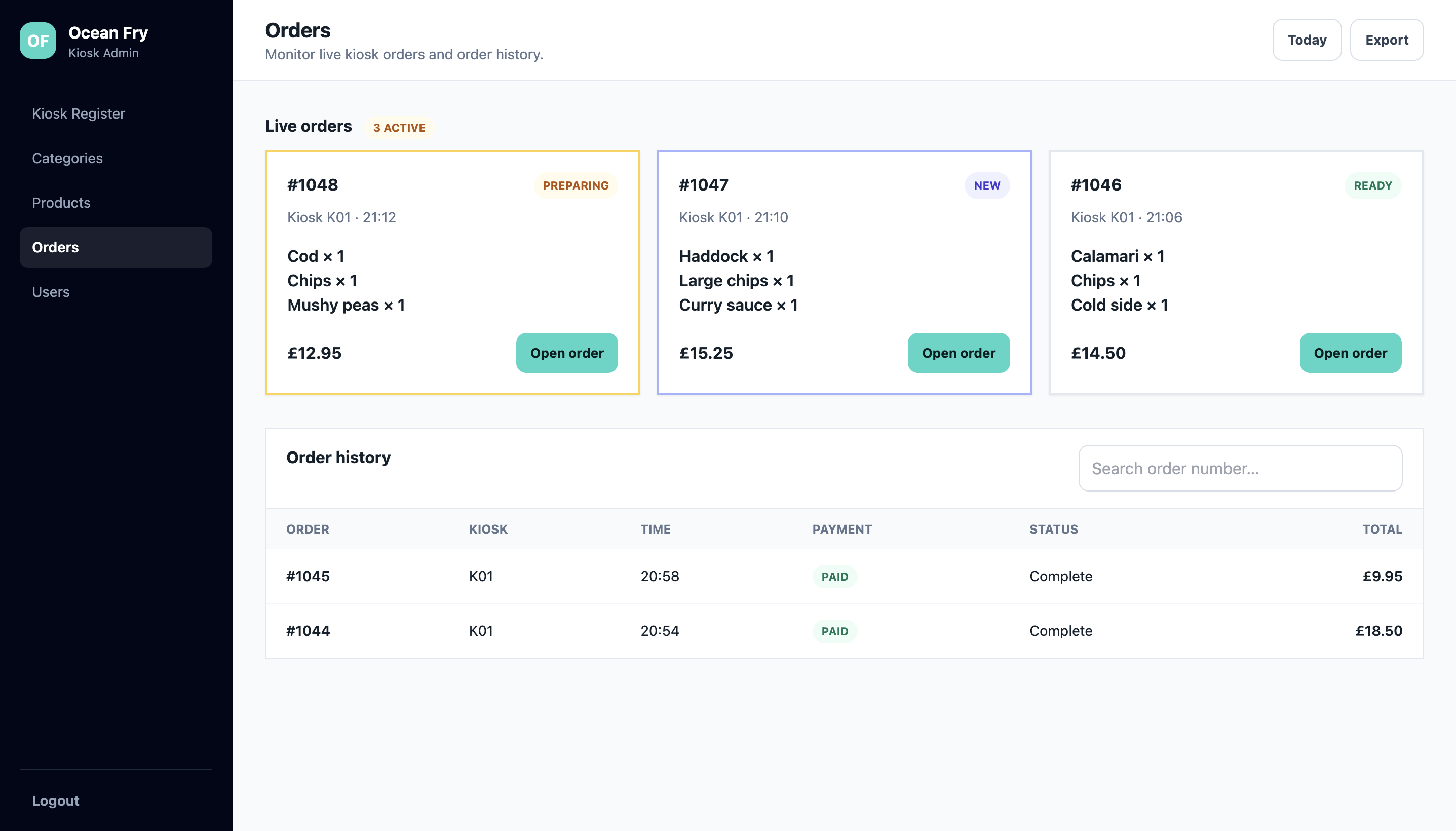
The Orders List screen serves as a live kitchen dispatch board and historical order management center. A real-time header highlights active orders organized into status cards (New, Preparing, Ready) with color-coded visual alerts for kitchen staff.
Below the live order cards, a searchable order history table logs completed transactions, showing timestamp data, originating kiosk IDs, payment confirmation badges, and total sales values for auditing.
View Order
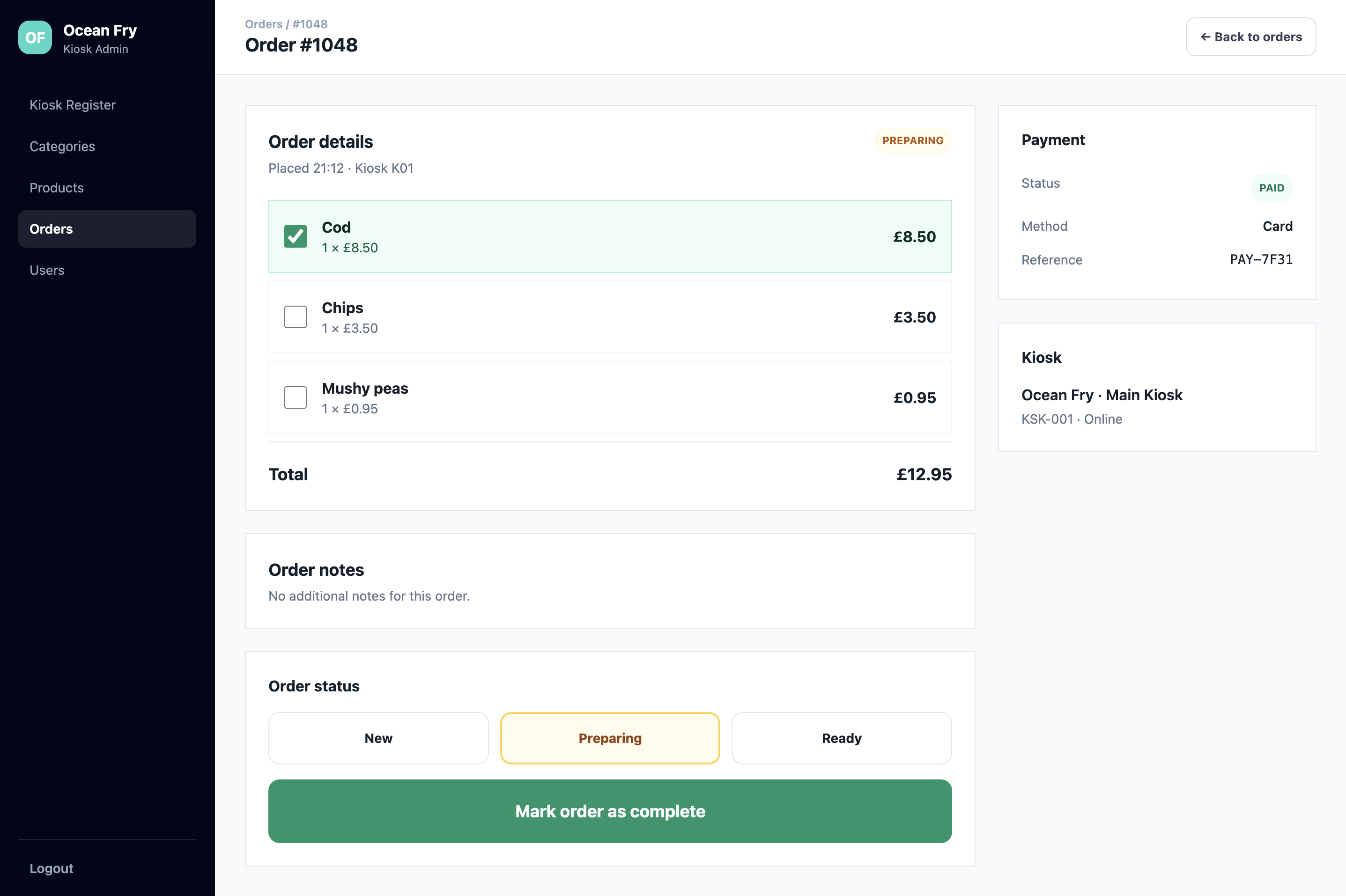
The View Order page provides a detailed breakdown of a selected order ticket, displaying itemized contents, customized preferences, sides, and line-item totals. Kitchen staff can use interactive checkboxes to tick off individual items as they are prepared.
The interface allows operators to manually advance order preparation statuses (New → Preparing → Ready → Complete), review special customer notes, and verify card transaction references and originating kiosk details.
Architecture
Built as the central administrative hub and API layer of a dual-platform food service solution, powered by Laravel. It features multi-guard authentication infrastructure to handle administrative web access alongside secure API requests from floor-deployed Android kiosk terminals.
Utilizes a bidirectional WebSocket architecture connecting Android kiosks directly to kitchen management dashboards for instant order dispatch and status synchronization without database polling.
Skills Used
The back office gives us complete control over our kiosk network. Updating menu items, tweaking prices, and adding allergen details takes seconds, and the live order screen keeps our kitchen running smoothly during rush hours.
Have a similar project in mind?
Get in touch for a free, no-obligation quote.
