1. Order status and permissions
Map the stages from order placement through processing and completion, including who can make changes.
I build custom order management software that connects order capture, processing, stock allocation and fulfilment around the way your business operates.
I develop bespoke order management software to connect order processing, stock allocation, fulfilment and customer updates, giving your business a more consistent view of what needs to happen next.
I start by mapping how orders move through your business, including the information captured, checks required, stock rules, fulfilment stages and exceptions that need staff attention. The system can support internal teams, business customers or customer-facing account areas.
Depending on the requirements, the application can connect with inventory, payment, accounting, delivery and reporting platforms. I assess the available interfaces and data ownership before deciding how information should be shared and how failed updates should be handled.
Order management is distinct from stock control and delivery operations, although it needs to work closely with both. The order management system coordinates the order and its fulfilment status, while connected systems can remain responsible for inventory, transport or other specialist functions.
An order rarely involves a single action. Once it has been placed, someone may need to validate the details, confirm payment, allocate stock, arrange fulfilment, coordinate delivery and keep the customer informed.
When these steps are managed across disconnected systems, spreadsheets or manual processes, staff can lose track of what needs to happen next. Stock availability may be unclear, exceptions can go unnoticed and customers may receive inconsistent updates.
I develop bespoke order management software to connect these stages into a defined workflow. The system can support internal operations, business-to-business ordering, customer accounts or specialist ordering processes that do not fit standard commerce tools.
A custom order management system should provide a reliable record of each order, make the next action clear and keep connected systems aligned.
Define which system owns order, payment and stock records before planning integrations. Clear ownership, reliable synchronisation and recovery from failed updates help prevent conflicting information.
The workflow needs to account for what happens when everything goes to plan, as well as when an order changes, stock runs short or an integration fails.
Map the stages from order placement through processing and completion, including who can make changes.
Decide when stock is checked or reserved and how shortages, substitutions and backorders are handled.
Specify how orders containing multiple items are handled when only some items can be supplied.
Define what happens when payment succeeds, fails, is refunded or needs to be reconciled.
Choose which order events trigger customer notifications and which details remain internal.
Look beyond basic order entry. Consider how the system handles failures, partial fulfilment and the hand-offs between sales, stock, payments and delivery.
| Question to ask | A surface answer | A useful project answer |
|---|---|---|
| What happens if payment succeeds but order creation fails? | Try the request again. | Use appropriate duplicate protection, transaction records, monitoring and recovery procedures. |
| Can an order be fulfilled in several parts? | Create separate orders. | Track fulfilment against individual order lines while retaining the original customer order. |
| How is stock allocated? | Check the stock quantity. | Define reservations, competing orders, shortages and when availability is confirmed. |
| Who deals with order exceptions? | Staff check a dashboard. | Identify actionable exceptions, assign responsibility and retain the context needed to resolve them. |
| How do customers see progress? | Send status emails. | Provide accurate updates based on confirmed events while keeping internal notes private. |
A standard commerce platform may be enough if you have a straightforward sales process and conventional fulfilment requirements. I would not recommend replacing it just to introduce a different order screen.
Bespoke order management software becomes worth considering when orders pass through business-specific workflows, multiple systems need to stay aligned or staff rely on manual workarounds to get orders completed.
A custom system can complement an existing website, shop or ERP rather than replace it. The right approach depends on where the current process breaks down and which platform should remain responsible for each part.
I build business software around the processes it needs to support. For order management, that means understanding how orders enter the business, what needs to happen next, which systems are involved and how staff deal with exceptions.
The result might be a central order administration system, a workflow connecting existing tools, or an operational back office for a specialist ordering service. I can help establish the right scope before development begins.
The aim is to make order status easier to trust, reduce avoidable manual work and give staff a clear way to identify and resolve problems before they affect fulfilment.
You do not need a complete technical brief. I can map how orders move through your business, identify where information or hand-offs break down, and define a practical scope before development begins.
I start by understanding the work the system needs to support. I keep decisions clear as the project moves from initial planning into development and launch.
I map the users, information, hand-offs and problems the software needs to solve.
I define the core features, data, integrations and a realistic first release with you.
I develop and test the application, then review it against real tasks and your feedback.
I help get the system live and plan sensible improvements as your requirements evolve.
Examples of operational software connecting ordering, back-office processes, stock and delivery operations.
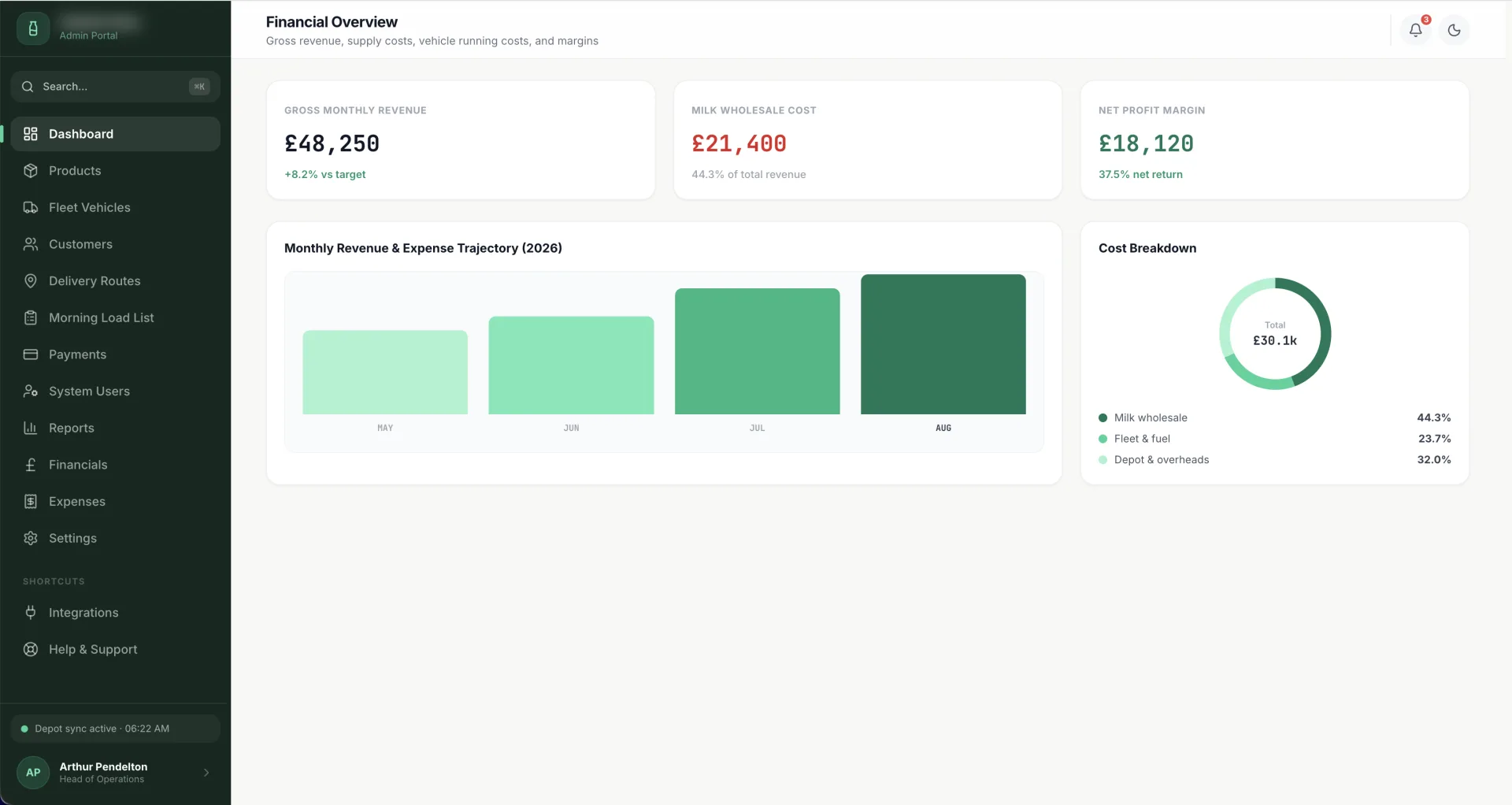
A high-performance operational portal designed for local dairies to streamline morning route planning, vehicle compliance, inventory margins, GoCardless payments, and Twilio customer SMS notifications.
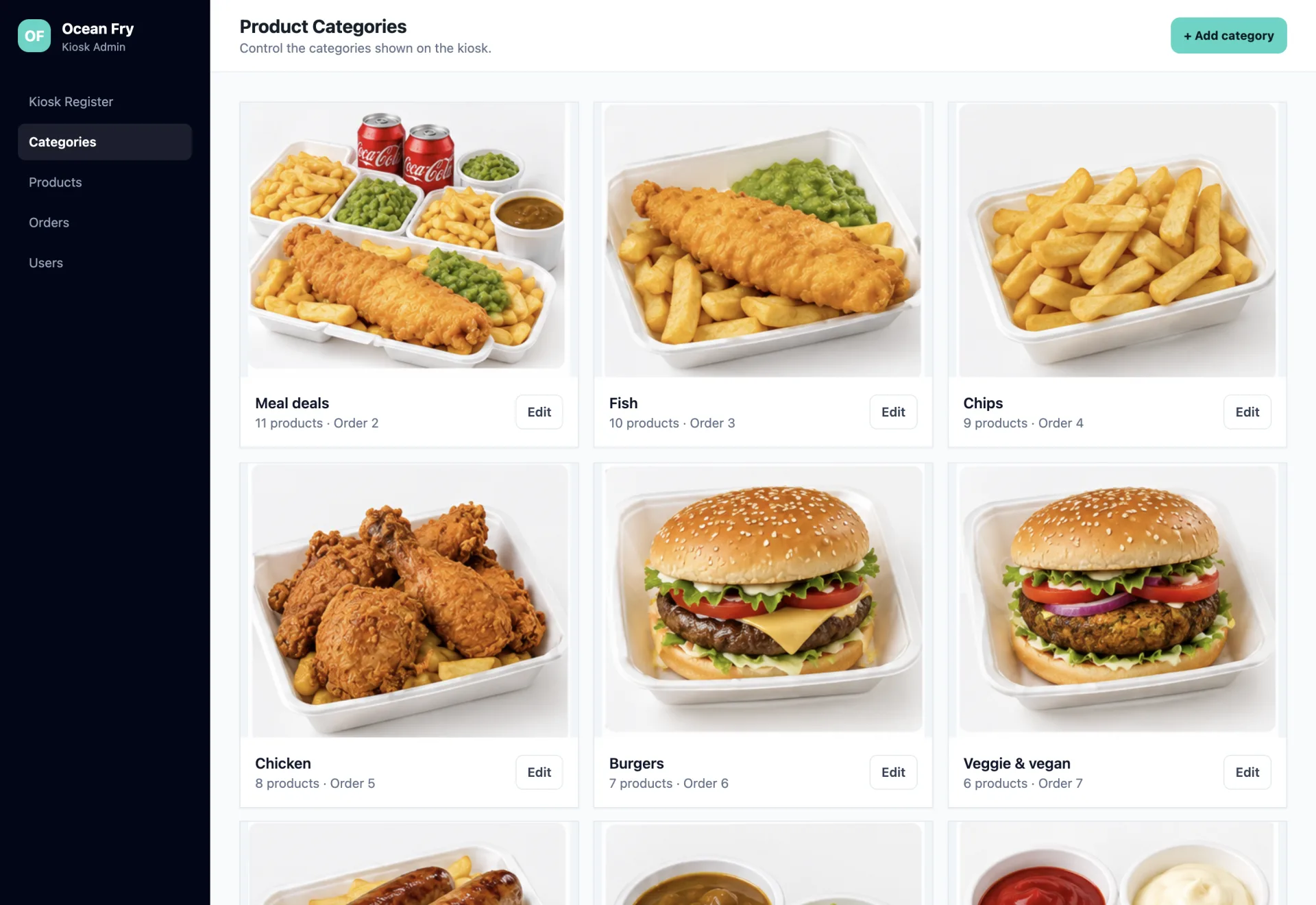
Streamlined restaurant operations and kiosk configuration through a centralized Laravel back office connected to floor-deployed Android ordering terminals.
Answers to common questions about custom order processing, fulfilment workflows and order management systems.

I'm a web developer specialising in Laravel, WordPress and mobile app development. I build fast, reliable websites and web apps, and I work directly with you from first email to launch, with no agencies or middlemen. Rated 5.0 everywhere my clients have left a review.
We only use non-identifying analytics cookies to understand how the site is used and help us improve it. Read our cookie policy.