
Mail Logger Pro gives you a complete record of emails sent from your WordPress website. Search, preview, resend and export messages whenever you need to investigate an email problem.
For less than $0.11 per day.

WORDPRESS EMAIL LOGGING MADE SIMPLE
WordPress Email Logger Plugin
-
✔
Log every outgoing email sent from your WordPress website
-
✔
Search by recipient, sender, subject or system tags
-
✔
Resend emails with one click
-
✔
Forward emails automatically to a backup address
-
✔
Export logs to CSV for reporting and analysis
-
✔
Spam Checker: Check if your emails are likely to be marked as spam
WORDPRESS EMAIL LOGGING COMPATIBILITY
Log emails from WooCommerce, forms
and your favourite WordPress
plugins
Mail Logger Pro works alongside popular WordPress plugins and email services, allowing you to keep a central record of emails generated by your website. Log WooCommerce order emails, contact form messages, membership notifications and other outgoing WordPress emails while using SMTP services such as WP Mail SMTP, FluentSMTP, Amazon SES, SendGrid, Mailgun and more.
WORDPRESS EMAIL LOGGER FEATURES
Everything you need to
log and manage WordPress emails
Automatic WordPress Email Logging
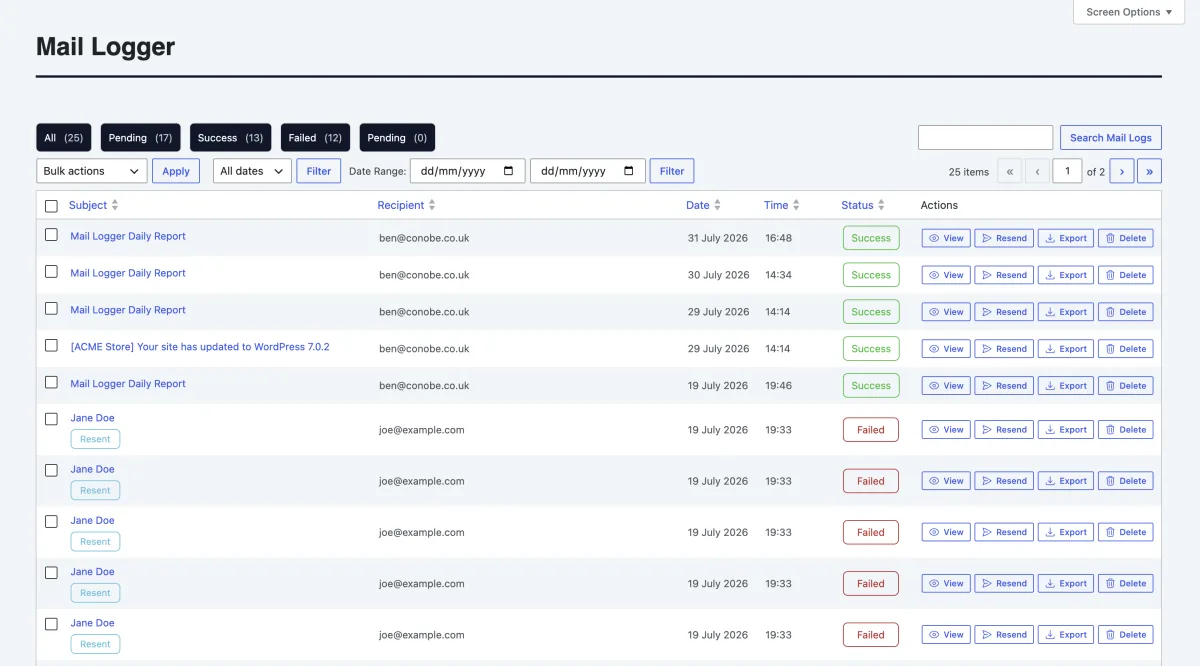
Automatically log outgoing emails from your WordPress website, including successful, failed and pending messages.
Set how long email logs are retained and automatically remove older records to help manage database storage.
Search and Filter Email Logs
Filter WordPress email logs by date or search for messages using recipients, senders, subject lines and system tags.
Quickly find a specific email without having to search through your WordPress website or external mail systems.
Preview WordPress Emails
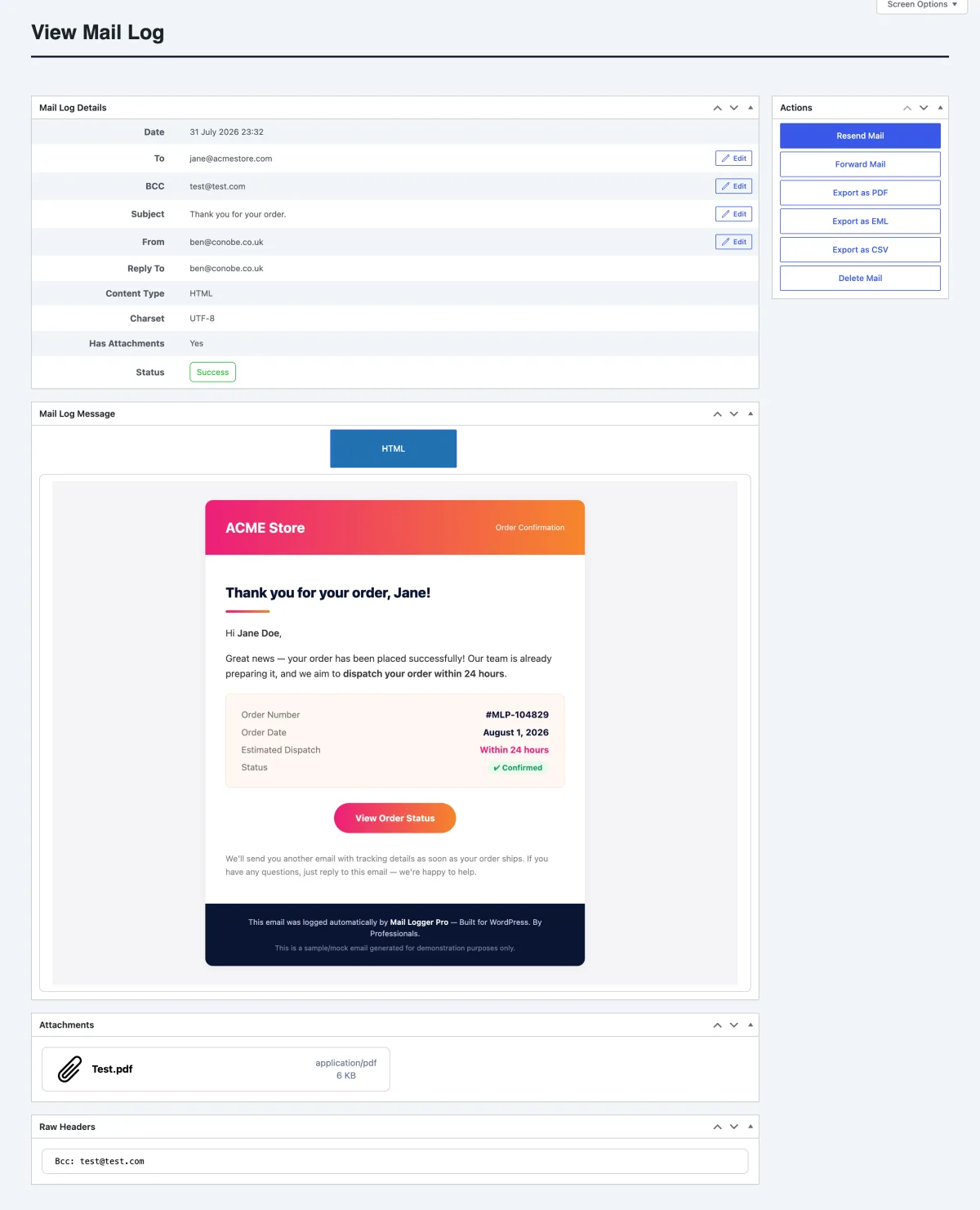
Open logged emails and view their HTML or plain-text content directly from the WordPress dashboard.
Check exactly what your website generated, including recipients, sender information and email content.
Resend WordPress Emails
Resend a previously logged email when a customer has missed an important message or you need to send it again.
Send the original message again without having to recreate the email from scratch.
Automatic & Manual Email Forwarding
Automatically route copies of every sent email to additional recipients—set your list once and never miss an update.
For one-off forwards, simply use the manual forwarding option, enter the recipient's email address, and send.
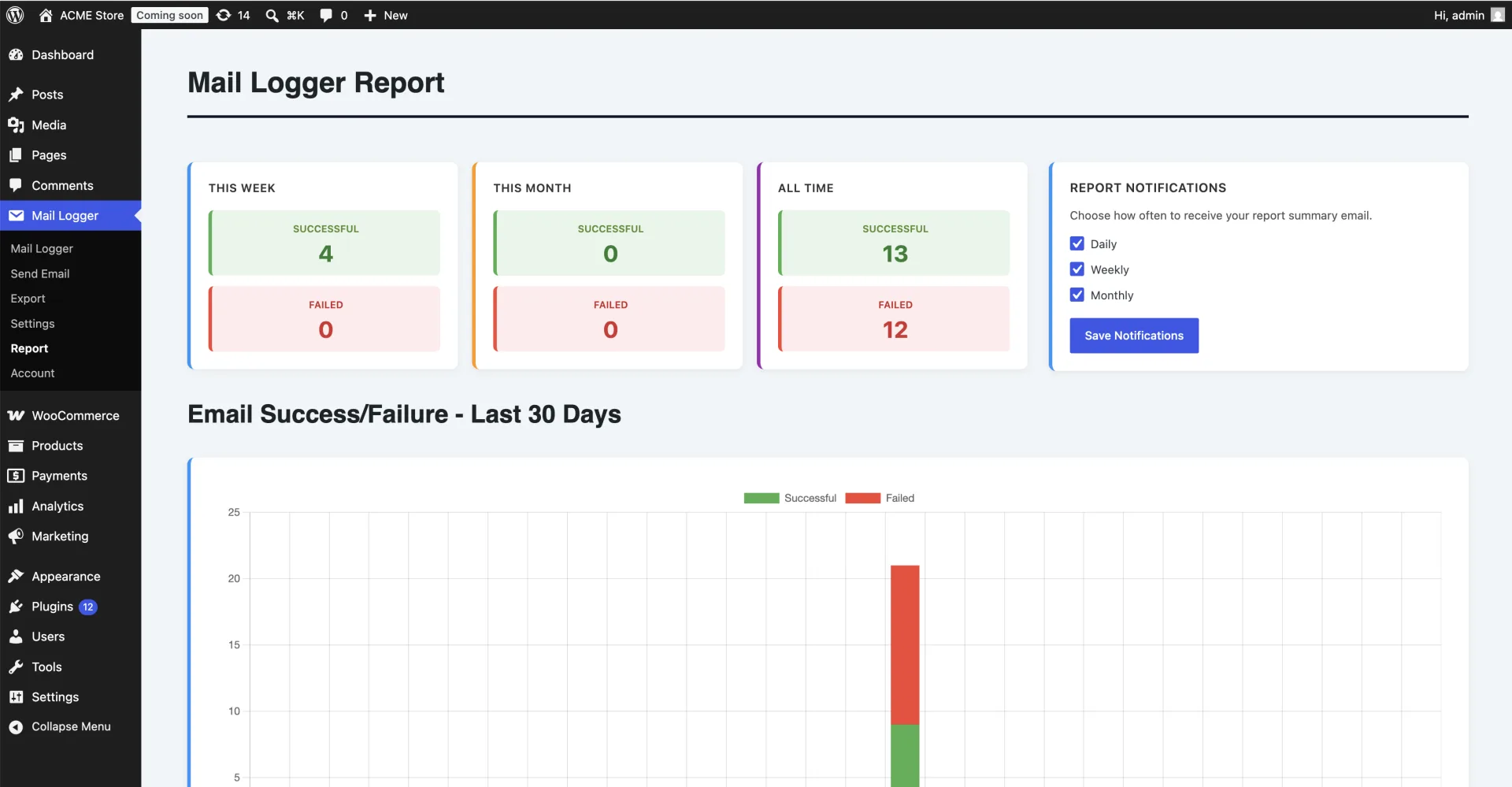
Statistics & Reporting
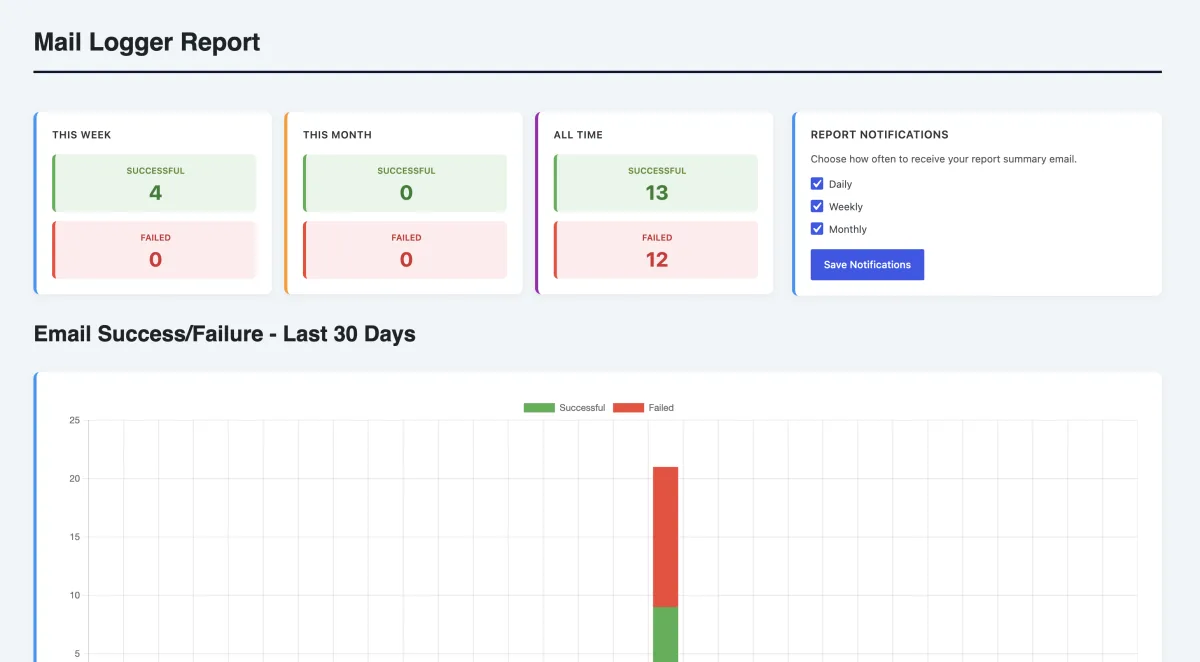
Get detailed insights into your email performance with comprehensive reports straight to your inbox - daily, weekly or monthly.
See how many emails are sent successfully, and how many have failed.
Export Logs
Flexible Export Formats: Download single emails as PDF, export raw EML files in a ZIP archive, or generate structured CSV spreadsheets.
Date-Ranged & Bulk Selection: Export single, multiple, or custom date-ranged email batches for seamless backup and local archiving.
Effortless Bulk Actions
Manage hundreds of email logs in seconds with powerful batch controls.
Select multiple entries to bulk delete, export, or resend emails with a single click.
Bulk CSV Export: Capture complete message data including headers, attachments, delivery status, forward/resend flags, and HTML/text content.
Email Attachments Support
View and download attachments sent with emails, including images, documents, and more.
Attachments are stored securely and can be accessed directly from the email log entry.
WHY USE A WORDPRESS EMAIL LOGGER?
Know what your WordPress site
has actually sent.
Complete WordPress Email Logs
Log every email, including successful, failed and pending emails.
Control Email Log Retention
Comply with GDPR and other privacy regulations by controlling how long email logs are retained.
Faster Email Troubleshooting
See whether an email was generated successfully and use the log to investigate problems before contacting your email provider.
Premium Developer Support
Get help when you need it directly from the developer who wrote the plugin.
VIEW YOUR WORDPRESS EMAIL LOG
See exactly what your WordPress site
sent in every email log.
WORDPRESS EMAIL MONITORING
Monitor WordPress email sending
automatically.
Heartbeat sends scheduled confirmation emails at an interval you choose, giving you a simple way to monitor whether your WordPress site is still able to send email. Send checks to yourself, your team or a dedicated monitoring inbox.
- Flexible scheduling — run every hour, every 6 hours, daily, or any custom interval.
- Send to any recipient — route confirmations to you, your team, or a monitoring inbox.
- Peace of mind — a missed heartbeat is an early warning that something needs attention.
Heartbeat Settings
WORDPRESS EMAIL SPAM CHECKING
Check your emails for potential
spam and deliverability issues.
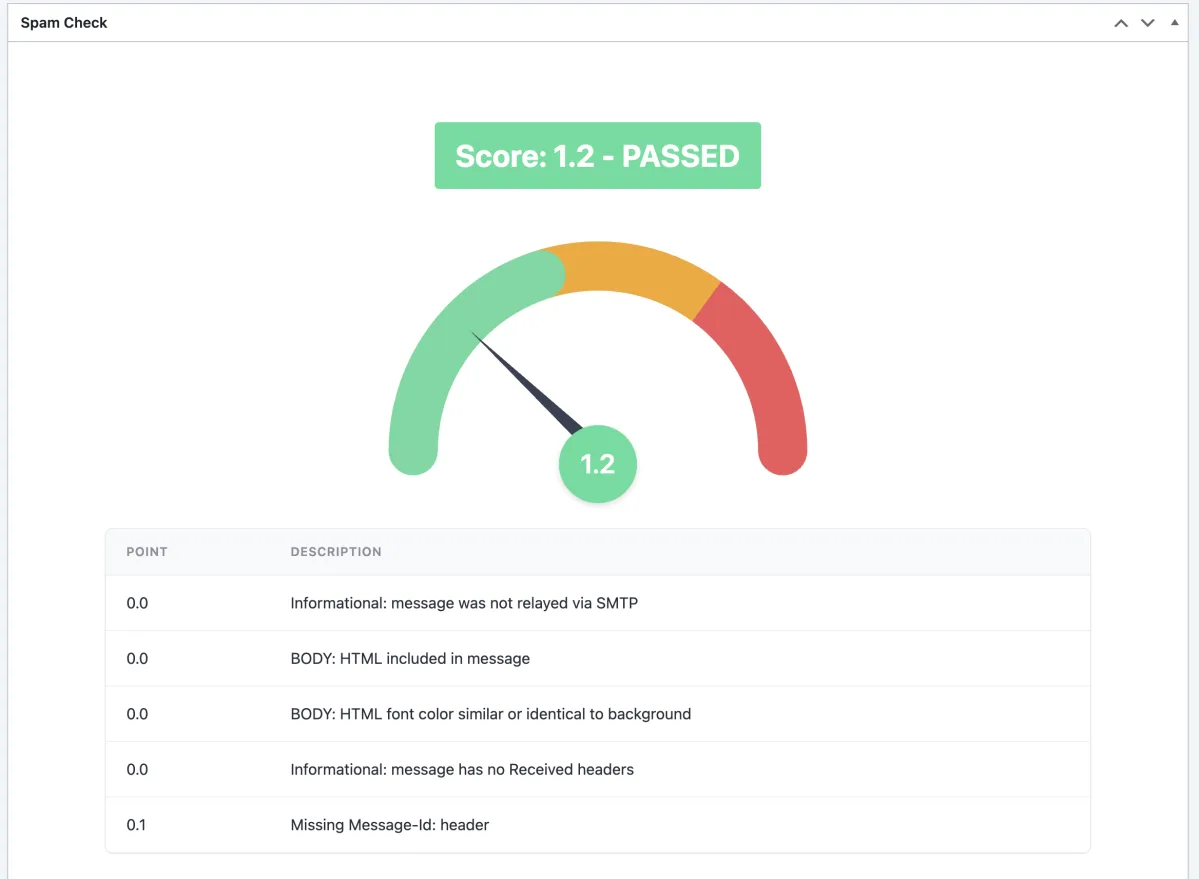
Mail Logger Pro checks logged emails against SpamAssassin and provides a score with a breakdown of potential issues. Use the results to identify problems that could affect email deliverability before they become a bigger issue.
- Real-time spam scoring on every email, powered by SpamAssassin.
- Point-by-point breakdown showing exactly what's dragging your score down.
- Fix issues before they cost you — catch problems before recipients ever see them.
MULTILINGUAL WORDPRESS SUPPORT
WordPress Email Logging in Multiple Languages
WORDPRESS EMAIL LOGGER SCREENSHOTS
See Mail Logger Pro in action
Explore the WordPress email log, search tools, email previews, reporting features and settings included with Mail Logger Pro.
WORDPRESS EMAIL LOGGER FAQ
Frequently Asked Questions
Compare the features of Mail Logger Pro
Base
FREE /month
Conobe Mail Logger is available in the WordPress plugin repository.
- Manual-Forwarding
- Export CSV / PDF / EML
- Searching and Filtering
- Preview Emails
- Send Emails
- Multilingual Support
- View/Download Attachments
- Statistics & Reporting
- Daily/Weekly/Monthly Report Summary Emails
Pro
$19.99 /year
Unlock the full potential of Conobe Mail Logger with the Pro version:
- All Free Features, plus:
- Auto-Forward
- Auto-Prune
- Resend Emails
- Edit Emails & Resend
- Bulk Resend
- Bulk Export to CSV / PDF / EML
- Bulk Delete
- Control User Permissions
- Log Retention Period
- Log Size Limit & Notification
- Multi-site discounts
WHAT USERS SAY
Built to make WordPress email troubleshooting easier.
See why WordPress developers, store owners and site managers use Mail Logger Pro to keep track of the emails their websites send.
Simple, practical and actually solves a problem. I particularly like being able to see the full email, including attachments, directly from the WordPress dashboard. The spam checking is another really useful addition because it gives us a chance to spot potential deliverability problems before they become an issue.
We have started using Mail Logger Pro across our membership websites to keep an eye on password resets, account notifications and other important emails. The automatic reports and heartbeat monitoring give us some extra peace of mind, while the ability to control how long logs are retained is useful from a data-management perspective.
The resend feature alone makes this plugin worthwhile for me. When a customer says they did not receive an email, I can find the original message and send it again in seconds. No copying content, rebuilding the email or digging through other systems. The interface is straightforward and the logs give you a really good overview of what is happening.
MAIL LOGGER PRO SUPPORT
Need help with your
WordPress email logs?
Pro users receive premium support directly from the developer. Get help with Mail Logger Pro, its features and settings, including WordPress email logging, searching, resending and managing your email logs.
If you already have a license for Mail Logger Pro, please include your license key in your message for faster support.
Please note: we can only provide premium support for valid license holders.
Ready to start logging
your
WordPress emails?
Start logging, searching, previewing and resending emails from
your WordPress dashboard with Conobe Mail Logger Pro
today.