Case Study
HR Check-In Kiosk App
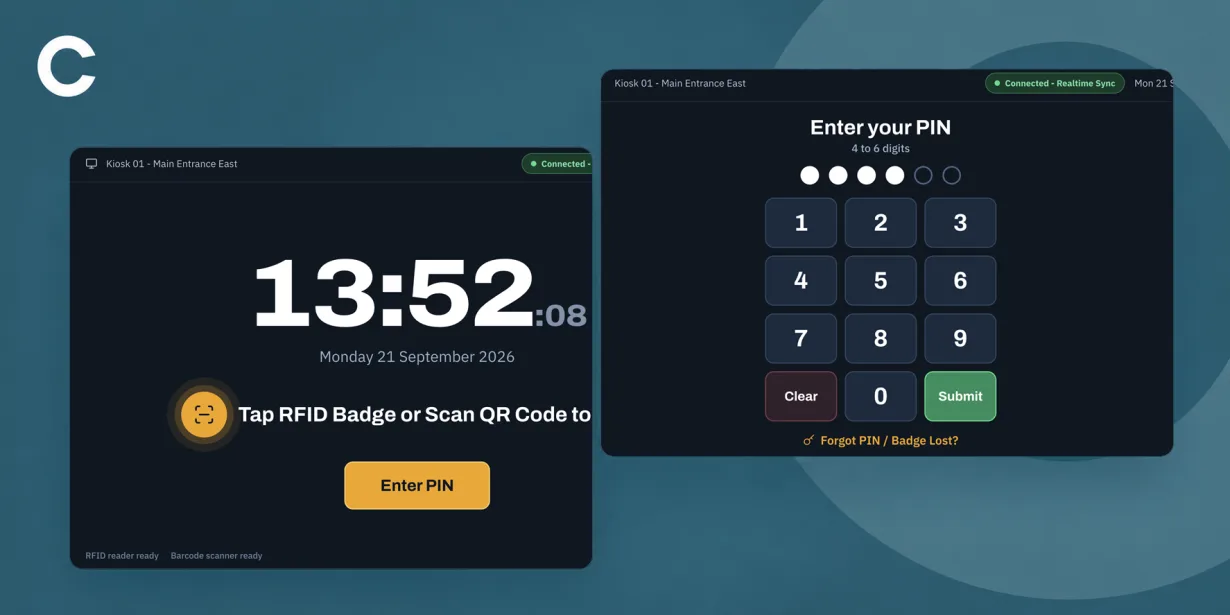
Streamlined floor attendance, health & safety compliance, and shift tracking using dedicated Android check-in terminals integrated with a central Laravel HR hub.
Project Brief
Develop an intuitive, rugged Android terminal application tailored for floor workers at a high-throughput packaging facility.
The Android kiosk handles rapid worker authentication via hardware peripherals, enforces mandatory pre-shift safety checklists, enables shift/break management, and maintains operational continuity through offline caching.
The Challenge
Eliminating shift-change queues across high-density worker transitions while maintaining an under-2-second touchpoint interaction time.
Enforcing mandatory health & safety checklists, statutory rest break compliance rules, and active safety certifications prior to allowing floor clock-ins.
Ensuring 100% kiosk uptime and zero data loss at warehouse entry points during local network disruptions or server blips.
Functionality
Hardware-Assisted Authentication
Hands-free, multi-mode authentication utilizing direct USB-HID and Web Serial scanner drivers for instant RFID badge, barcode, and QR code reading, alongside a touch-optimized PIN keypad.
Supervisor Assisted Overrides & Fallback
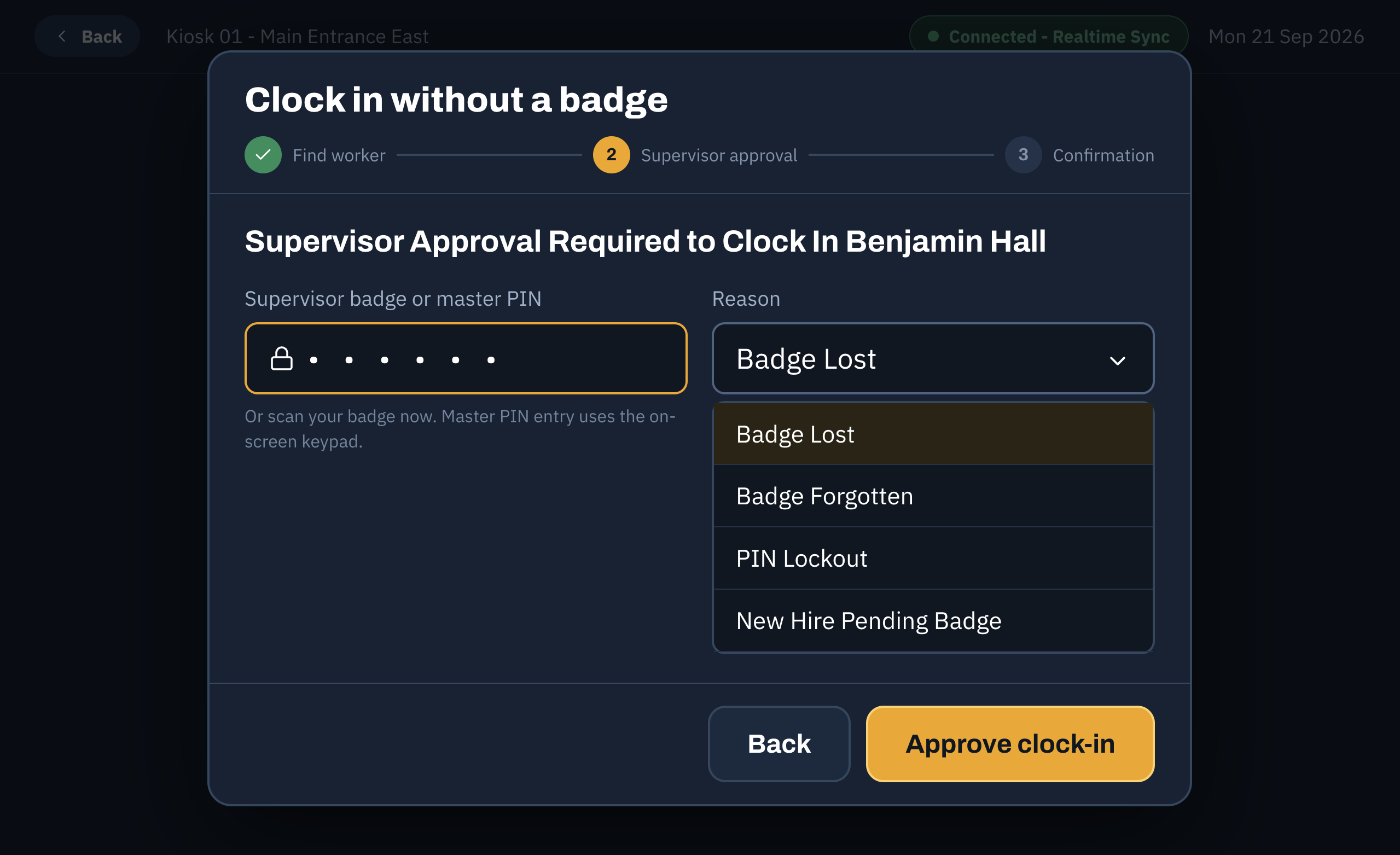
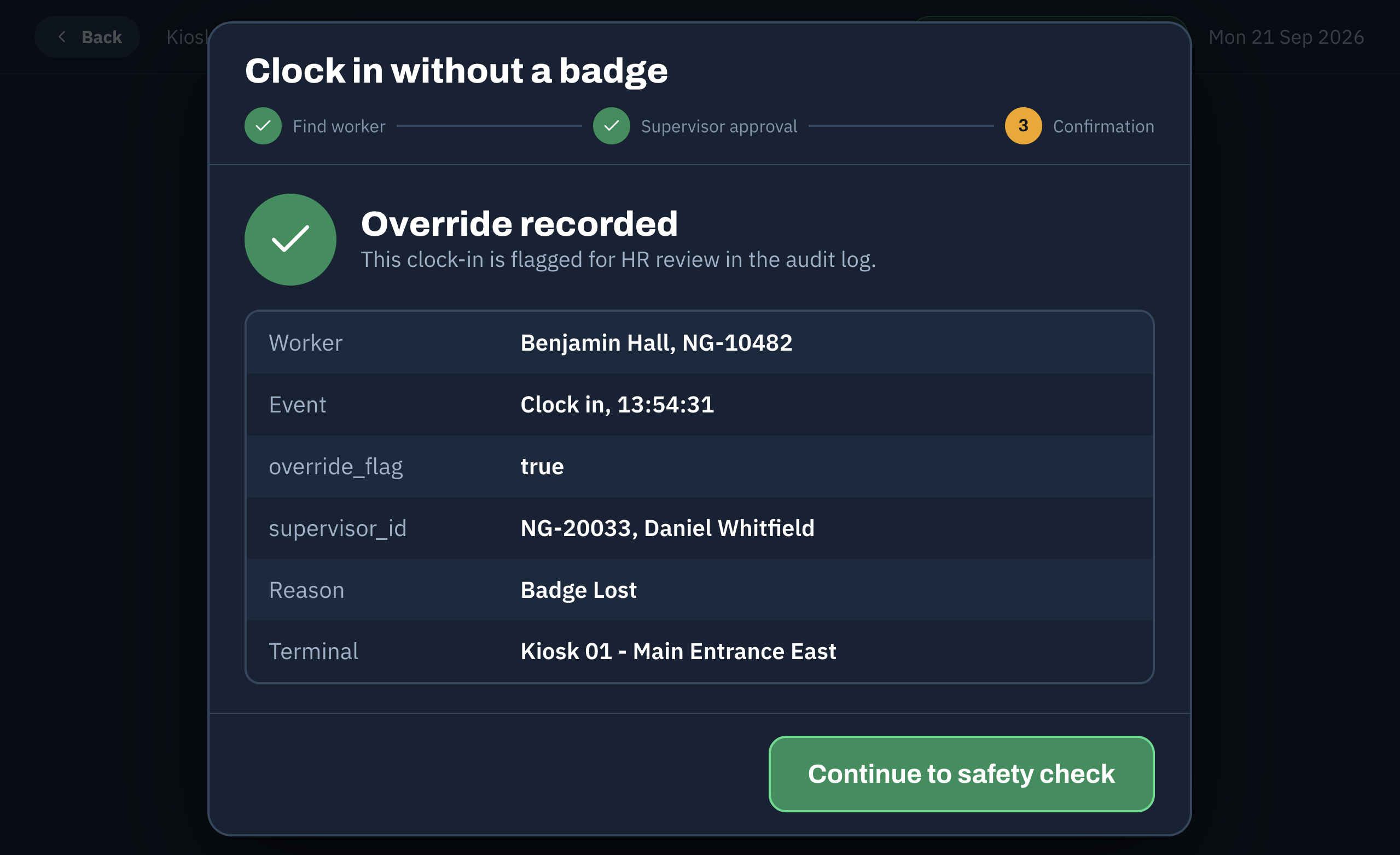
Guided step-by-step supervisor override workflow allowing lost-credential recovery, worker lookup, pin reset, and authorized manual clock-ins directly on the floor terminal.
Interactive Shift & Safety Workflow
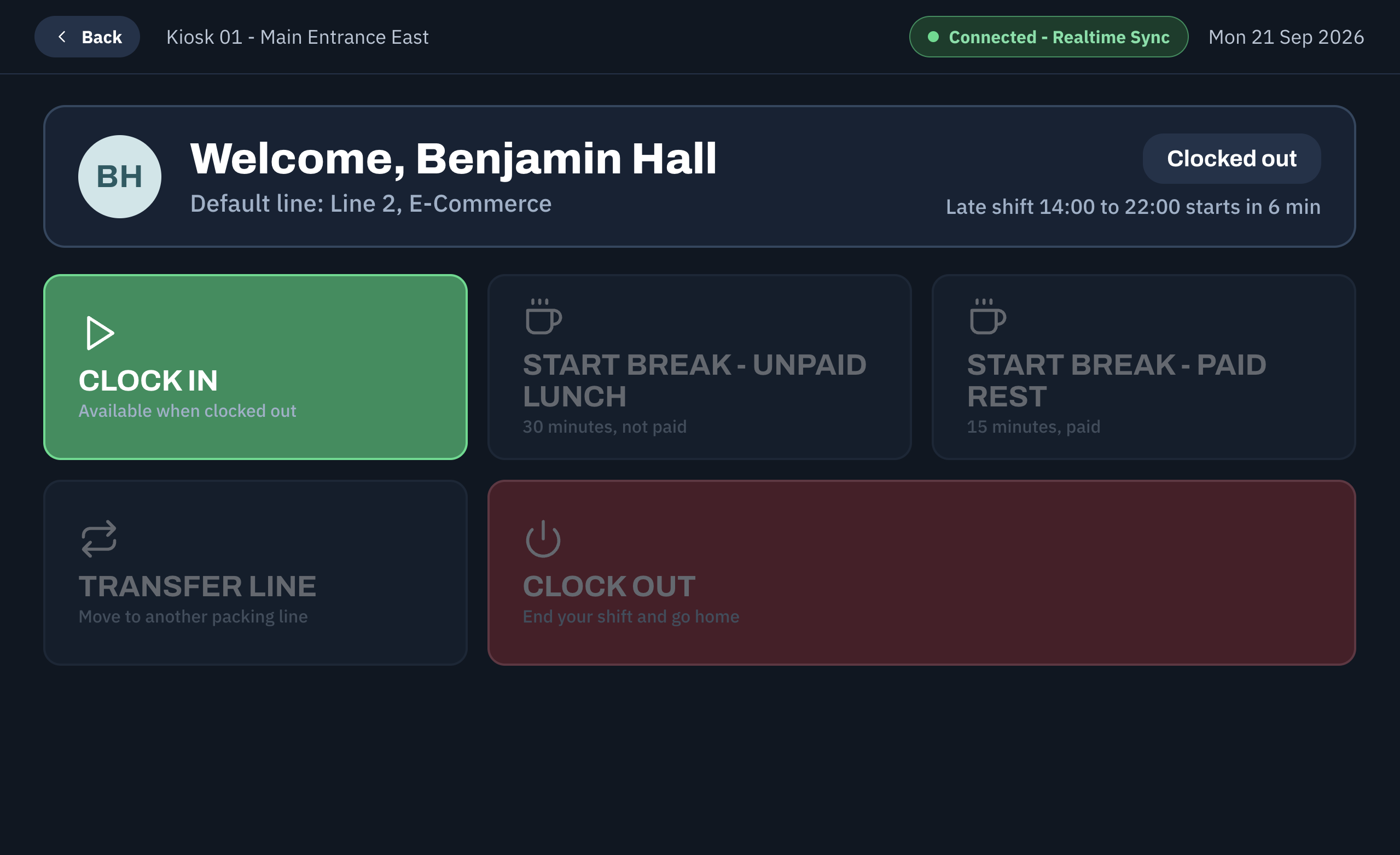
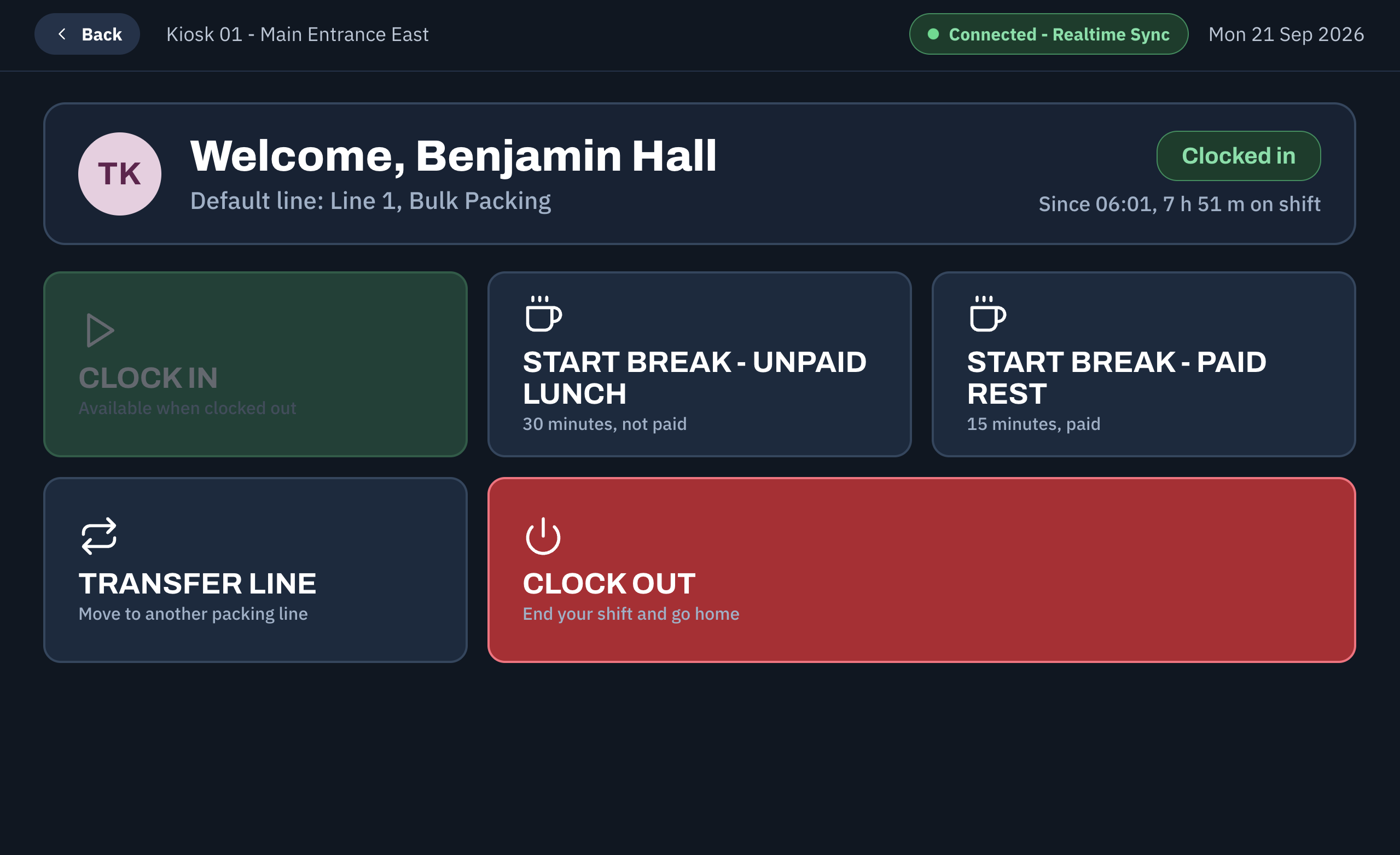
Contextual action selection based on live clocking status, packing line allocation, and interactive pre-clock health & safety compliance prompts with interactive check-boxes.
Resilient Edge Caching & Sync
Client-side event queuing with visual status indicators (e.g., offline cache banners), automatic background sync upon network restoration, and live WebSocket status heartbeats.
A closer look
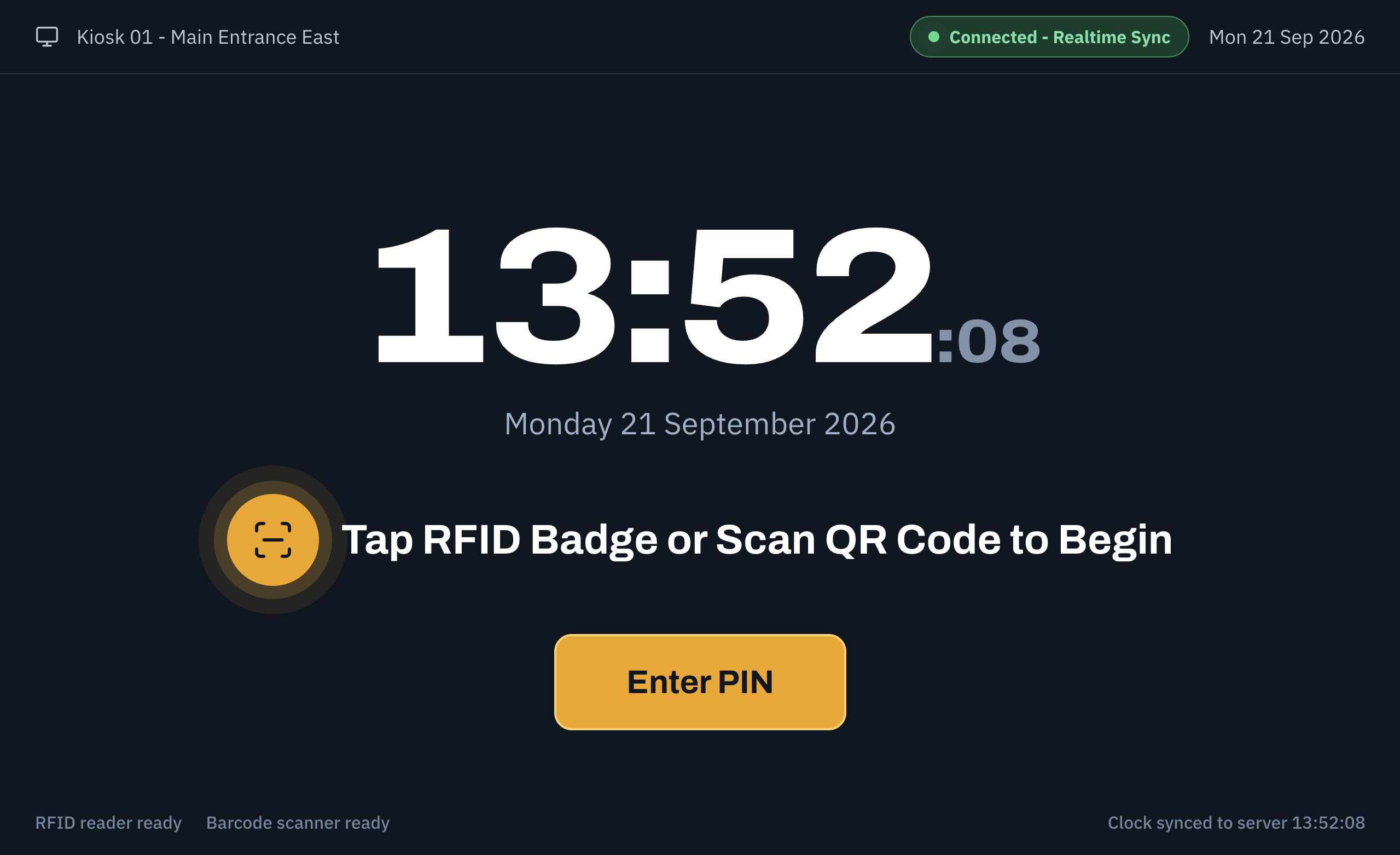
Default Scan View
The idle scan screen featuring live time, terminal connection status, and prompt for workers to scan their badge or QR code.
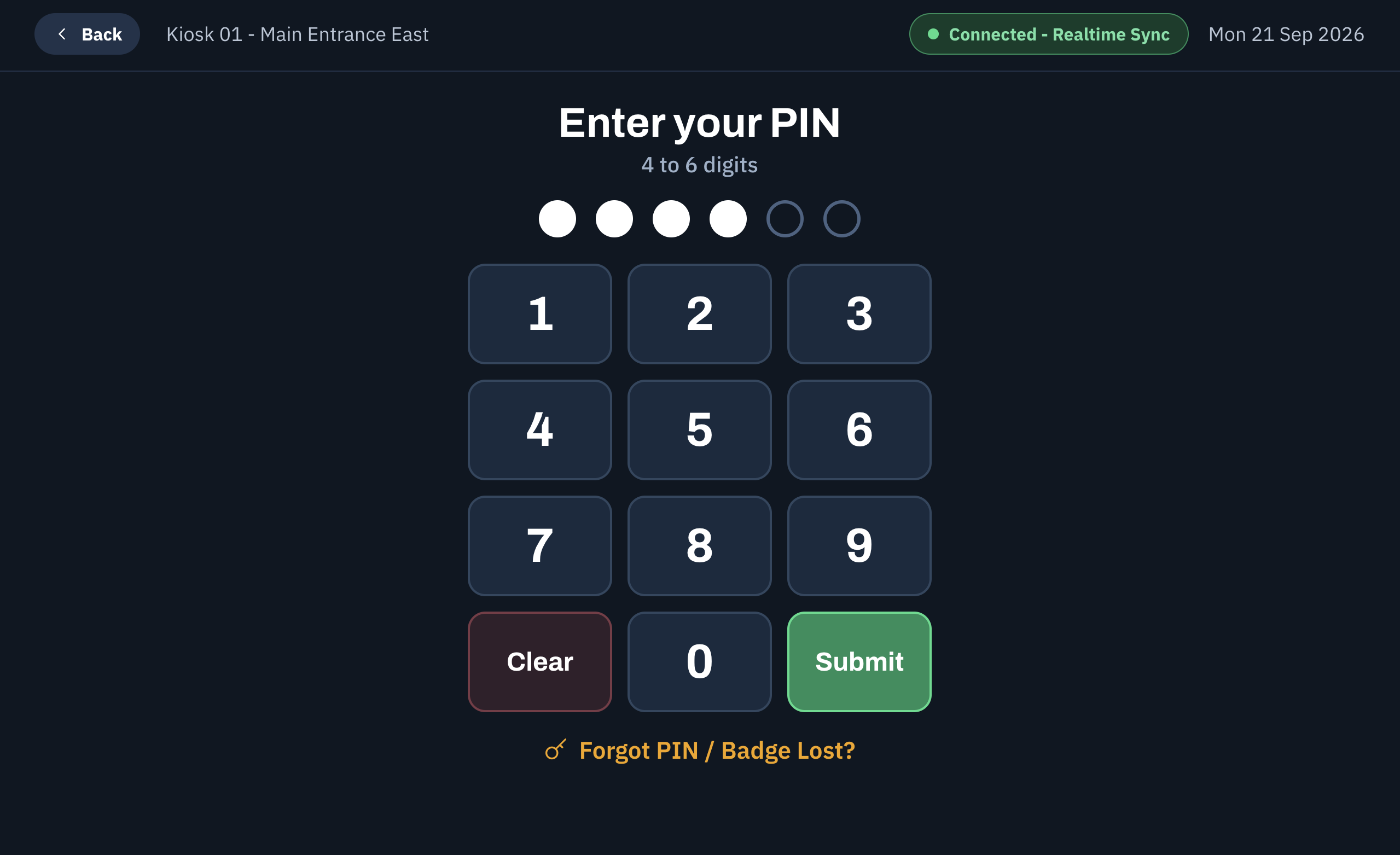
PIN Entry
Large, touch-friendly key pad layout for numerical PIN authentication.
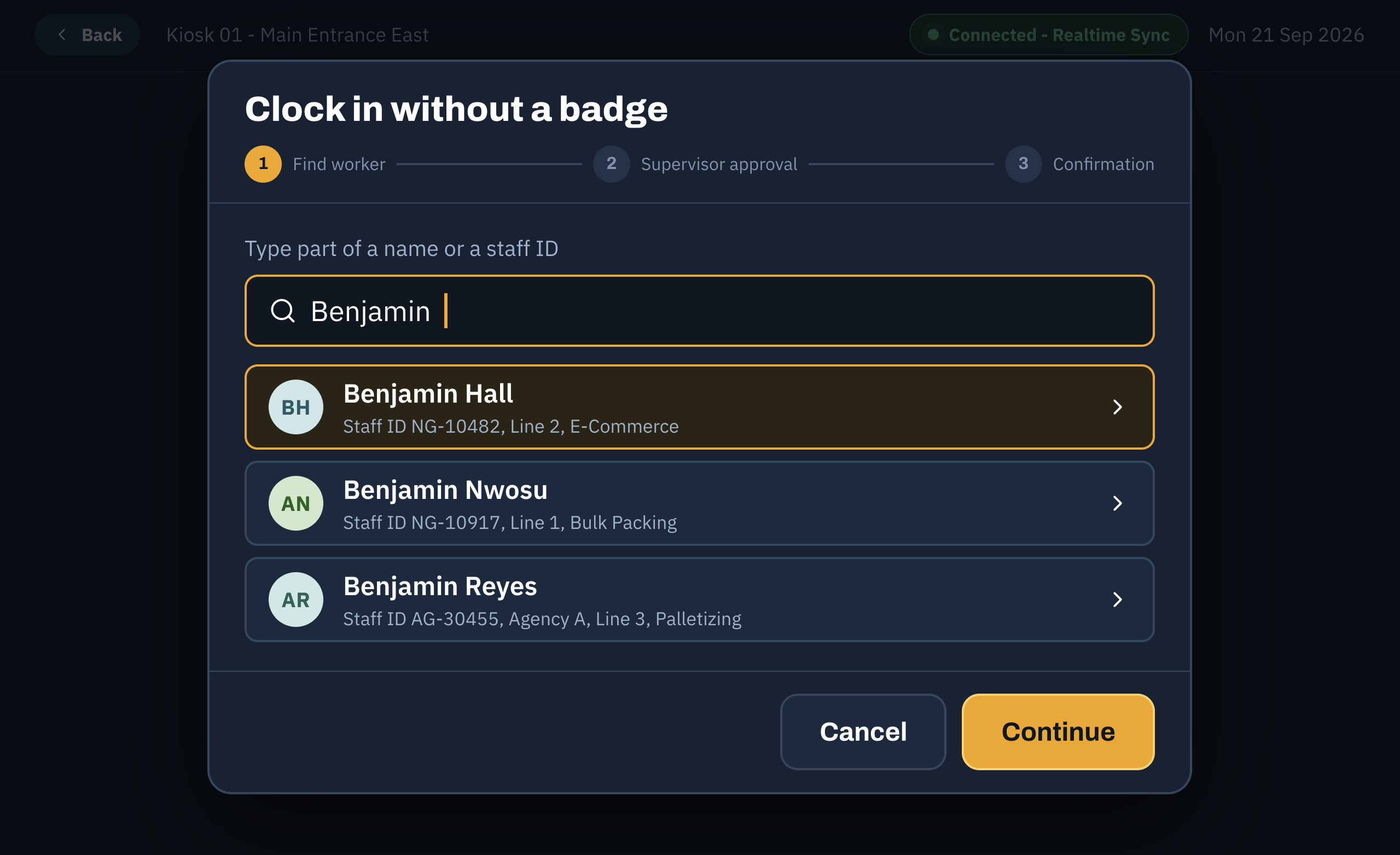
Supervisor Fallback - Step 1 - Find Worker
Step 1 of supervisor fallback: Search and select a worker who has forgotten or lost their access badge.
Supervisor Fallback - Step 2 - Approval
Step 2 of supervisor fallback: PIN input prompt for supervisor credential verification.
Supervisor Fallback - Step 3 - Confirmation
Step 3 of supervisor fallback: Confirmation screen displaying authorized clock-in override details.
Action Selection - Worker Clocked Out
Action menu for clocked-out workers, offering options to clock in or perform pre-shift checks.
Action Selection - Worker Clocked In
Action menu for active workers, allowing break transitions, line transfers, or shift clock-outs.
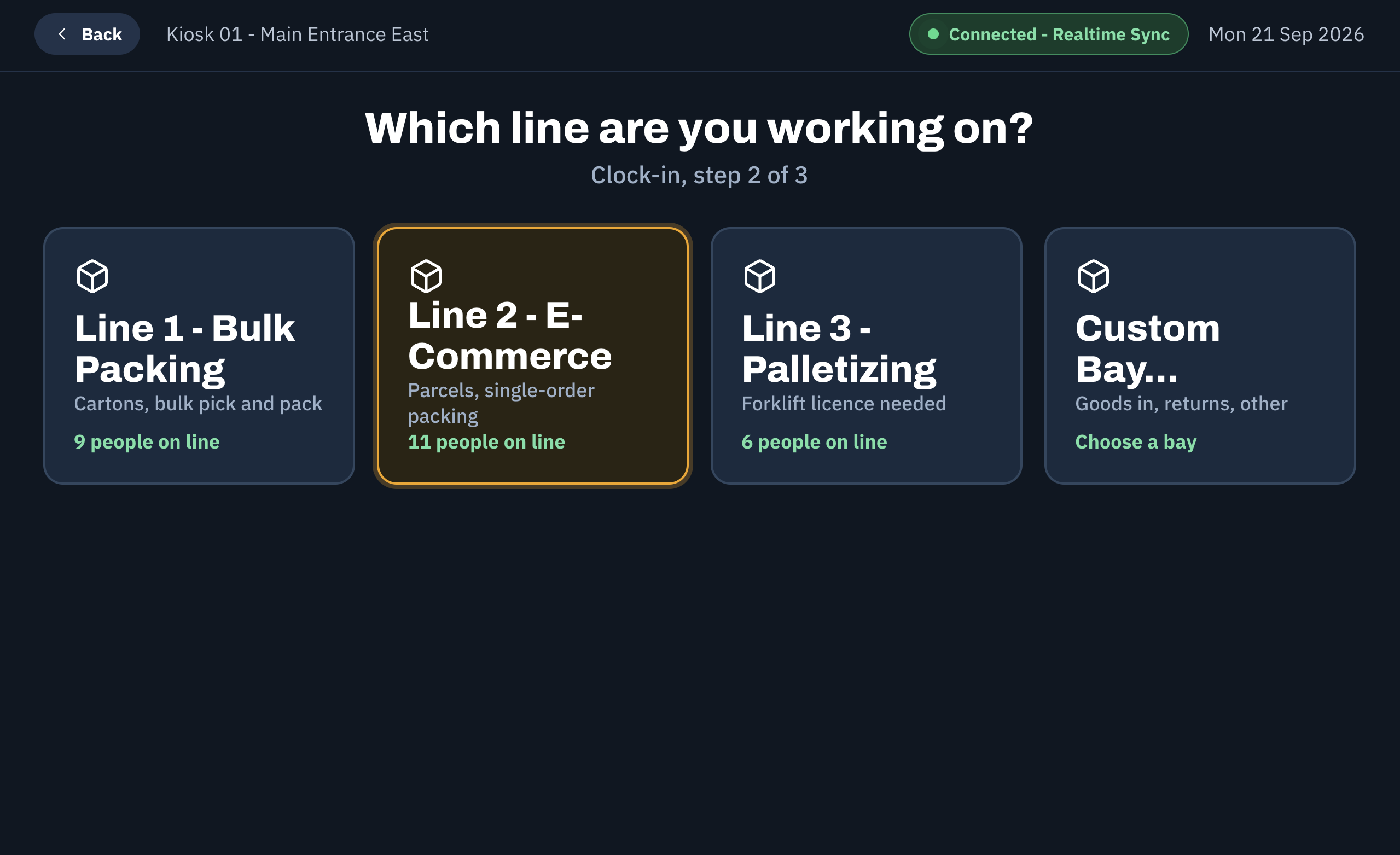
Packing Line Selector
Terminal interface for assigning or switching the active packaging/fulfillment line for the shift.
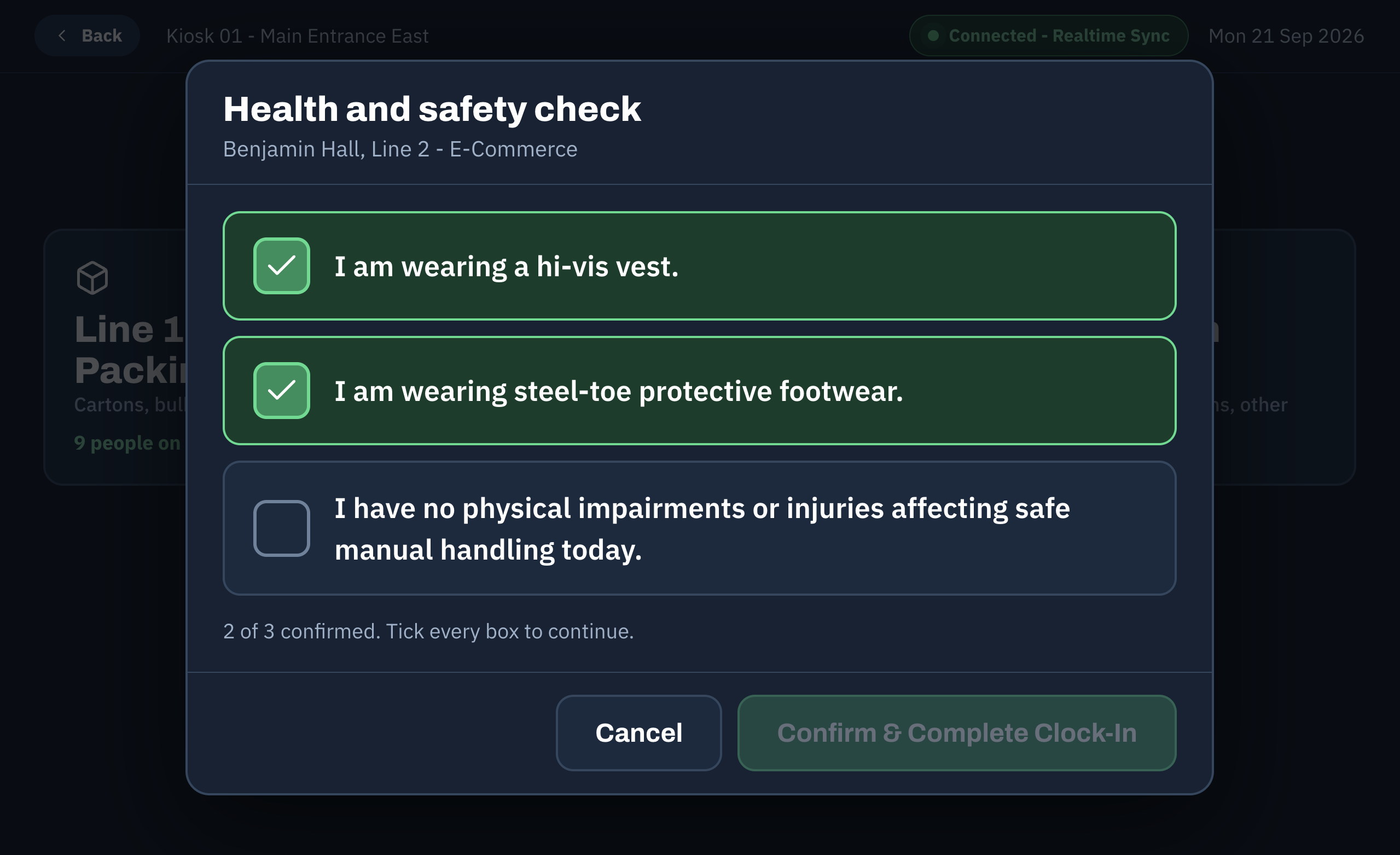
Health and Safety Check - Incomplete
Mandatory pre-clock safety checklist highlighting pending gear/policy confirmations required before entry.
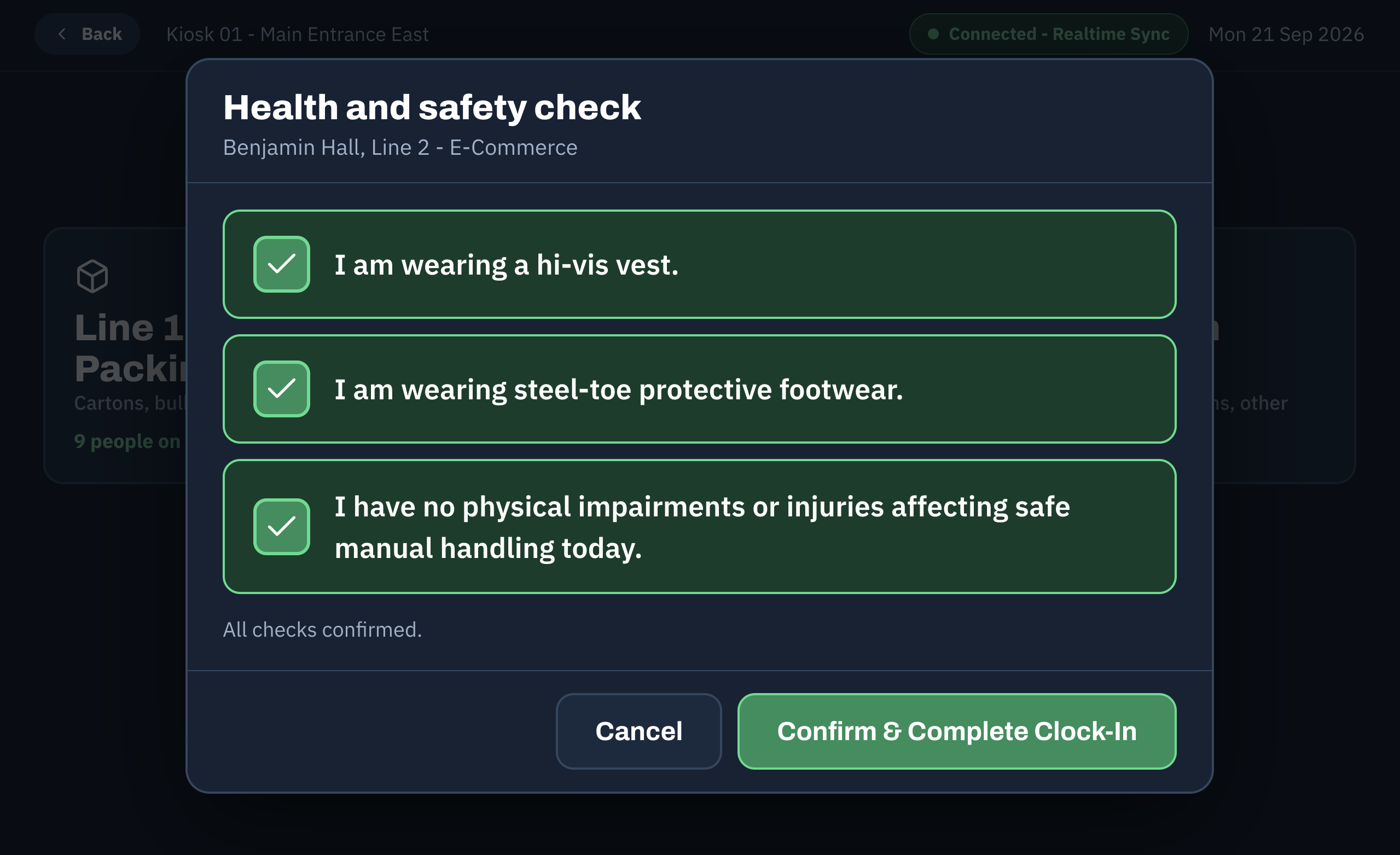
Health and Safety Check - Complete
Validated compliance screen confirming safety items are checked and enabling shift start.
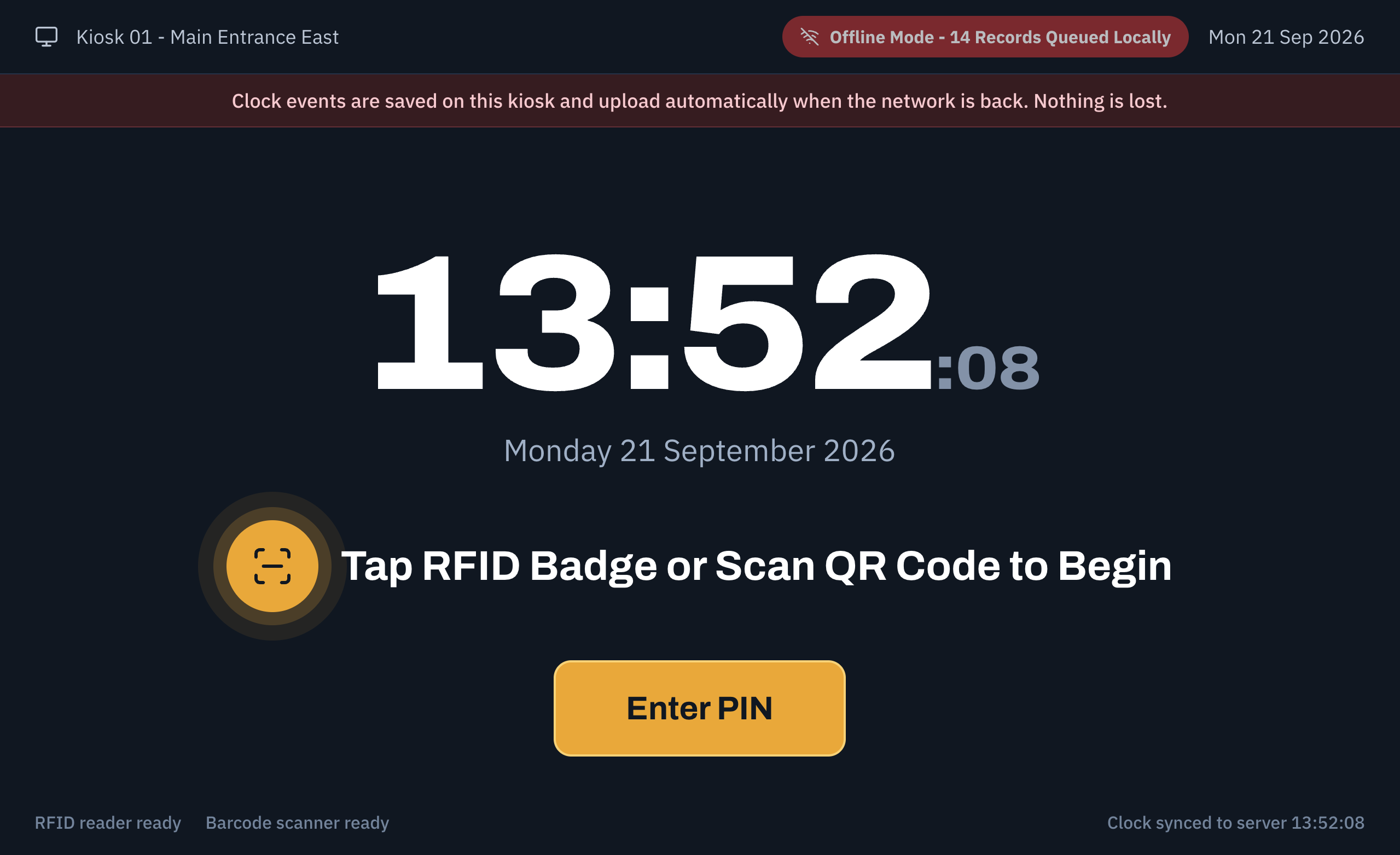
Offline Cache Banner
Visual status indication informing workers that events are being cached locally during offline periods.
Architecture
Engineered as a dedicated Android kiosk application communicating with a centralized Laravel REST API backend. The app integrates directly with USB-HID and Web Serial protocols to receive low-latency hardware input from barcode, QR code, and RFID badge readers.
Featuring an offline-first architecture, the Android application caches clock-in/out events locally when connection drops occur, displaying visual status banners to operators while automatically syncing pending logs once connectivity is restored.
Skills Used
The Android kiosks have completely transformed our shift handovers. Authentication is practically instantaneous, preventing floor bottlenecks, and the built-in safety checklists ensure zero compliance gaps before workers step onto the packing lines.
Have a similar project in mind?
Get in touch for a free, no-obligation quote.
