Case Study
Android Food Ordering Kiosk
An intuitive self-service ordering and loyalty kiosk for Ocean Fry, integrated with a centralized Laravel back-office system.
Project Brief
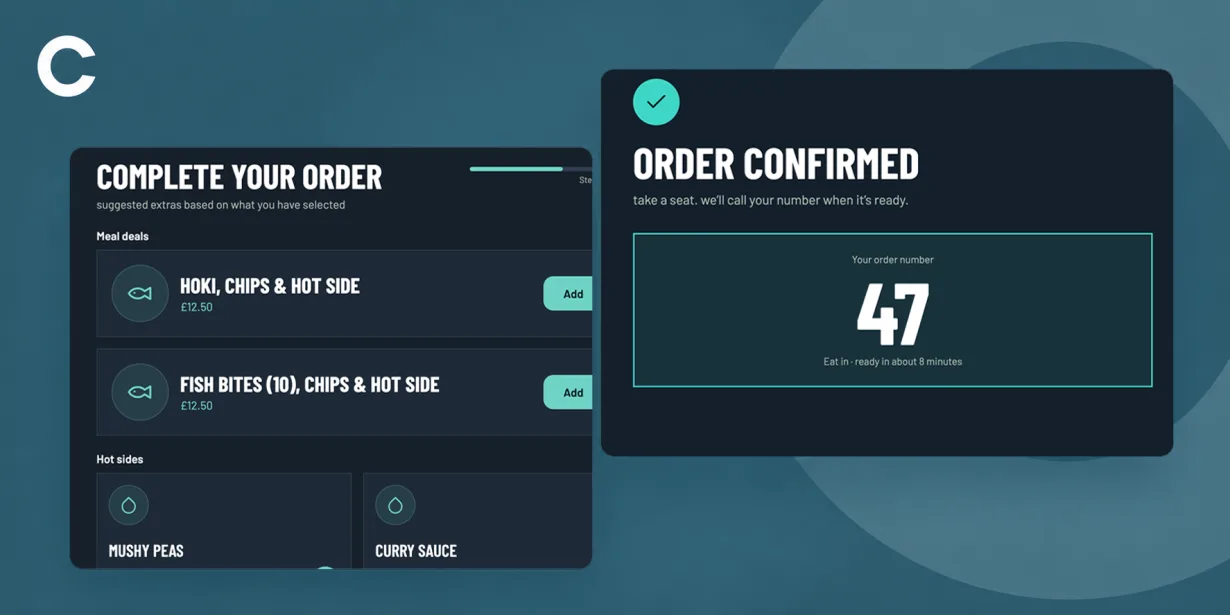
Develop a high-throughput, touch-optimized Android kiosk application tailored for Ocean Fry customer ordering.
The kiosk simplifies customer flow through clear step-by-step navigation: from dining selection and visual menu browsing to automated item customisation, smart upselling, Chippy Club rewards enrollment, and integrated payments.
The Challenge
Reducing front-counter queues during peak dining hours with a fast, touch-friendly order flow guided by clear progress steps.
Accommodating complex item customisations (seasoning choices, side selections, and special kitchen notes) without cluttering the interface.
Maximising average order value through non-intrusive upselling prompts (meal deal upgrades, hot sides, and drinks) prior to checkout.
Functionality
Dining Flow & Menu Browsing
Step-guided dining selection (Eat In vs. Takeaway) leading to visual category grids and filtered sub-menus with diet/allergen pills.
Deep Product Customisation
Dynamic option pickers for seasoning (Salt & Vinegar variations), free extras (lemon slice), add-on sides, and custom kitchen notes.
Intelligent Cross-Selling
Targeted upsell screens suggesting automated upgrades to full Meal Deals, paired hot sides (mushy peas, curry sauce), and cold beverages.
Integrated Chippy Club Loyalty
Touch-optimized on-screen QWERTY and numeric keypads allowing customers to register, earn 5 points per £1, and receive digital receipts.
Multi-Channel Payment & Receipting
Checkout workflow supporting card, Apple/Google Pay, or counter cash payment with optional thermal print, SMS, or email receipts.
A closer look
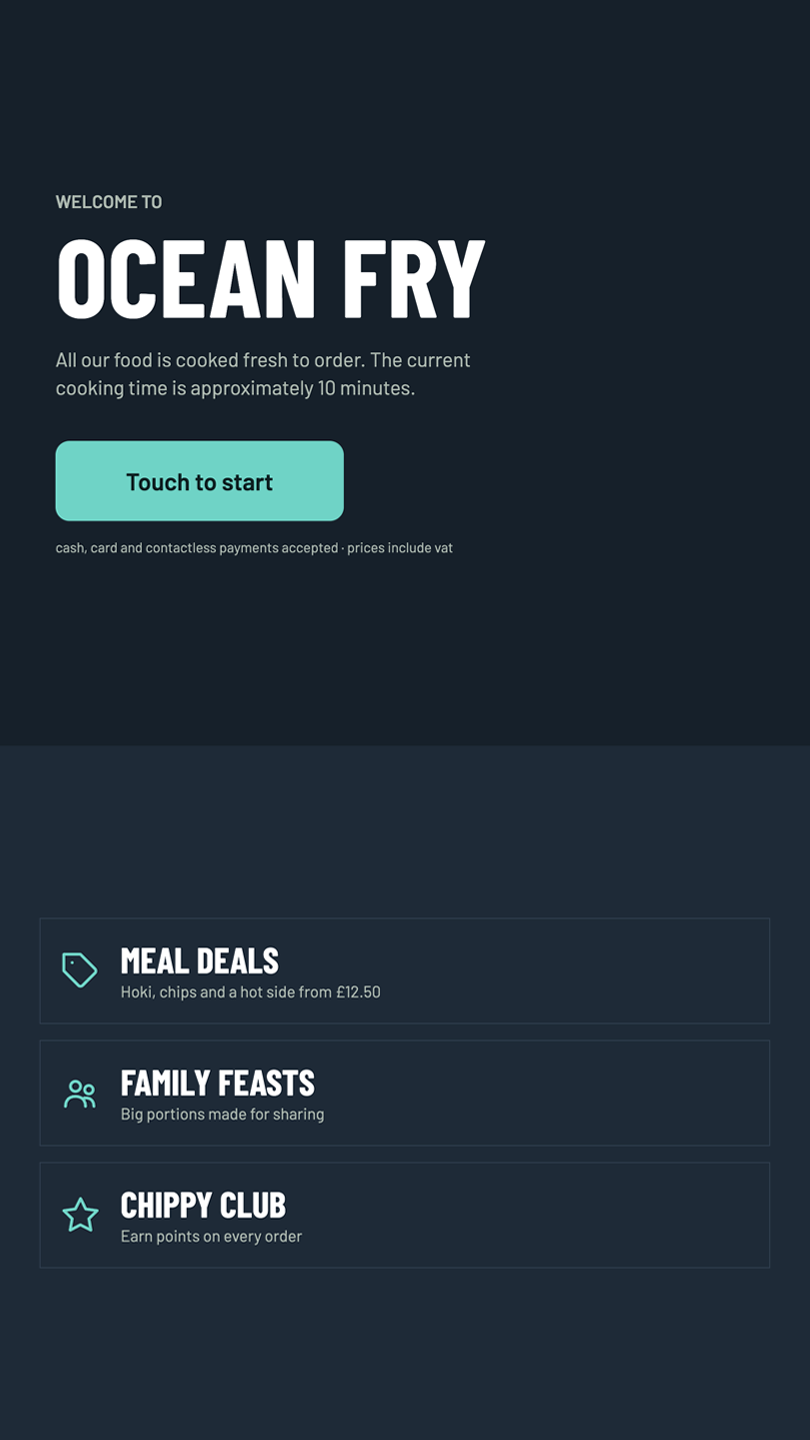
Welcome Screen
The splash screen welcomes customers to Ocean Fry, informing them that all food is freshly cooked to order with an estimated preparation time of 10 minutes.
A prominent "Touch to Start" call-to-action button invites users to begin, while highlights for Meal Deals, Family Feasts, and the Chippy Club loyalty scheme are displayed alongside payment acceptance notes.
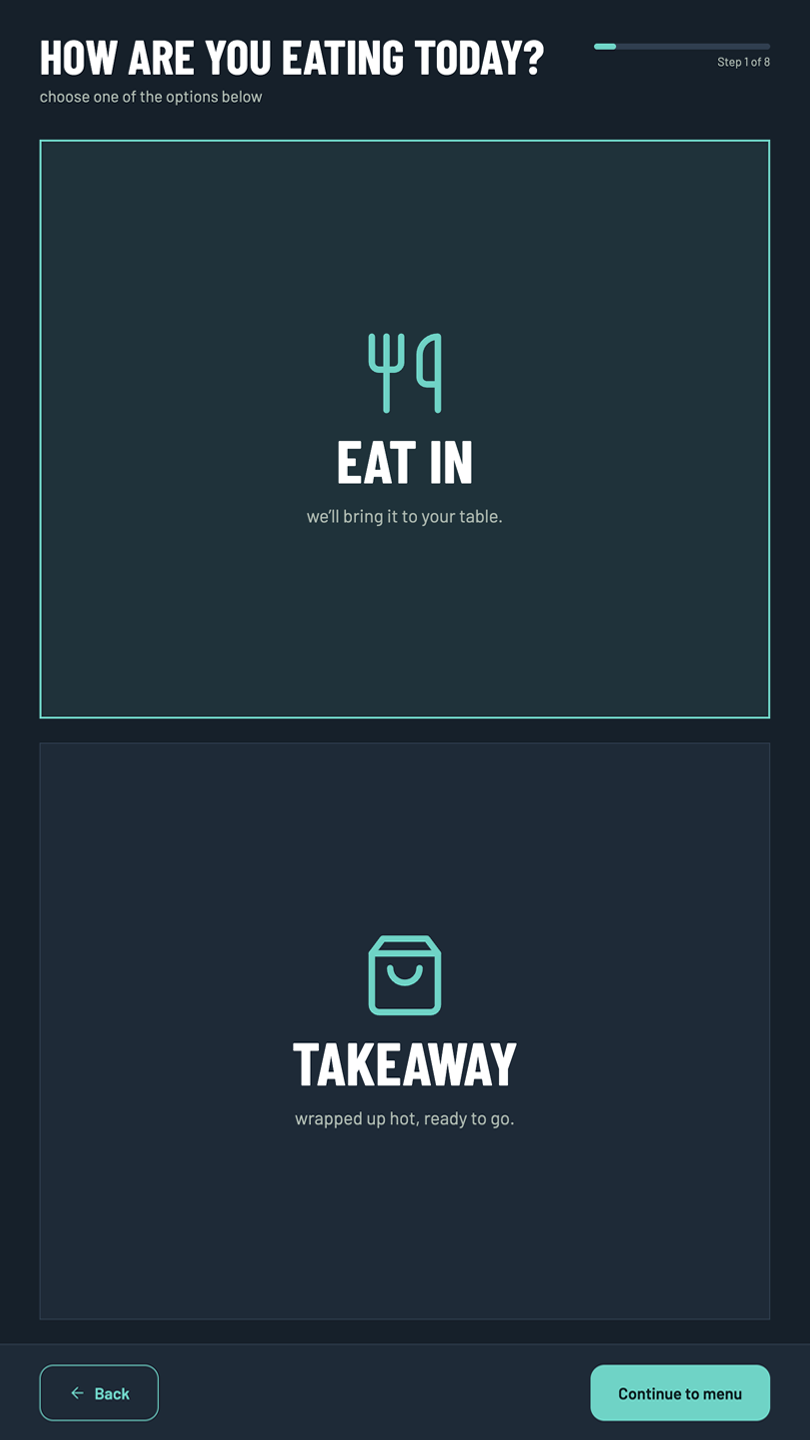
Select Eat In or Takeaway
Step 1 of the checkout flow prompts customers to select their dining preference between "Eat In" (with table delivery) or "Takeaway" (packaged hot and ready to go).
Clear visual iconography and a step-progress bar help guide users smoothly to the main menu selection.
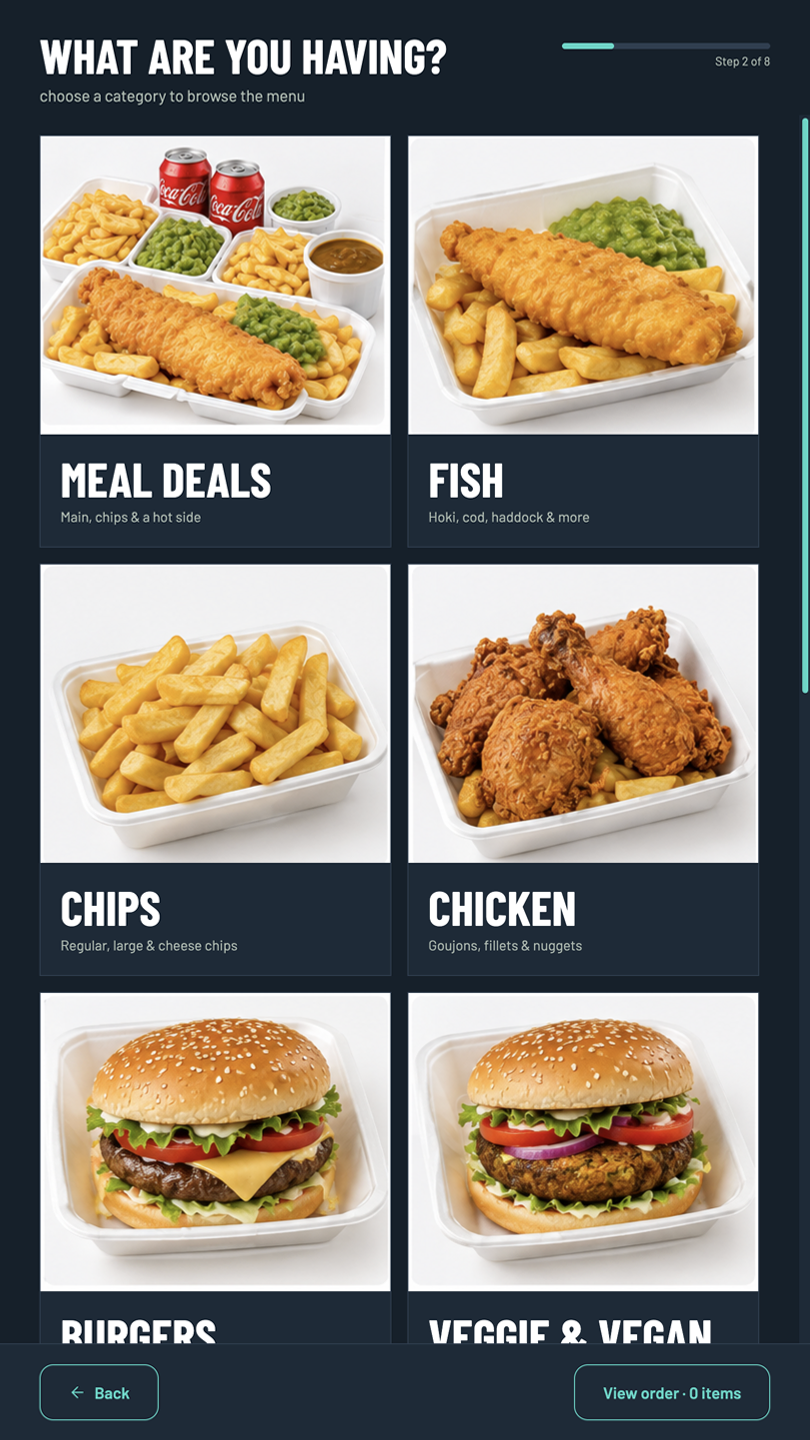
Choose Category
The category selection screen presents a clean grid of available menu sections, including Meal Deals, Fish, Chips, Chicken, Burgers, Veggie & Vegan, Sausages, Hot and Cold Sides, Kids Meals, and Drinks.
Each item features clear visual imagery to allow customers to easily find and browse their desired meal category.
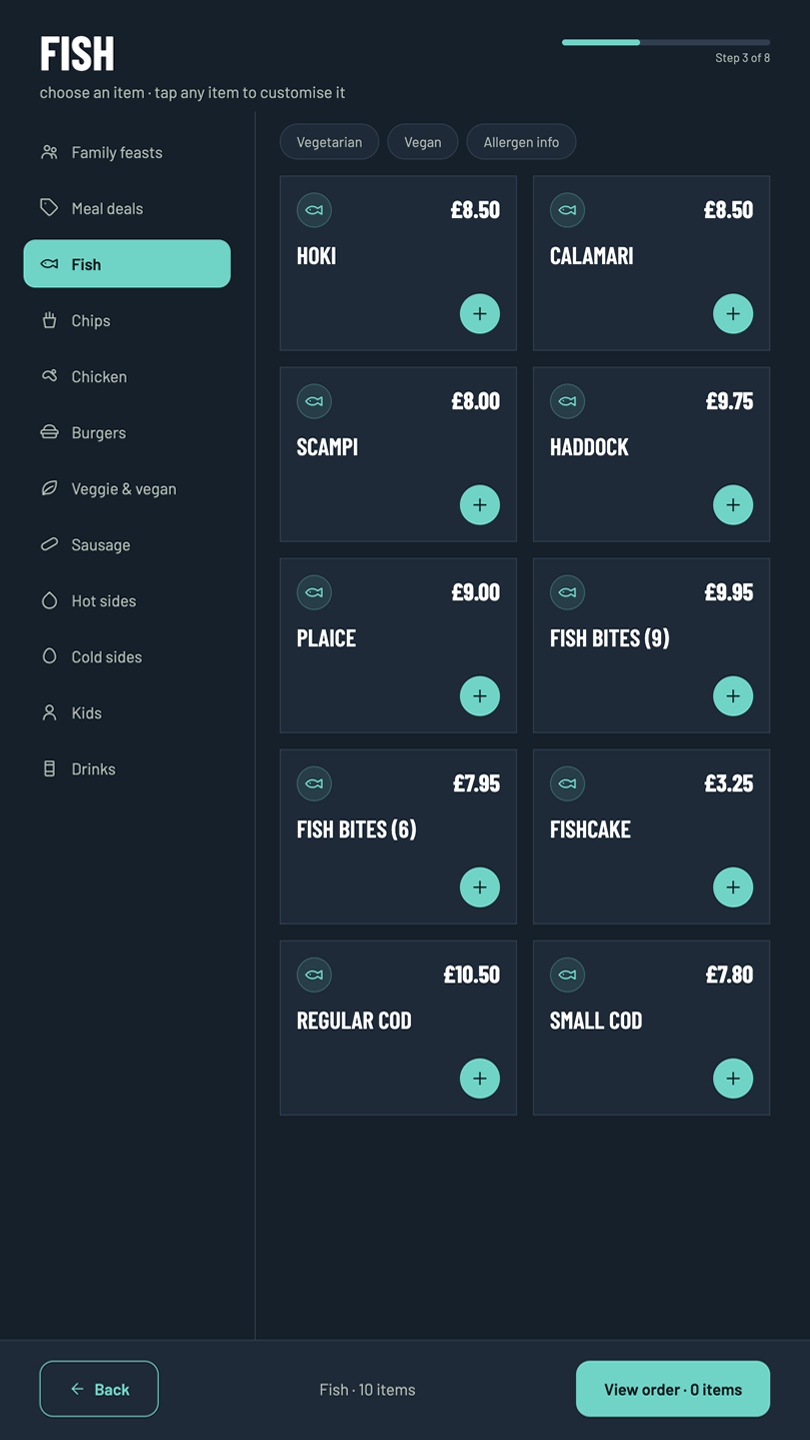
Product Selection
Customers can browse full menu categories with sidebar navigation for quick switching between sections like Fish, Chips, and Burgers.
Each product card displays pricing and quick-add buttons, alongside quick-filter pills for Vegetarian, Vegan, and Allergen information.
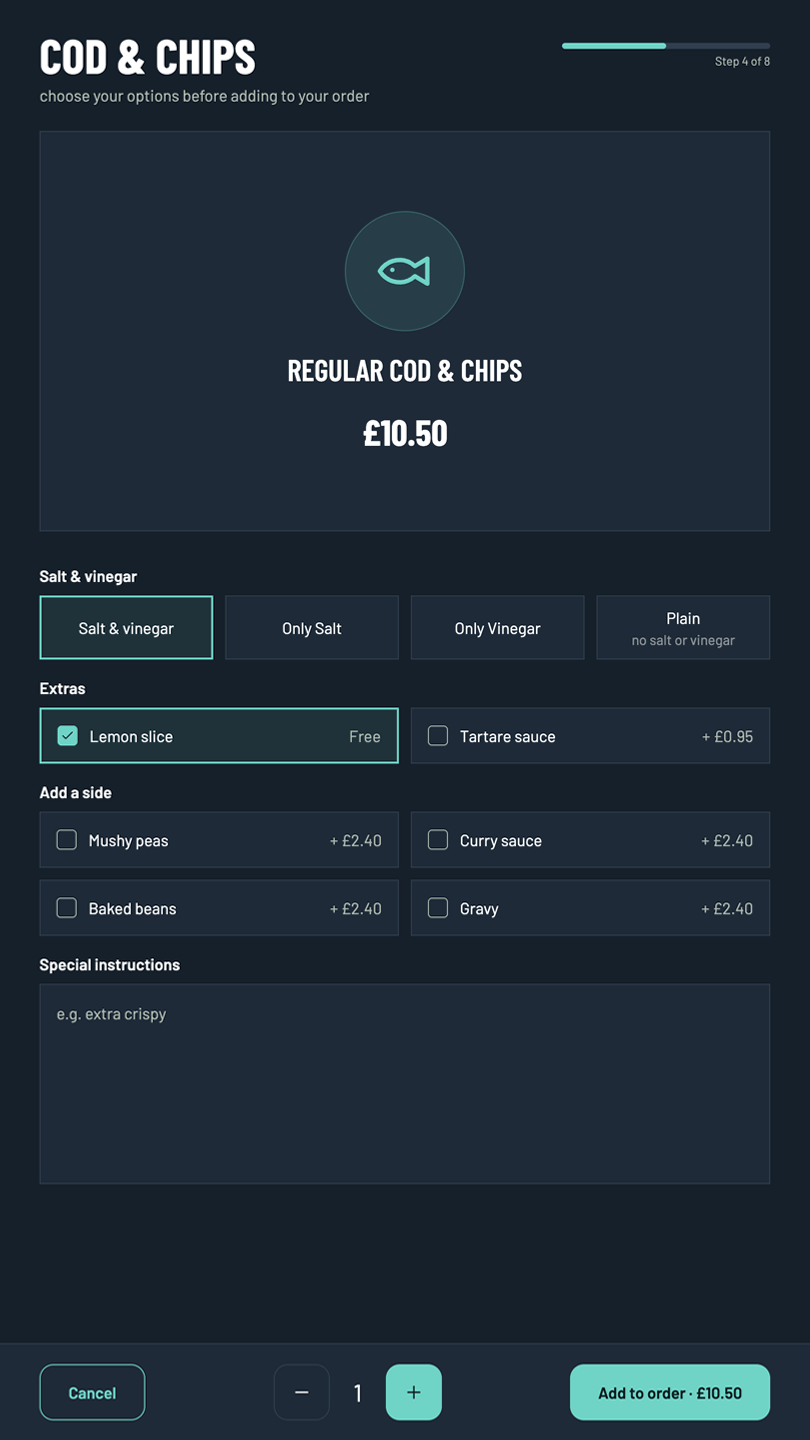
Customisation
This screen allows customers to fully tailor their selected item prior to adding it to their order.
Users can choose seasoning options (such as Salt & Vinegar or Plain), add extras like lemon slices or tartare sauce, select optional sides (mushy peas, curry sauce, beans, or gravy), enter special kitchen instructions, and adjust product quantities.
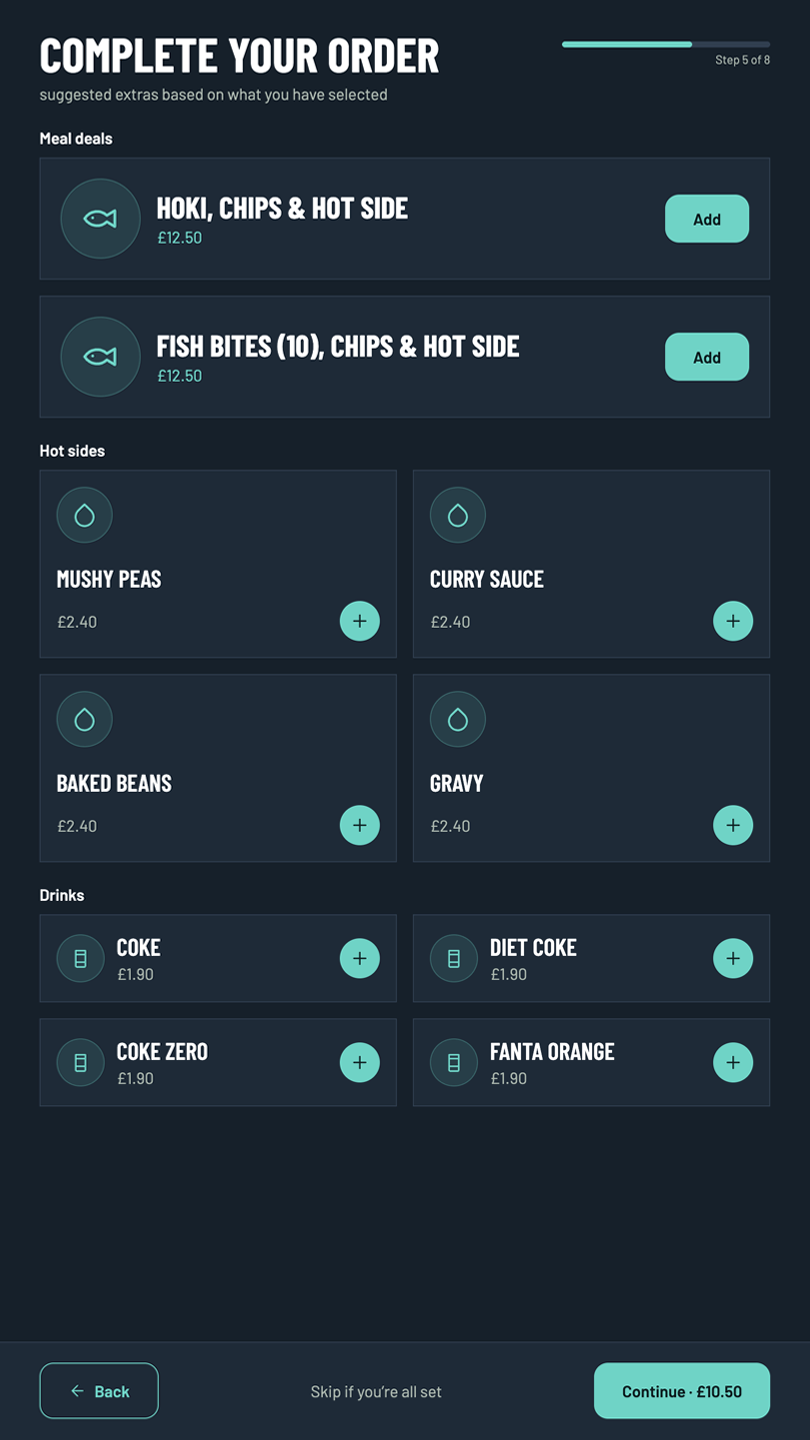
Upsell and Related Items
Designed to boost average order value, this step presents intelligent cross-sell recommendations based on items in the customer's cart.
Suggestions include upgrading to full Meal Deals, adding hot sides like mushy peas or curry sauce, or pairing meals with cold beverages.
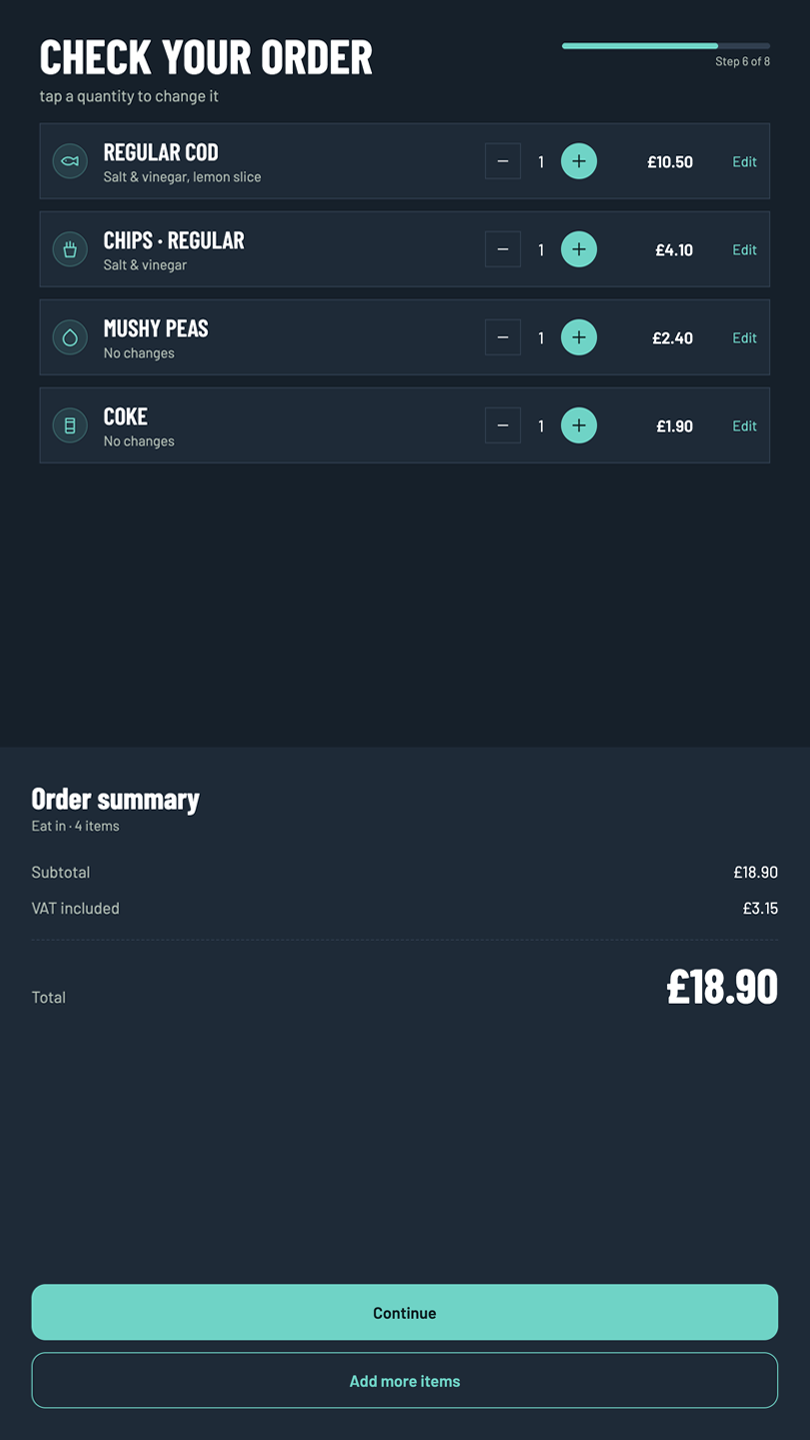
Order Overview
The order review screen allows users to inspect all selected items, customized options, and quantities prior to payment.
An inline sidebar details the dining option, subtotal, included VAT, total amount, and options to edit individual line items or add more products.
Club Membership
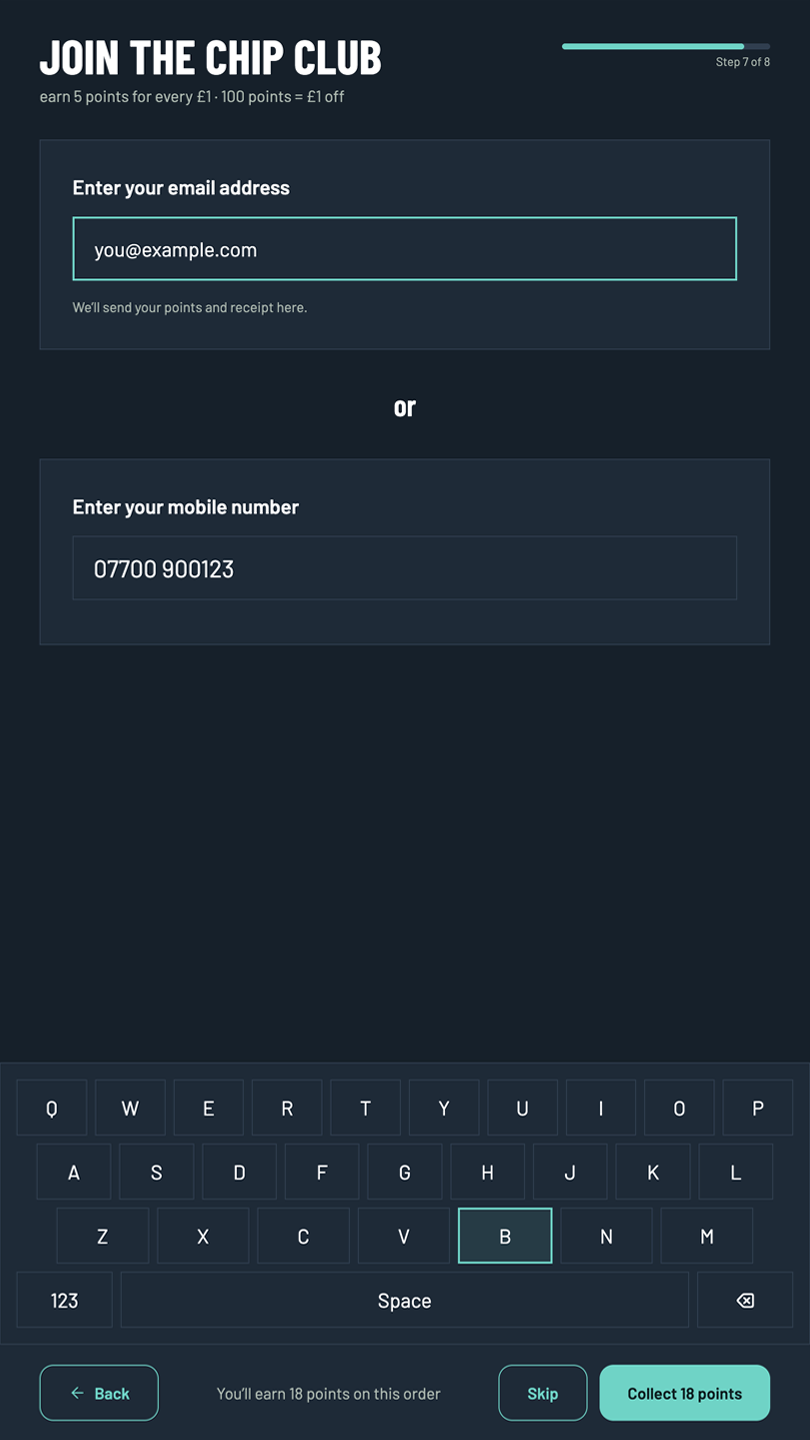
Customers are invited to join or log into "The Chip Club" loyalty program to earn 5 reward points for every £1 spent.
The interface features a touch-screen touch keyboard and keypad for easy input of email addresses or mobile numbers to register points and receive digital receipts.
Payment Selection
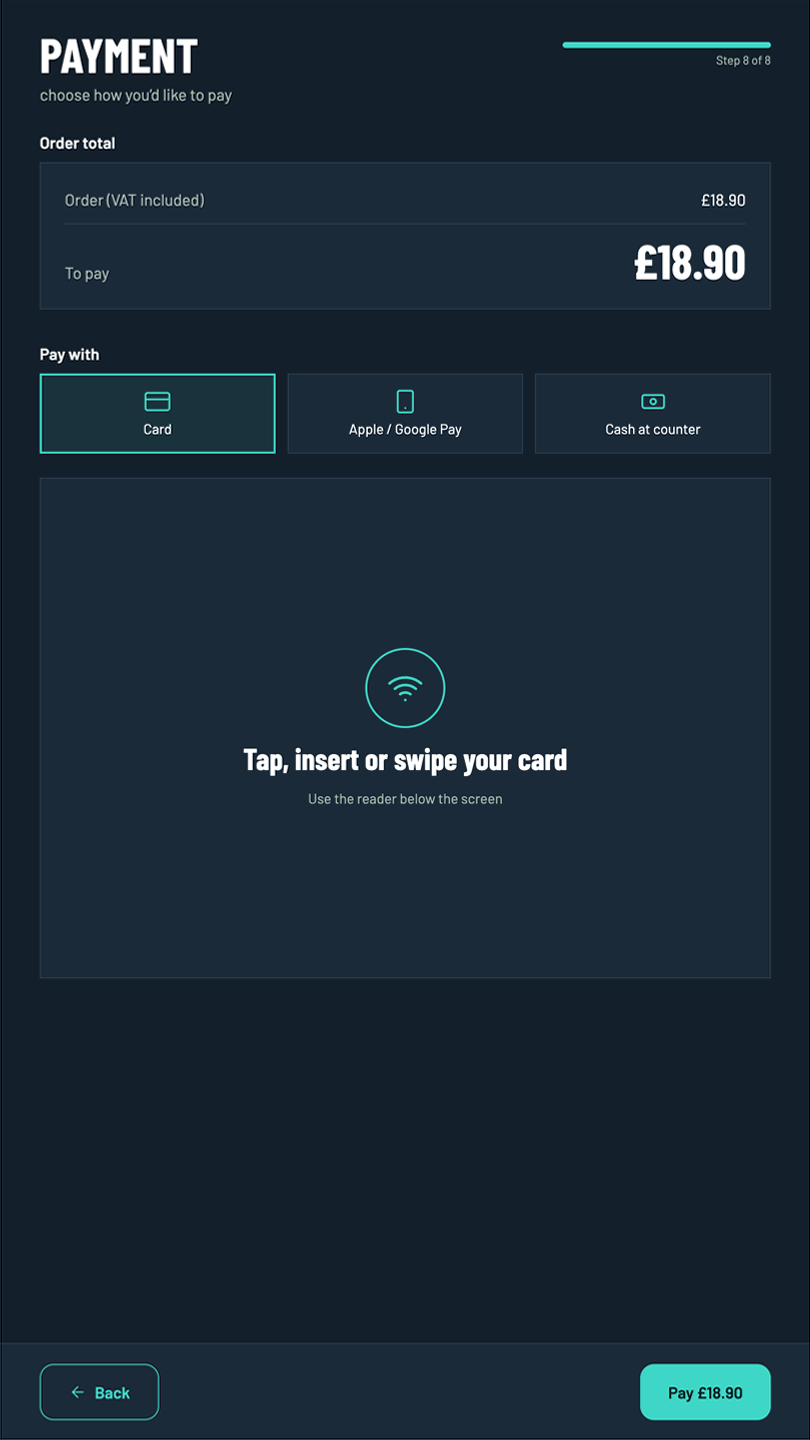
The final payment screen displays the order summary total alongside choices for contactless or chip-and-pin Card payment, Apple/Google Pay, or cash payment at the counter.
Clear instructions guide users to tap, insert, or swipe their card on the physical terminal positioned beneath the screen.
Order Placed
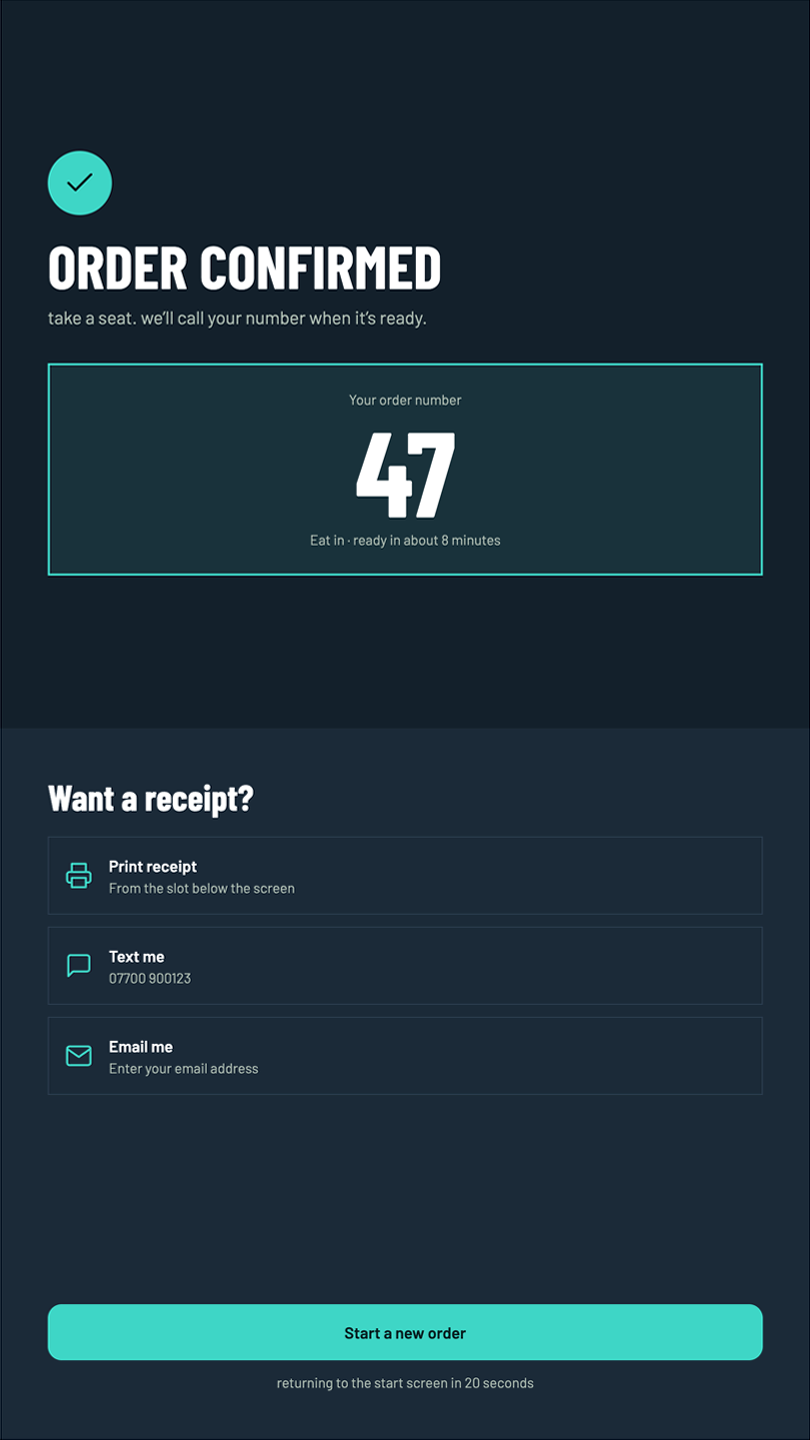
The order confirmation screen displays a prominent order call number (e.g., #47) along with an estimated preparation time and collection instructions.
Customers can choose receipt delivery preferences (print from terminal, SMS text, or email) before the screen automatically resets for the next guest.
Architecture
Engineered as a dedicated, full-screen portrait Android kiosk application communicating with a Laravel REST API backend. Designed to run reliably in high-traffic retail environments with responsive touch interactions.
Features integrated payment terminal interfaces, thermal print peripheral connectivity, and real-time order status updates dispatched directly to the kitchen display network upon payment completion.
Skills Used
Project Demo
See the Android Food Ordering Kiosk in action:
The self-order kiosks have drastically reduced our counter queues during lunchtime surges. Customers love the clear customization options for their chips and sides, and our Chippy Club sign-ups have skyrocketed since launching the kiosks.
Have a similar project in mind?
Get in touch for a free, no-obligation quote.
