1. Access and permissions
Identify who can view, create, edit, approve or delete information, including any restrictions between teams or departments.
I build internal web applications that bring staff workflows, business records and operational tasks into one organised place, replacing disconnected spreadsheets, emails and shared folders where they no longer work.
When important processes live across spreadsheets, inboxes and shared drives, it can be difficult to know what is current or who needs to act next. I build internal business systems that give your team a central, controlled place to manage that work.
I start by mapping the users, records, hand-offs and decisions involved in your internal processes. The resulting application might include staff dashboards, job tracking, document workflows, approvals, scheduling, reporting or connections to customer-facing systems.
The interface and workflows are designed around the people who use the system every day. Role-based permissions, structured data and validation can help staff work consistently, while relevant activity history makes important changes easier to trace.
If useful information already exists in spreadsheets or older applications, I can plan a migration into the new system. Existing business platforms can also be connected where supported, reducing duplicate entry without automatically replacing tools that already meet your needs.
The scope should reflect the problem you are solving. Sometimes one focused internal application is enough; in other cases, several workflows need to work together. I can help prioritise the first phase and identify what can sensibly be added later.
As a business grows, processes that once worked through spreadsheets, email threads and shared folders can become difficult to coordinate. Information gets duplicated, ownership becomes unclear and staff spend time chasing updates instead of completing work.
I develop internal business software around the records, decisions and hand-offs your team needs to manage. This could be a private application for tracking jobs, processing requests, coordinating staff, managing documents or overseeing an internal workflow from start to finish.
The aim is not simply to recreate an existing spreadsheet in a browser. I look at how the process works, where errors or delays occur and what the application needs to do differently. The result should make information easier to manage and give staff a clearer view of what needs attention.
An internal application can combine the records, controls and workflows your team currently manages across separate tools, while retaining specialist systems that already do their jobs well.
I design around staff roles and the information needed at each stage, including what happens when work is reassigned, delayed, rejected or needs correcting.
A successful internal system starts with clear rules for records, permissions, data quality and the way work moves through your business.
Identify who can view, create, edit, approve or delete information, including any restrictions between teams or departments.
Map spreadsheet columns, existing records, reference numbers, formulas and duplicate entries to the new data structure.
Define how tasks are assigned, reassigned, approved and handed between staff, including cover for absence.
Specify required fields, valid status changes, duplicate prevention and the conditions that must be met before an action can proceed.
Decide which actions need a history, such as changes to important records, approvals, assignments or financial information.
Identify which existing platforms need to exchange information and which operational reports will help staff and managers.
Look beyond the screens. The important details are how staff access information, how records change and how the system handles exceptions.
| Question to ask | A surface answer | A useful project answer |
|---|---|---|
| How will staff permissions work? | Everyone has a user account. | Roles define access to records, actions, sensitive information and approval responsibilities. |
| How will existing spreadsheets migrate? | Import the spreadsheet data. | Map fields, handle duplicates, validate important values and reconcile key records. |
| How will staff know what to do next? | Provide a task list. | Show ownership, due dates, status, dependencies and exceptions that need attention. |
| How are changes tracked? | Store the latest version of each record. | Record relevant changes, who made them and when, with an appropriate history for important actions. |
| What happens when information is incorrect? | Staff can edit the record. | Use validation, controlled corrections and appropriate history to reduce errors and preserve accountability. |
| Can the system automate repetitive work? | Send notifications. | Define triggers, conditions, duplicate prevention, failure handling and escalation when an action needs intervention. |
| Will it connect to existing software? | Keep the other systems in place. | Confirm available interfaces, data ownership, synchronisation rules and recovery from failed updates. |
| How will the application be maintained? | Fix issues when they arise. | Agree hosting, backups, security updates, monitoring, support responsibilities and future development. |
A spreadsheet may remain the right tool when a process is simple, the data is low risk and the team can manage it reliably. Replacing it is not automatically an improvement.
A bespoke internal application becomes more valuable when several people depend on the same records, permissions matter, errors have operational consequences or work needs to move through defined stages. It can provide more control over how information is entered, updated, shared and reported.
I can also look at a partial solution. Rather than replacing every spreadsheet and business tool, it may be more practical to build one application around the workflow causing the most difficulty and integrate other systems where appropriate.
Bespoke internal software is worth considering when your team spends too much time maintaining spreadsheets, checking records, chasing approvals or working out which version of the information is correct.
I can help turn the current process into a defined application, with structured data, clear responsibilities, suitable permissions and reporting that reflects how your business operates. Where appropriate, I can also connect the application to existing customer systems or other business platforms.
The project can start with a focused workflow and expand as requirements become clearer. This gives you a way to prioritise the practical improvements first, rather than committing to a large system before you know what is needed.
You do not need a complete technical brief. I can map out how the work happens today, identify the parts that need to change, and shape a practical scope before development begins.
I start by understanding the work the system needs to support. I keep decisions clear as the project moves from initial planning into development and launch.
I map the users, information, hand-offs and problems the software needs to solve.
I define the core features, data, integrations and a realistic first release with you.
I develop and test the application, then review it against real tasks and your feedback.
I help get the system live and plan sensible improvements as your requirements evolve.
Examples of custom applications for organising team workflows, staff information and operational records.
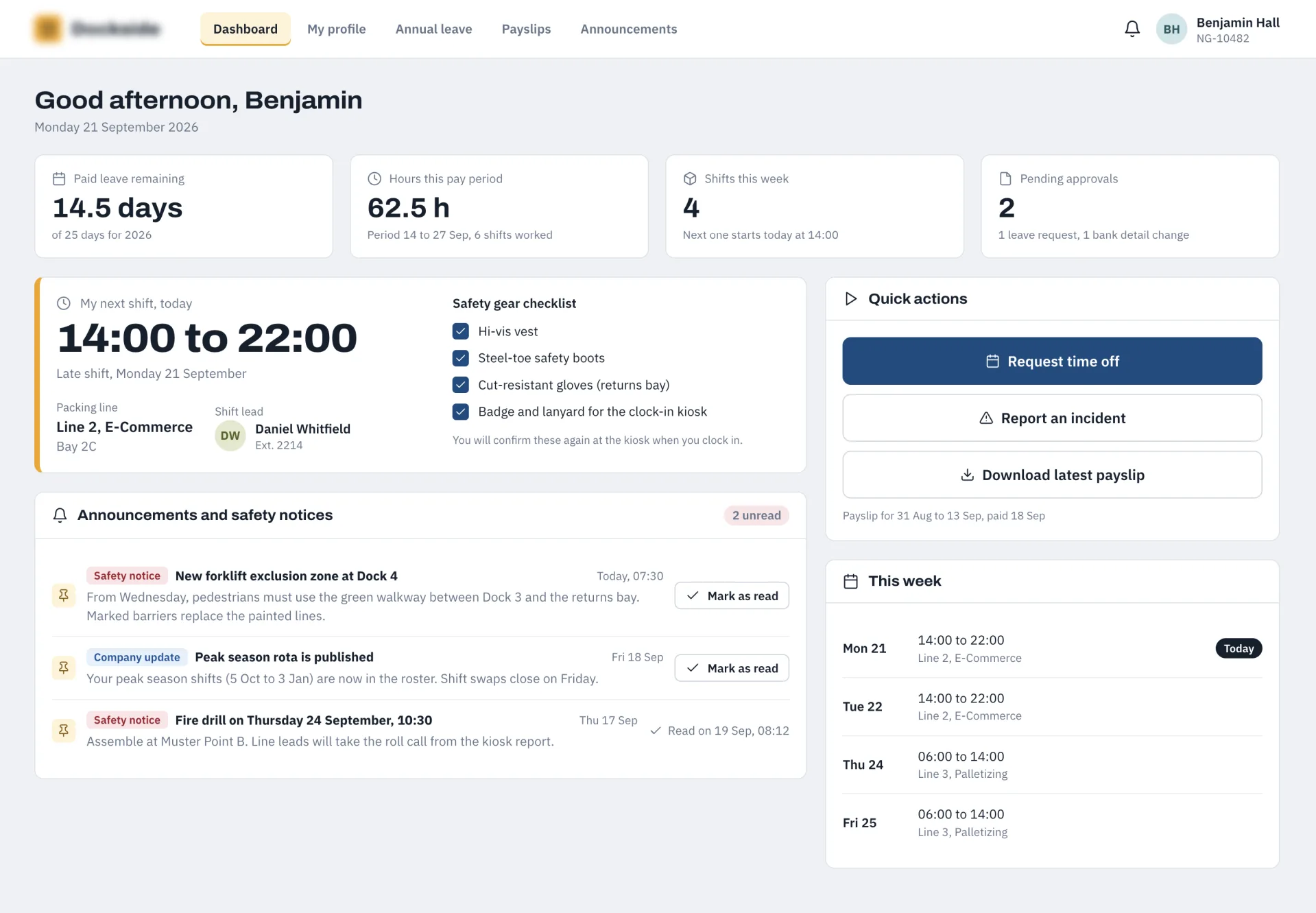
Eliminated manual timesheets and optimized floor operations using a centralized Laravel HR hub and API engine connected to Android time clock terminals.
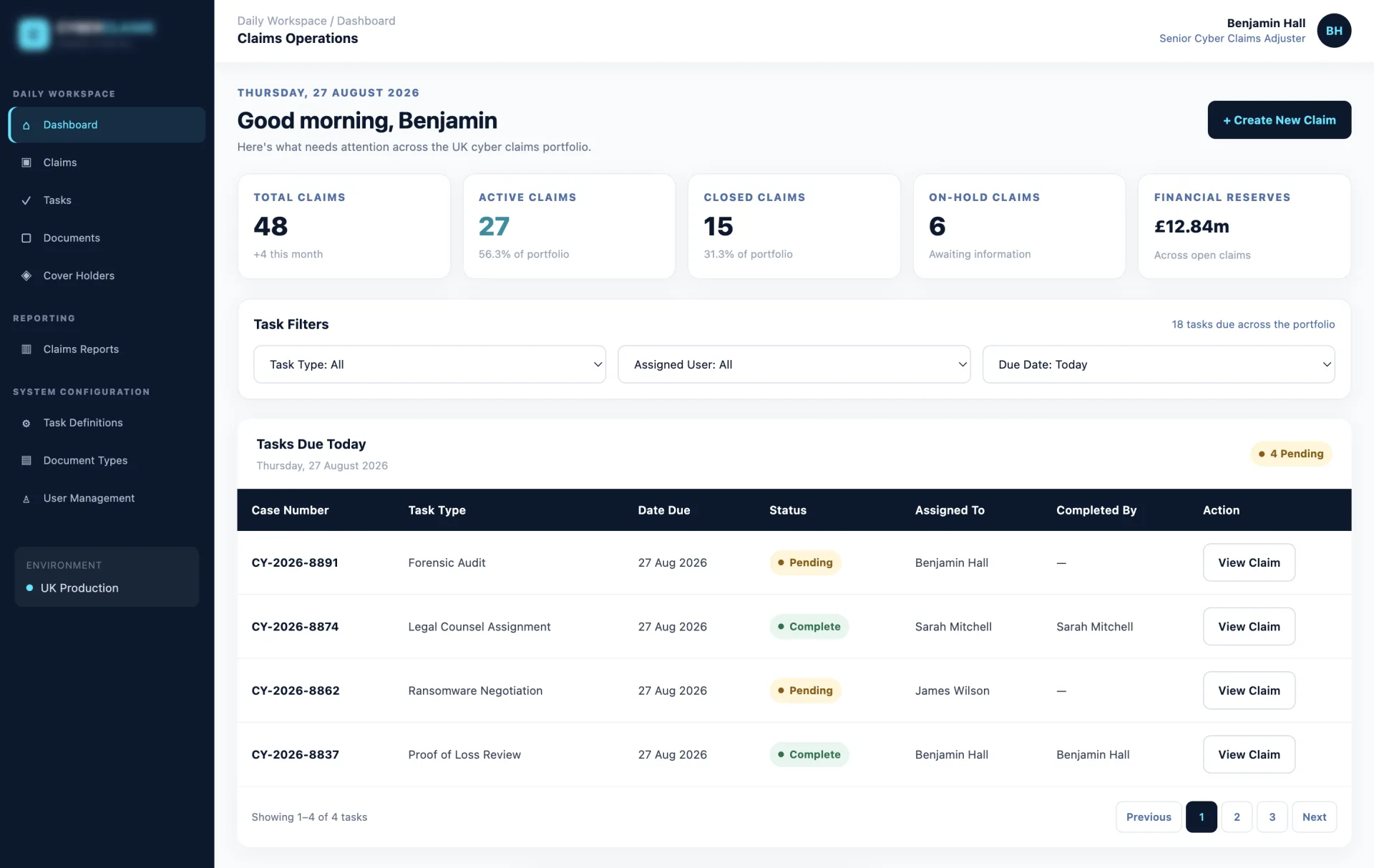
A custom-built Laravel and Livewire management system designed for specialist claims adjusters to monitor complex cyber incidents and track live financial reserves.
Answers about planning, developing and maintaining custom internal applications for teams.

I'm a web developer specialising in Laravel, WordPress and mobile app development. I build fast, reliable websites and web apps, and I work directly with you from first email to launch, with no agencies or middlemen. Rated 5.0 everywhere my clients have left a review.
We only use non-identifying analytics cookies to understand how the site is used and help us improve it. Read our cookie policy.