1. Audience and responsibilities
Identify who will use the dashboard, what each person needs to understand and which actions they are allowed to perform.
I build web-based dashboards and admin control panels around the information, reporting and operational tasks your team needs to manage. Bring important data, alerts and controls together in one practical interface.
A useful business dashboard does more than display charts. It brings important status, reporting and actions together so each person can see what needs attention and work from a consistent view of the business.
I develop custom admin dashboards and control panels around the information users need, the decisions they make and the tools they manage. Depending on the project, this might include operational queues, performance indicators, reporting filters, user permissions, product management, order controls or interfaces for connected devices.
A dashboard can form part of a larger business application or connect to existing data sources through suitable APIs and other integration methods. I consider how information is retrieved, calculated, refreshed and checked, so the interface communicates the state of the underlying system as clearly as possible.
For operational dashboards, I also consider what users need to do after reviewing the information. That might mean updating a record, assigning work, resolving an exception or changing a permitted setting. These actions need suitable permissions and, where appropriate, an audit history.
I focus on clear information hierarchy, useful filters and practical workflows rather than adding metrics for their own sake. The scope can begin with a focused set of reports and actions, then expand as the requirements become clearer.
A dashboard becomes noise when it displays metrics without explaining what needs attention or who should act. If staff still have to open several applications, compare spreadsheets or manually check records to understand a problem, the dashboard has not solved the underlying issue.
Custom dashboard development starts with the decisions and daily tasks the interface needs to support. I identify the relevant data, how it should be presented and what users need to do when a value changes or an exception appears.
The result might be a management overview, an operational work queue, a reporting interface or a control panel for managing products, orders, users or connected devices. The design should reflect the job being done rather than follow a generic dashboard template.
A bespoke dashboard can combine information from your business applications with role-specific work queues, reporting tools and controls for the records or services your team manages.
I start by identifying the decisions the dashboard needs to support, then work backwards to the required data, calculations, permissions and actions.
A useful dashboard depends on more than its visual design. Clear requirements for data accuracy, access, update frequency and follow-up actions help make it dependable in everyday use.
Identify who will use the dashboard, what each person needs to understand and which actions they are allowed to perform.
Identify where each figure comes from, how records are related and which system is authoritative when information differs.
Decide whether users need live updates, periodic refreshes or reporting based on completed time periods.
Define how totals, rates, targets and comparisons are calculated, including date ranges and exclusions.
Decide which conditions require attention, how important they are and who should be responsible for responding.
Set boundaries for viewing, editing, exporting and administering information, with an appropriate history of important changes.
The right questions help establish whether a dashboard will provide reliable information and support real operational work, rather than simply presenting attractive charts.
| Question to ask | A surface answer | A useful project answer |
|---|---|---|
| Where does each metric come from? | The dashboard displays the available data. | Identify source systems, data ownership, update frequency, calculations and validation rules. |
| How current is the information? | The dashboard updates regularly. | Define the required refresh behaviour and show when information was last updated. |
| Can users investigate a figure? | The dashboard shows summary totals. | Allow appropriate drill-down into the underlying records, with relevant filters and permissions. |
| Who can change operational records? | Administrators can edit settings. | Map actions to roles and record important changes where an audit trail is required. |
| What happens when a threshold is reached? | The dashboard shows a warning. | Define alert conditions, priority, ownership, notification behaviour and resolution tracking. |
| Can it combine multiple systems? | It can connect to APIs. | Assess authentication, data mapping, failed requests, conflicting records and recovery behaviour. |
| How will the dashboard perform? | It will display the required information. | Plan for data volume, query efficiency, caching where appropriate and responsive filtering. |
| How will the system be maintained? | Fix issues when they arise. | Consider monitoring, backups, testing, deployment and changes to connected systems. |
A dedicated reporting platform may be enough when your main requirement is to explore figures, create charts and share reports from established data sources. It is often sensible to use an existing product rather than build reporting features from scratch.
Custom dashboard development becomes more useful when staff also need to update records, resolve exceptions, manage operational settings or work across several connected applications. The interface can combine those tasks with reporting instead of making users switch between separate tools.
The right approach depends on the decisions the dashboard must support, the systems it needs to connect to and the level of control your users require. I can help define those requirements before you commit to a particular solution.
A custom admin dashboard should answer clear questions and make the next action obvious. That might mean spotting an overdue order, understanding a change in performance, finding a backlog of work or managing a set of connected devices.
I can help map the users, information sources and operational decisions the dashboard needs to support, then define the screens, permissions, reporting and integrations required for a practical first release.
The aim is to build an interface that fits the work being done, presents information consistently and can be maintained as your systems and reporting needs change.
You do not need a complete technical brief. I can map out how your team uses information today, identify the decisions and actions a dashboard needs to support, and shape a practical scope before development begins.
I start by understanding the work the system needs to support. I keep decisions clear as the project moves from initial planning into development and launch.
I map the users, information, hand-offs and problems the software needs to solve.
I define the core features, data, integrations and a realistic first release with you.
I develop and test the application, then review it against real tasks and your feedback.
I help get the system live and plan sensible improvements as your requirements evolve.
Examples of connected back-office and operational platforms.
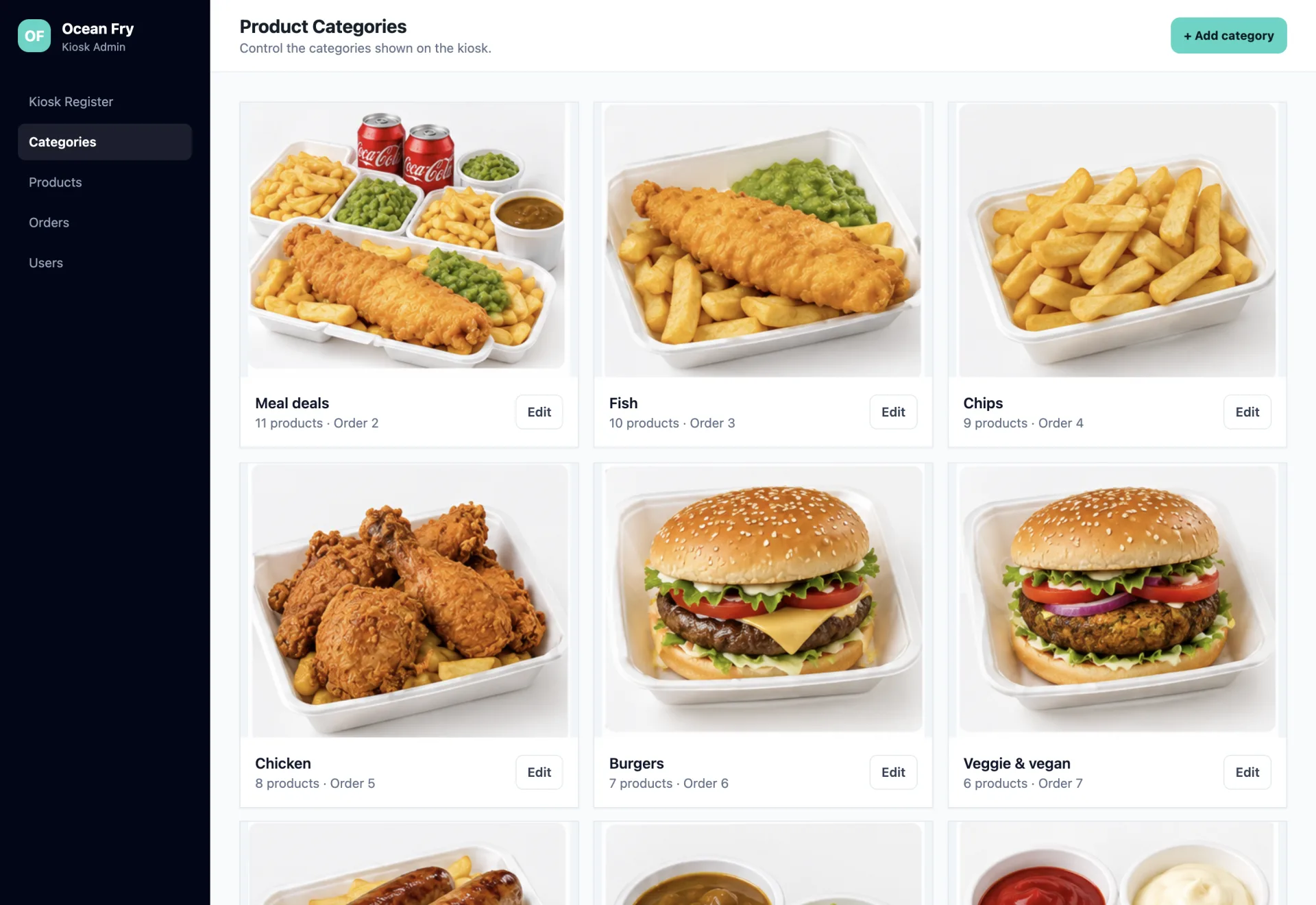
Streamlined restaurant operations and kiosk configuration through a centralized Laravel back office connected to floor-deployed Android ordering terminals.
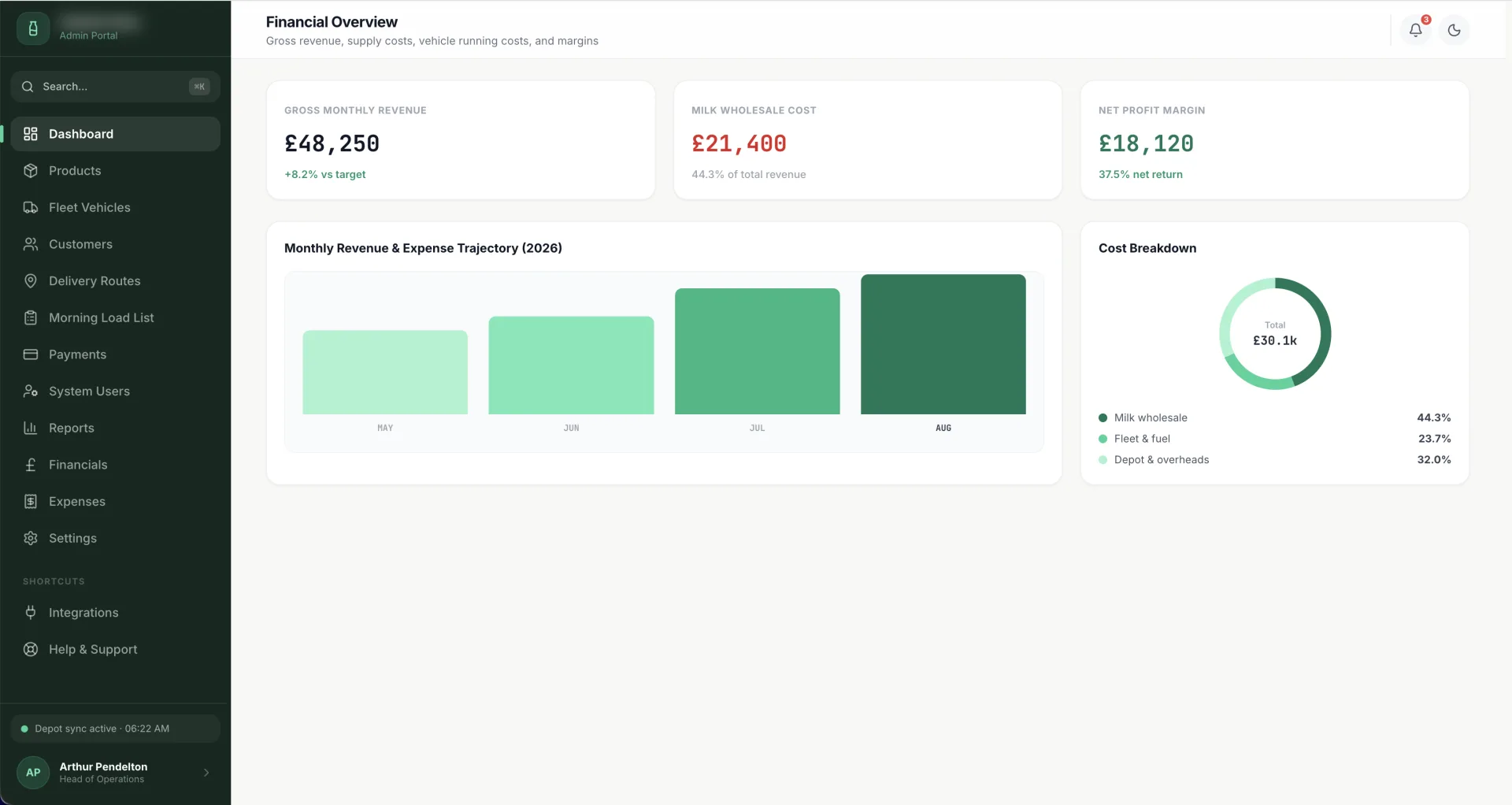
A high-performance operational portal designed for local dairies to streamline morning route planning, vehicle compliance, inventory margins, GoCardless payments, and Twilio customer SMS notifications.
Answers to common questions about designing and building bespoke business dashboards, reporting interfaces and control panels.

I'm a web developer specialising in Laravel, WordPress and mobile app development. I build fast, reliable websites and web apps, and I work directly with you from first email to launch, with no agencies or middlemen. Rated 5.0 everywhere my clients have left a review.
We only use non-identifying analytics cookies to understand how the site is used and help us improve it. Read our cookie policy.