↔
Interactive Before & After Slider
Let visitors click anywhere on the slider to move the reveal position — with no need to precisely grab and drag the handle.
Powerful image and video comparisons, made simple. Show the difference. Highlight the transformation. Let visitors interact with the result.
Conobe Before & After Slider makes it easy to create responsive, touch-friendly before-and-after comparisons directly inside WordPress. Build your slider visually, customise every detail, and add it to your website with a simple shortcode — no coding required.
A conventional image can show a finished result. A before-and-after slider is an interactive image comparison that lets visitors reveal the difference between two versions of an image. A before-and-after slider lets visitors discover the difference for themselves. Drag, click or interact with the comparison to reveal exactly what has changed.
That makes before-and-after content particularly powerful when the transformation is visual — whether you’re demonstrating a treatment, renovation, redesign, restoration or creative process.
The FREE version gives you a powerful set of tools for creating professional, responsive image comparisons.
Let visitors click anywhere on the slider to move the reveal position — with no need to precisely grab and drag the handle.
Allow the comparison handle to follow the visitor’s mouse automatically. Enable or disable hover movement to suit the experience.
Show or hide Before and After labels, change the wording and customise their text and background colours.
Choose the direction that works best for your content: left-to-right or top-to-bottom.
Set exactly where the comparison begins using a percentage-based default handle position.
Control widths using pixels, percentages or automatic sizing. Lock comparisons to 16:9, 4:3, 1:1, 21:9 or 3:4.
Adjust corner radius and shadow effects to create anything from a sharp editorial presentation to a softer card-style component.
Customise divider colour and width, handle size, background, border, icon colour and icon. Choose from five preset icons or remove the icon.
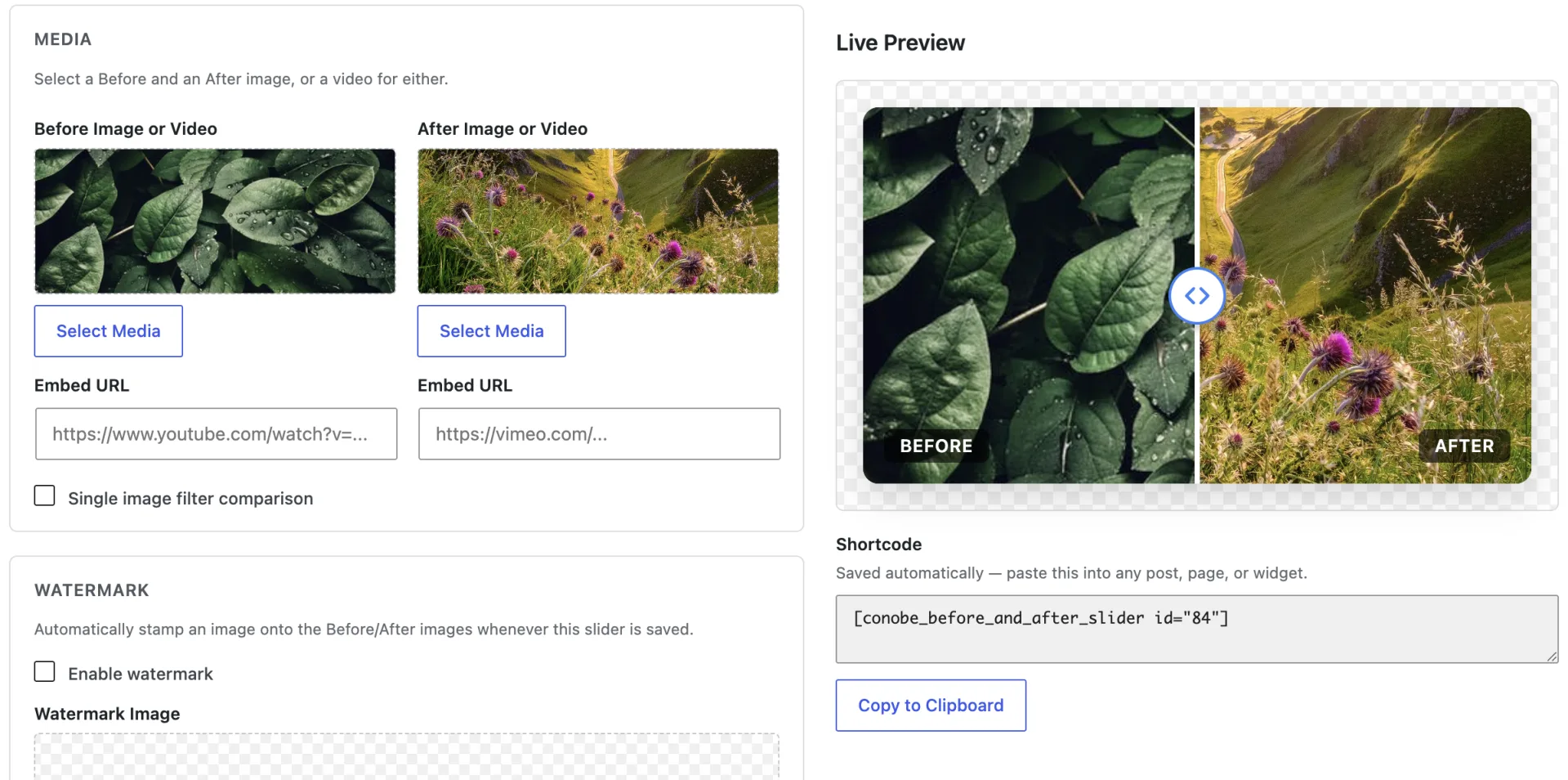
Build comparisons through a simple visual editor, preview the result while you work and automatically generate the shortcode.
Select images directly from the standard WordPress Media Library without managing files elsewhere.
Add sliders through compatible WordPress widget areas alongside your regular WordPress content.
Add descriptive image alt text, enable lazy loading and take advantage of responsive image output through srcset where supported.
Designed for desktop, tablet and mobile, with touch-friendly controls for visitors using phones and tablets.
Compatible with Gutenberg, Elementor, WPBakery, Divi and shortcode-enabled page builders.
There are no artificial limits on standard sliders. Create as many comparisons as your website requires.
If you can create a WordPress post, you can create a before-and-after slider.
Create it visually. Copy the shortcode. Publish it. No complicated configuration. No development work. Just create, customise and publish.
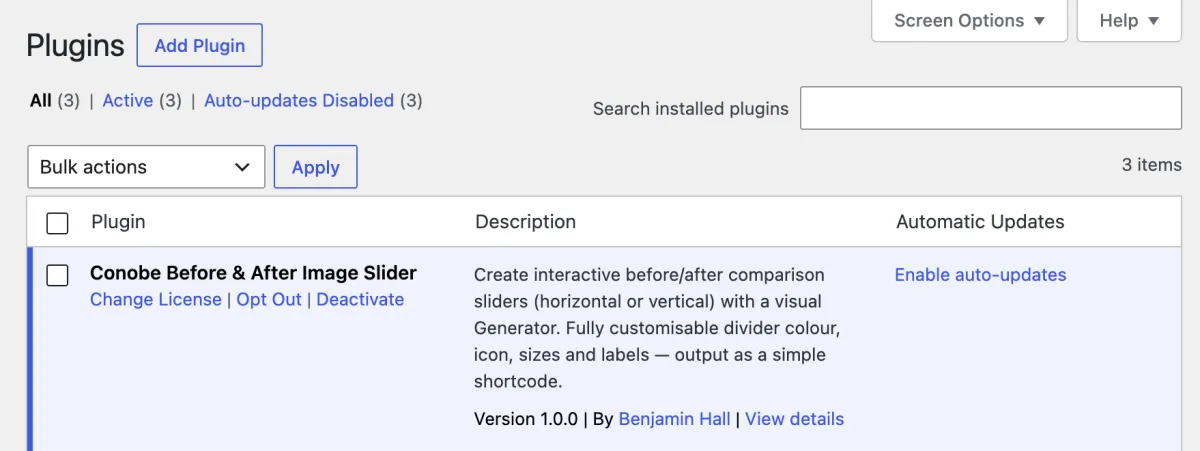
From WordPress, go to Plugins → Add Plugin, and upload the ZIP from the PRO checkout. Install it and click Activate, then 'Activate License' - enter your license key to complete the setup.
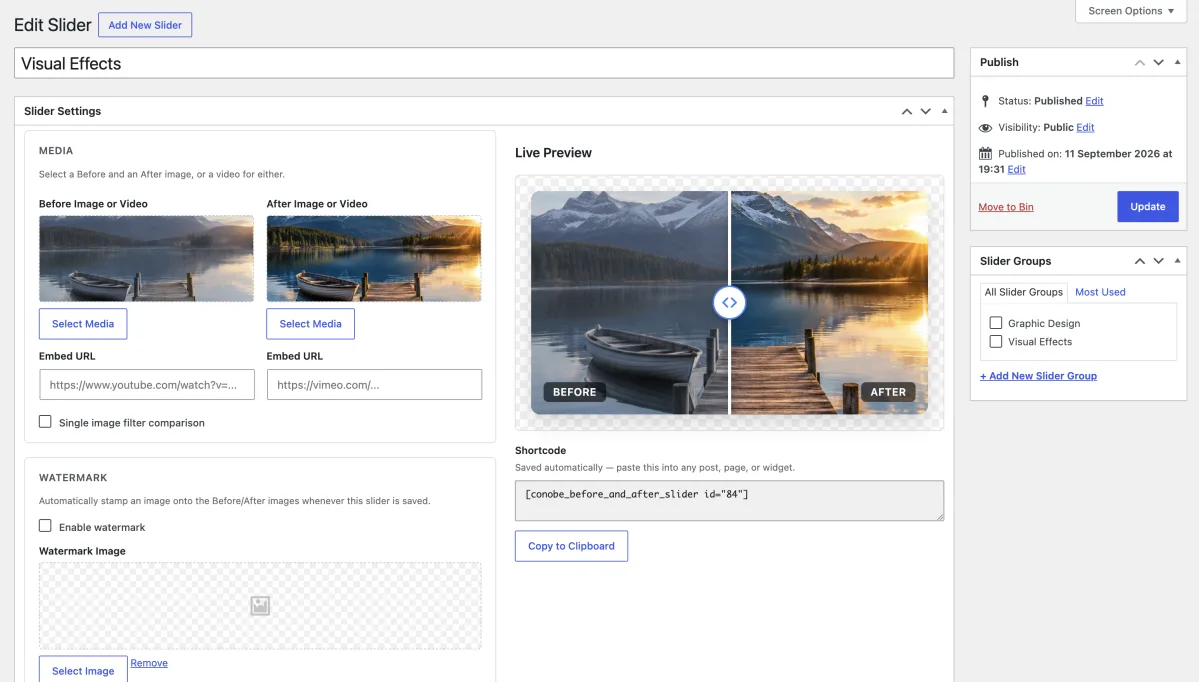
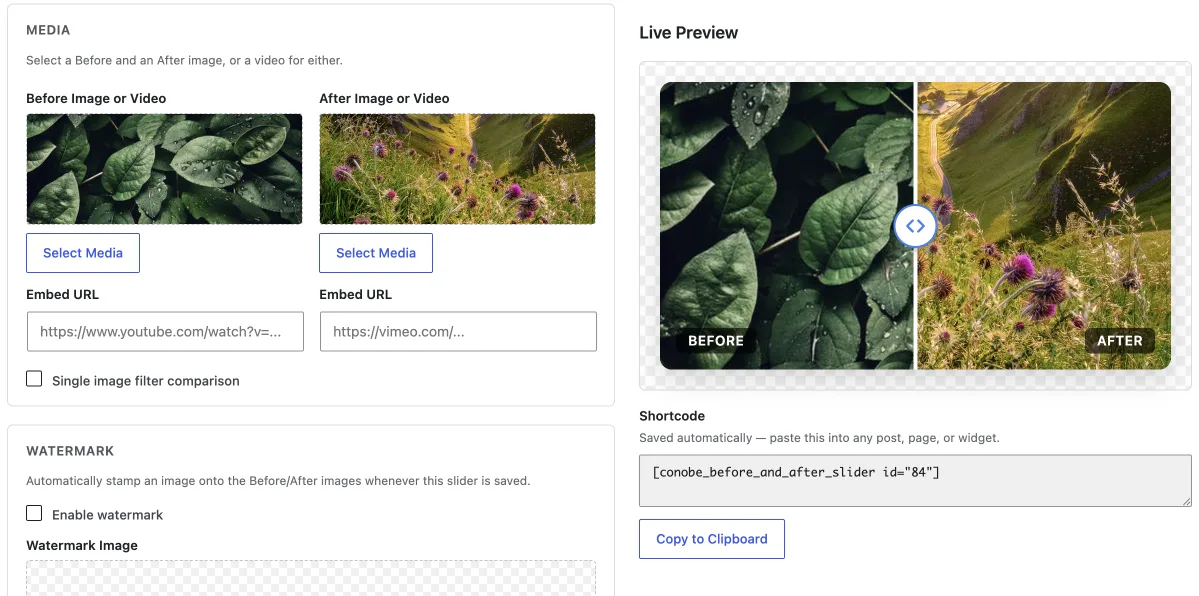
Go to Before And After → Add New. Choose your media, customise the appearance and settings, then save. Your shortcode is generated automatically.
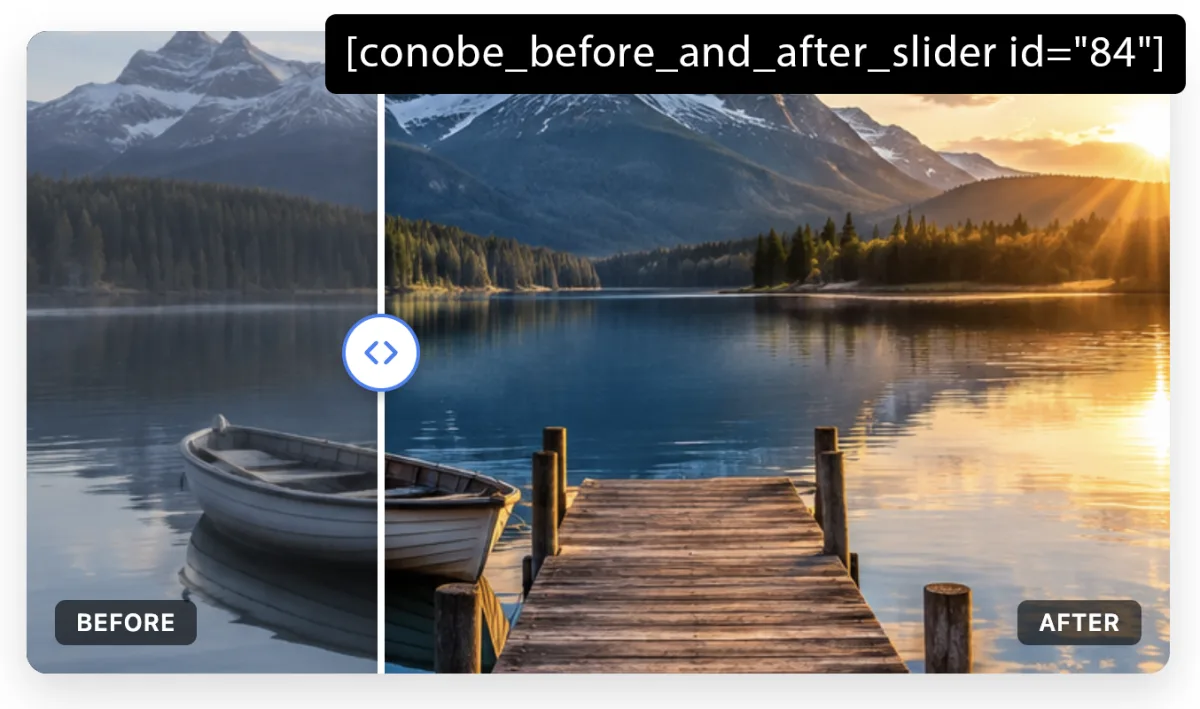
Copy the shortcode and paste it into a post, page, widget, Gutenberg block or supported page builder. That’s it.
Have lots of before and after sliders? Group them by category, project, service or any other collection you need. Each group gets its own shortcode, which automatically displays all of the sliders assigned to that group in a responsive grid.
When creating or editing a slider, assign it to a group. For example, you could create groups for Kitchen Renovations, Bathroom Renovations or Completed Projects.
Each group can have its own title, responsive column settings and optional call-to-action button. This means different galleries can have completely different layouts and presentation.
Go to the group page to get its shortcode. Paste that shortcode wherever you want the gallery to appear. The plugin then pulls in every slider assigned to that group and displays them in the grid you configured.
Assign as many sliders as you like to a group. The group shortcode keeps the gallery up to date, so adding another slider to that group automatically makes it available in the group layout.
Conobe Before and After Slider Pro adds advanced tools for creating richer, more interactive comparison experiences — including video, grouped layouts, automatic animation, scroll-controlled reveals and custom watermarks.
Create responsive grids and columns containing multiple sliders, including layouts such as 3 × 3 grids with nine comparisons. Control columns, calls to action and group appearance.
Create parent and child groups and display filter controls above your slider grid so visitors can quickly find the comparisons they want.
Save individual sliders, return to them for changes and quickly find existing sliders using dashboard search.
Create transitions between two synchronised videos, or combine images and video in the same comparison.
Use video from YouTube and Vimeo, or supported third-party embed codes, without managing large video files on your hosting.
Apply CSS filters including grayscale, invert, saturation, brightness, opacity, sepia and contrast to a single image.
Upload your own watermark, choose whether it is displayed and position it using one of nine placement zones.
Tie reveal position to visitor scrolling so the comparison progressively unfolds down the page.
Create animated reveals that move back and forth automatically. Control duration and looping behaviour.
Position Before and After labels exactly where they suit your layout, imagery and design.
Add custom CSS rules to individual sliders for fine-grained control without affecting every comparison.
Keep PRO up to date throughout your active licence period and receive priority technical support.
Use these visual blocks to break up the feature content and show customers exactly what the plugin can create.
The classic draggable before and after comparison.
The comparison position responds automatically as visitors scroll through the page.
Move your mouse across the comparison to reveal the transformation without dragging.
Automatically animate between the two sides at a configurable interval.
Replace the standard Before and After labels with your own wording and position them where you need.
Change the comparison direction for portraits, plans, architectural work and other vertical layouts.
Compare video content as well as still images for editing, colour grading, animation and restoration.
Control the divider, handle, icon, colours, radius and shadow to match your website branding.
Set the initial position of the comparison to show more of one side than the other.
Apply CSS filters to a single image to create effects such as grayscale, sepia, invert, saturation, brightness and contrast.
You shouldn’t have to rebuild your workflow around a plugin. Conobe Before and After Slider works with the WordPress tools you’re already familiar with, while giving you the flexibility to create something much more visually engaging than a standard image block.
Before-and-after content isn’t limited to one industry. If your website needs to demonstrate a visible change, a comparison slider can make that change more engaging.
Compare original photography with edited, retouched or colour-graded versions.
Show renovations, decorating, extensions, landscaping and interior transformations.
Demonstrate visible results from skincare, beauty treatments, dental work and wellness services.
Compare properties before and after renovation, refurbishment, staging or development.
Compare product variants, colourways, packaging, styling and design changes.
Demonstrate scientific processes, experiments, research results and educational examples.
Show vehicle restorations, repairs, detailing, modifications, tuning and customisation.
Compare preparation stages, plating variations, recipe development and food photography.
Compare venues before and after decoration, weddings, seasonal installations and event styling.
PRO adds video, groups, automation, watermarks and advanced controls to the complete FREE foundation.
Before & After Slider Screenshots
Explore the comparison layouts, slider controls, theme options and real-world examples included with Conobe Before and After Slider Pro.
Give them something they can interact with. Whether you’re demonstrating a transformation, proving a result, showcasing your work or helping customers understand the difference between two versions, Conobe Before and After Slider gives you the tools to make that comparison more powerful.
Start creating interactive comparisons today — free. And when you need more, upgrade to PRO and unlock video sliders, grouped comparisons, automatic animation, scroll-controlled reveals, watermarks and advanced customisation.
A before and after slider in WordPress allows you to visually compare two images by sliding between them. This is useful for showcasing transformations, improvements, or changes over time.
Installing the FREE plugin is straightforward. From your WordPress dashboard, go to Plugins → Add New and search for Conobe Before and After Slider. Click Install Now, then Activate. Once activated, you’ll find the new Before And After section in your WordPress dashboard where you can create your first comparison.
Yes, the Conobe Before and After Slider Plugin is fully compatible with Elementor. You can use the generated shortcode to embed your sliders within Elementor pages.
Go to Before And After → Add New in your WordPress dashboard. Choose your before and after images, customise the appearance and behaviour of your slider, then click Save. The plugin automatically generates a shortcode for your slider. Copy the shortcode and paste it into your page, post, widget or supported page builder.
Yes, the Conobe Before and After Slider Plugin allows you to create before and after video comparisons in WordPress. You can upload your before and after videos, configure the slider settings, and use the generated shortcode to embed the video comparison in your page, post, or widget.
No. The plugin is designed to be configured through the WordPress dashboard. You can create and customise standard sliders without writing code or understanding HTML, CSS or JavaScript. PRO also includes custom CSS for users who want additional control, but it isn’t required for normal use.
You can add sliders anywhere your WordPress installation supports shortcodes, including posts, pages, widgets and compatible page builders. This includes Gutenberg, Elementor, WPBakery, Divi and other shortcode-compatible builders.
If you need the additional PRO features, you can upgrade directly from the plugin website. You’ll then receive access to the PRO plugin, updates and priority technical support for your active licence period.
Yes. PRO customers with an active licence receive priority technical support and can contact us if they experience problems using the PRO plugin. FREE users can also access support through the WordPress support forum.
Yes, but FREE support is more limited than PRO support. For FREE users, we recommend using the WordPress support forum where you can find help and discuss issues with the community.
Yes. If we’re unable to resolve a problem with your purchase within 7 business days, we’ll refund your order. We’ll always try to resolve the issue with you first, and we’re confident that we’ll be able to help with the vast majority of problems.
Video comparisons are a PRO feature. PRO allows you to create comparisons using two synchronised videos, combinations of images and video, and supported embedded video sources such as YouTube and Vimeo.
Absolutely. The FREE version allows you to create unlimited standard sliders. PRO adds additional tools for organising those sliders into groups, grids and filterable collections.
Yes. The plugin is designed to be responsive and touch friendly, allowing visitors to interact with comparisons on smartphones, tablets and desktop devices.
Start with the FREE plugin and create your first comparison today. When you’re ready to create more advanced experiences, PRO gives you the tools to go further.
See the difference. Share the transformation. Make your work stand out.
WHAT USERS SAY
See how WordPress users are using Conobe Before & After Slider to create interactive image and video comparisons on their websites.
I added this to my transformation page to display client progress photos and the response has been great. It is simple enough that I did not need any coding knowledge to get it looking professional. The touch support works well too, which matters since most of my visitors are on mobile.
Conobe Before and After Slider is exactly what I needed for client sites showcasing renovation work. The drag handle is smooth, the sliders load fast, and I love that I can drop it straight into a page with a shortcode or block without wrestling with extra settings. It has become one of my go-to plugins for design and remodeling clients.
This slider has genuinely helped me win more quotes. Being able to show a messy kitchen next to the finished renovation right on the homepage makes a much bigger impression than a plain gallery ever did. Customers often mention it during calls, which tells me it is doing its job.
BEFORE & AFTER SLIDER PRO SUPPORT
Pro users receive premium support directly from the developer. Get help with Before & After Slider Pro, its features and settings, including creating sliders, customizing effects, and managing your slides.
If you already have a license for Before & After Slider Pro, please include your license key in your message for faster support.
Please note: we can only provide premium support for valid license holders.